During Public Preview you can use the Team plan for free, and get an early-adopter discount at GA. Sign in
Creating a Custom Role
This guide shows you how to create a custom role against Locally, assign it to a service principal and see Locally allow exactly what the role grants and nothing more. As with the other guides we're going to use the Azure CLI.
Before you start
- The Azure CLI (
az) installed. - Locally installed, with Locally Setup completed.
Role definitions are part of Locally's Control Plane, so there's no plugin to install. If you haven't assigned a role in Locally before, Role Assignments is a good place to start.
1. Start Locally
Firstly, we need to launch Locally which we can do from a terminal by running:
                $


            locally build
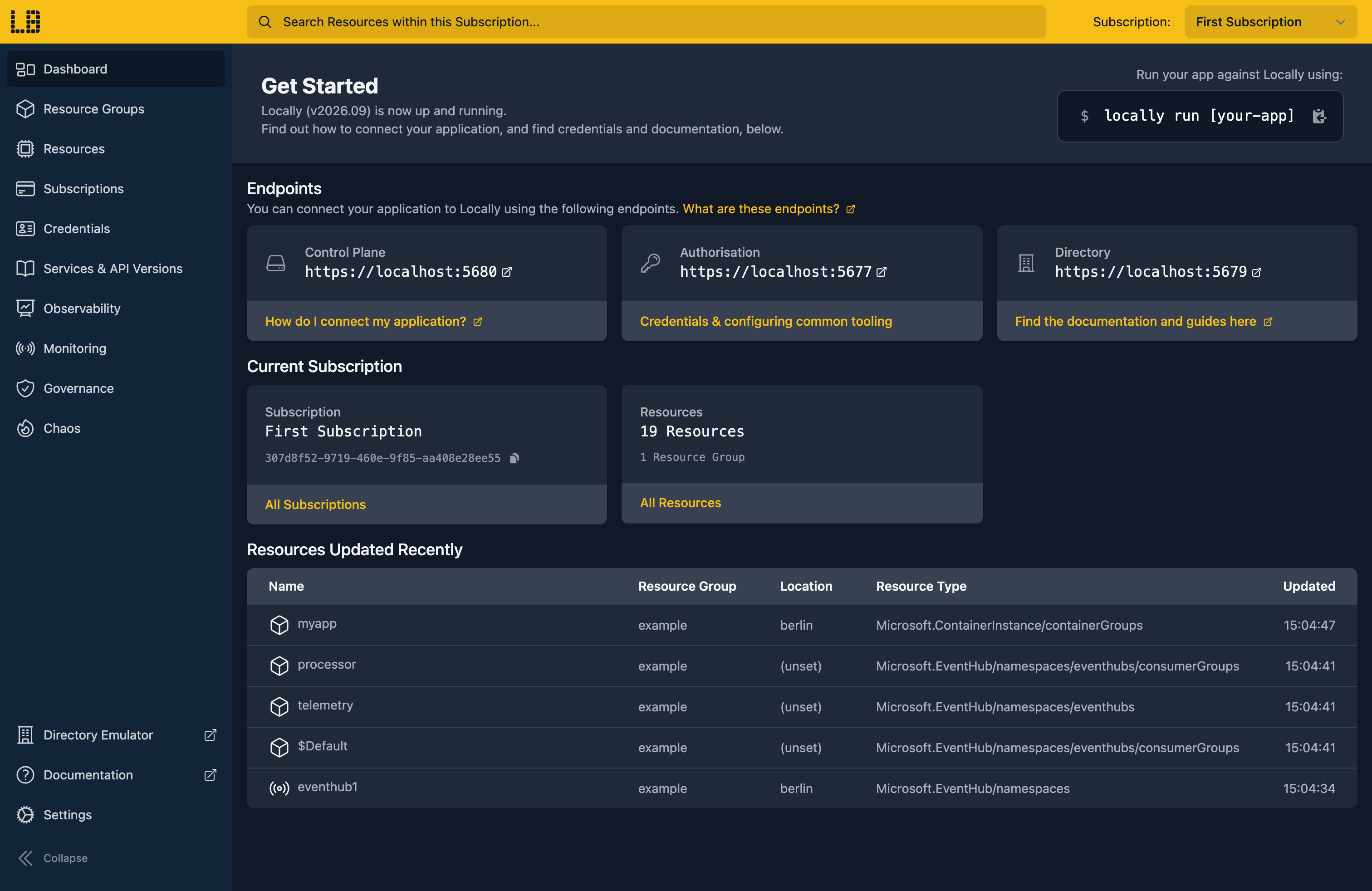
Once Locally has started, the Locally Dashboard will open automatically:
2. Create a Resource Group
Next we can create the Resource Group our role will apply to:
                $


            locally run az group create -n sample-custom-roles -l berlin
There's two things to note here:
- The Azure CLI supports Automatic Configuration, meaning that it can automatically be configured to work against Locally just by prefixing commands with
locally run. - Locally intentionally uses a different set of locations to Azure as a safety precaution, so that you can be confident you're deploying against Locally rather than regular Azure. You can also configure Locally to use the Azure locations too, but you'll want to be extra sure that you're prefixing commands with
locally runwhen you do.
We'll need the Resource Group's ID for the role's scope, so let's keep hold of it:
                $


            export RG_ID=$(locally run az group show -n sample-custom-roles --query id -o tsv)
3. Create the custom role
Our role lets someone read a Resource Group and change its tags, and nothing else. Save this as tagger-role.json:
{
  "Name": "Resource Group Tagger",
  "Description": "Can read a Resource Group and change its tags, but nothing else.",
  "Actions": [
    "Microsoft.Resources/subscriptions/resourceGroups/read",
    "Microsoft.Resources/tags/*"
  ],
  "NotActions": [],
  "AssignableScopes": ["RG_ID"]
}
AssignableScopes limits where the role can be assigned. RG_ID is a placeholder, which we swap for the Resource Group's ID as we create the role:
                $


            locally run az role definition create --role-definition "$(sed "s|RG_ID|$RG_ID|" tagger-role.json)" --query "{name:roleName, type:roleType, actions:permissions[0].actions, scopes:assignableScopes}"
{
  "actions": [
    "Microsoft.Resources/subscriptions/resourceGroups/read",
    "Microsoft.Resources/tags/*"
  ],
  "name": "Resource Group Tagger",
  "scopes": [
    "/subscriptions/0f766306-391f-4f66-b9ee-927fb2db629c/resourceGroups/sample-custom-roles"
  ],
  "type": "CustomRole"
}
4. Assign it to a Service Principal
locally run normally signs you in as an Owner of everything, so we'll create a service principal with no roles to give our custom role to:
                $


            export APP_ID=$(locally run az ad sp create-for-rbac --name custom-role-docs1 --query appId -o tsv)
First let's try assigning the role across the whole Subscription:
                $


            locally run az role assignment create --assignee "$APP_ID" --role "Resource Group Tagger" --scope "/subscriptions/$(locally run az account show --query id -o tsv)"
That's refused, because the Subscription isn't one of the role's assignable scopes:
ERROR: (ScopeNotAssignableToRoleDefinition) The role definition '/subscriptions/0f766306-391f-4f66-b9ee-927fb2db629c/providers/Microsoft.Authorization/roleDefinitions/3120ebe3-afa5-48da-aad4-1cec83cc3d70' cannot be assigned at the scope '/subscriptions/0f766306-391f-4f66-b9ee-927fb2db629c': the scope is not one of its assignable scopes.
Code: ScopeNotAssignableToRoleDefinition
Message: The role definition '/subscriptions/0f766306-391f-4f66-b9ee-927fb2db629c/providers/Microsoft.Authorization/roleDefinitions/3120ebe3-afa5-48da-aad4-1cec83cc3d70' cannot be assigned at the scope '/subscriptions/0f766306-391f-4f66-b9ee-927fb2db629c': the scope is not one of its assignable scopes.
So we assign it on the Resource Group instead:
                $


            locally run az role assignment create --assignee "$APP_ID" --role "Resource Group Tagger" --scope "$RG_ID" --query "{principalType:principalType, scope:scope}"
{
  "principalType": "ServicePrincipal",
  "scope": "/subscriptions/0f766306-391f-4f66-b9ee-927fb2db629c/resourceGroups/sample-custom-roles"
}
5. See what the role allows
Passing --service-principal to locally run runs a command as that principal. Our role includes Microsoft.Resources/tags/*, so tagging the Resource Group works:
                $


            locally run --service-principal custom-role-docs1 az tag update --resource-id "$RG_ID" --operation Merge --tags env=dev --query properties.tags
{
  "env": "dev"
}
az group update sets tags too, but it writes the whole Resource Group, which needs Microsoft.Resources/subscriptions/resourceGroups/write. The role doesn't include that action, so this is refused:
                $


            locally run --service-principal custom-role-docs1 az group update -n sample-custom-roles --tags env=prod
ERROR: (AuthorizationFailed) The client 'df0e88f2-17a1-4441-8046-19aadb1c6d5a' does not have authorization to perform action 'Microsoft.Resources/subscriptions/resourceGroups/write' over scope '/subscriptions/0f766306-391f-4f66-b9ee-927fb2db629c/resourceGroups/sample-custom-roles'.
Code: AuthorizationFailed
Message: The client 'df0e88f2-17a1-4441-8046-19aadb1c6d5a' does not have authorization to perform action 'Microsoft.Resources/subscriptions/resourceGroups/write' over scope '/subscriptions/0f766306-391f-4f66-b9ee-927fb2db629c/resourceGroups/sample-custom-roles'.
Exception Details:	(RequiredAction) Microsoft.Resources/subscriptions/resourceGroups/write over /subscriptions/0f766306-391f-4f66-b9ee-927fb2db629c/resourceGroups/sample-custom-roles
	Code: RequiredAction
	Message: Microsoft.Resources/subscriptions/resourceGroups/write over /subscriptions/0f766306-391f-4f66-b9ee-927fb2db629c/resourceGroups/sample-custom-roles
Note
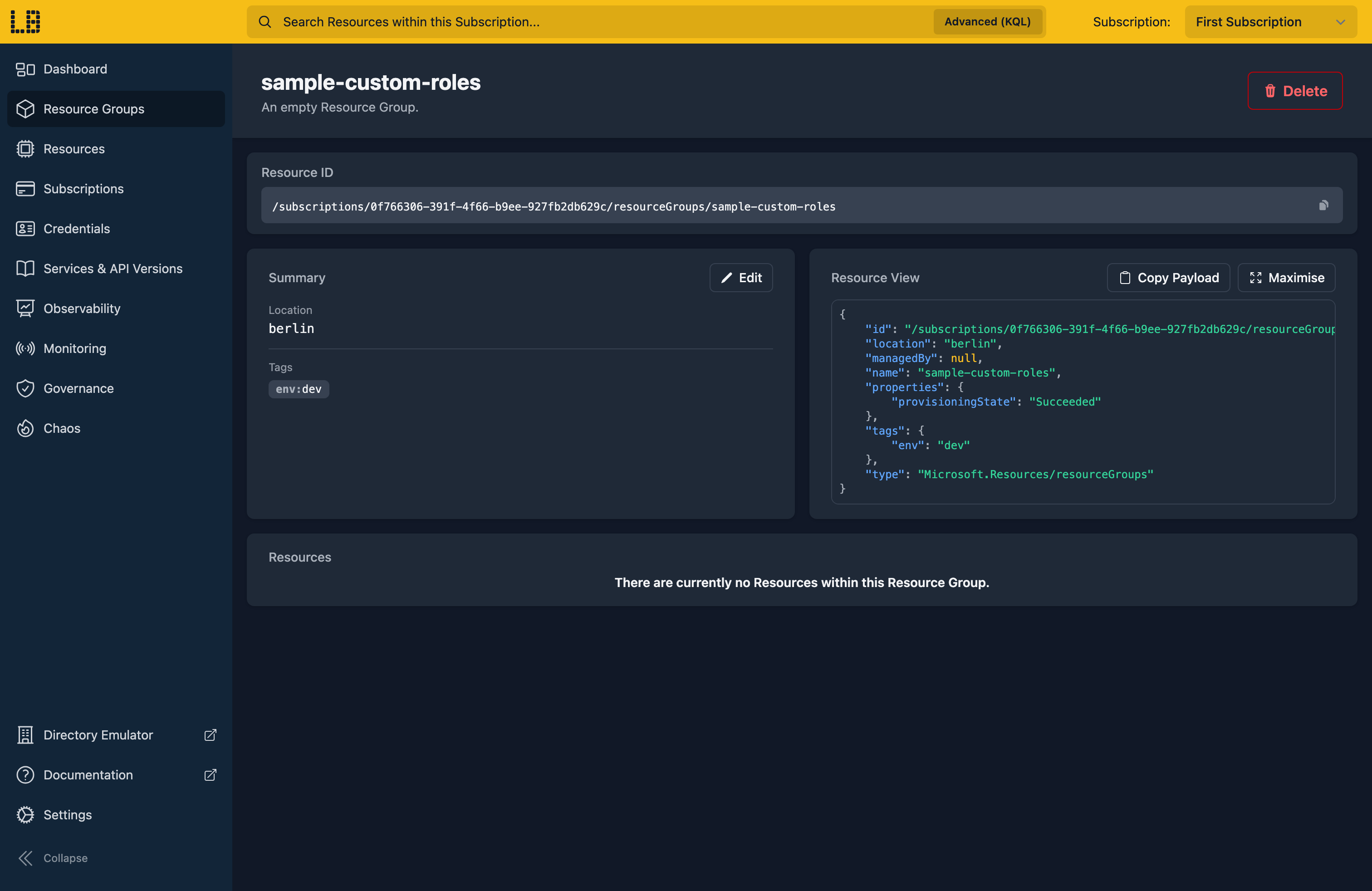
We can see the tag the service principal added in the Locally Dashboard:
7. Tidy up
Finally, we can tidy up. The role and the service principal outlive the Resource Group, so we remove the role assignment, then the role:
                $


            locally run az role assignment delete --assignee "$APP_ID" --role "Resource Group Tagger" --scope "$RG_ID"
                $


            locally run az role definition delete --name "Resource Group Tagger" --scope "$RG_ID"
Then the service principal, by deleting its app registration:
                $


            locally run az ad app delete --id "$APP_ID"
And finally the Resource Group:
                $


            locally run az group delete -n sample-custom-roles --yes
Doing this with other tooling
Whilst this guide used the Azure CLI, custom roles work the same way through any of the tooling that Locally supports - a Microsoft.Authorization/roleDefinitions resource in HashiCorp Terraform or OpenTofu, Pulumi, Bicep or an ARM Template all provision against Locally in the same way.
Next steps
Role Assignments covers the built-in roles, and Managed Identity walks through giving an identity a role on a Key Vault.
Should you encounter any issues, please take a look at the troubleshooting section, reach out in our Discord or open an issue and we'll take a look.
Resource types this guide uses
These are the Azure resource types this guide creates in Locally:
During Public Preview you can use the Team plan for free, and get an early-adopter discount at GA. Sign in
