IoT Hub Emulator
Sign in during Public Preview to get the Team plan free, plus an early-adopter discount when we launch. Sign in
IoT Hub Emulator
Azure IoT Hub is a managed service for connecting IoT devices to the cloud - receiving their telemetry, and managing them using device twins and direct methods.
Locally supports both provisioning IoT Hubs (and the devices within them) and connecting devices which send telemetry, keep a twin and answer direct methods - so you can test your device and backend code together.
When you provision a hub in Locally, it's available at <hub>.iothub.locally - over HTTPS on port 5662, AMQP on 5671 and MQTT on 5883 - which you can connect to using the Azure IoT device and service SDKs.
Finding the Emulator
Once a hub has been created, you can find its HTTPS Endpoint on its resource page within the Locally Dashboard, and open the emulator from the command line using:
                $


            locally iothub dashboard --hub <hub>
The IoT Hub Emulator
Within the IoT Hub Emulator you can register devices, and open a device to see its keys and connection strings, its twin and the telemetry it's sent recently:
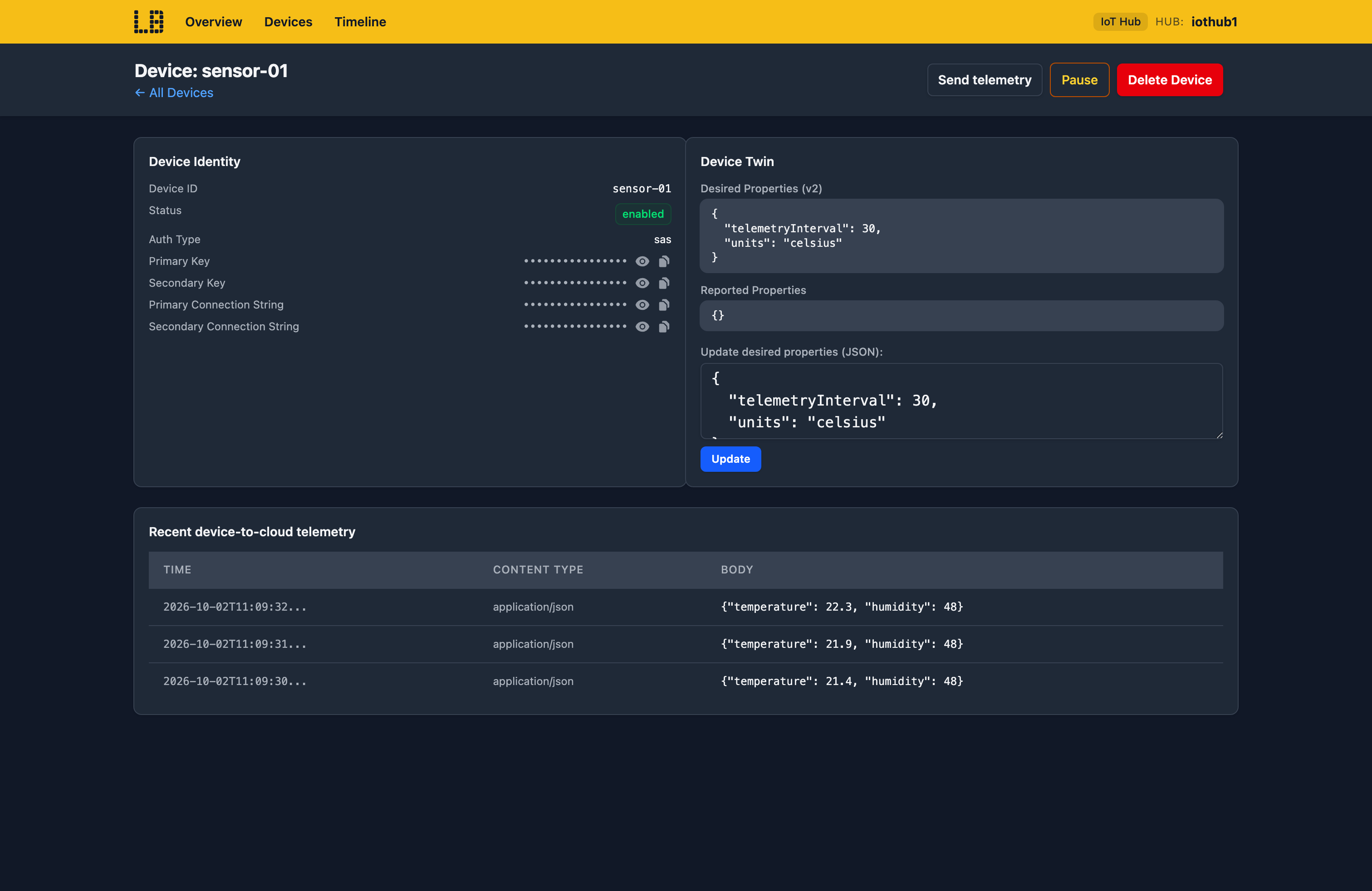
You can also update a twin's desired properties, send telemetry as the device, and Pause a device to see how your backend copes when it goes quiet.
What's Supported
The IoT Hub emulator supports:
Authentication is supported using a device's SAS token (signed with its own keys), the hub's shared access policies or - over HTTPS - a Microsoft Entra token, checked against IoT Hub's data-plane roles.
Devices can send telemetry over AMQP, MQTT or HTTPS - but MQTT is served on port 5883 rather than 8883, so MQTT clients need their port set. The Locally CLI also has its own commands for the hub's data plane, such as locally iothub device create and locally iothub device send, so you don't need the Azure CLI's IoT extension.
IoT Hub also works with Locally's other emulators, as you'd expect - for example:
- Telemetry lands in the hub's built-in endpoint, served by the Event Hubs Emulator - so a consumer reading
messages/eventsworks unchanged. DeviceCreated,DeviceDeleted,DeviceConnected,DeviceDisconnectedandDeviceTelemetryevents are sent to the hub's system topics in the Event Grid Emulator.
Differences from Azure
As of Locally v2026.09.02, the IoT Hub emulator has the following differences from Azure:
- Cloud-to-device messages can't be sent yet. Devices can listen for them over AMQP and MQTT, but there's no service-side send.
- Over AMQP, the .NET device SDK's twin and direct method links aren't recognised - use MQTT for twins and direct methods.
- Only symmetric key authentication is supported - X.509 certificates aren't.
- Message routing isn't supported, so telemetry always goes to the built-in endpoint.
- Jobs, file upload, module identities and the Device Provisioning Service aren't available.
- MQTT is version 3.1.1 only, and there's no MQTT or AMQP over WebSockets.
- Device queries support
SELECT * FROM deviceswith equality filters only. - Chaos Engineering isn't available for IoT Hub yet.
Should you encounter any issues, please take a look at the troubleshooting section.
Sign in during Public Preview to get the Team plan free, plus an early-adopter discount when we launch. Sign in
