Minimum Necessary Permissions
Sign in during Public Preview to get the Team plan free, plus an early-adopter discount when we launch. Sign in
Minimum Necessary Permissions
Far too often deployment identities are granted Contributor, since working out which permissions your tooling actually needs - by deploying, hitting a 403, adding a permission and trying again - takes a while.
But once you've provisioned your infrastructure or deployed your application to Locally, Locally can work out which permissions are needed for the API calls you've actually made - and generate an Azure role definition containing just those. You can find this in the Locally Dashboard, under Observability → Minimum Necessary Permissions.
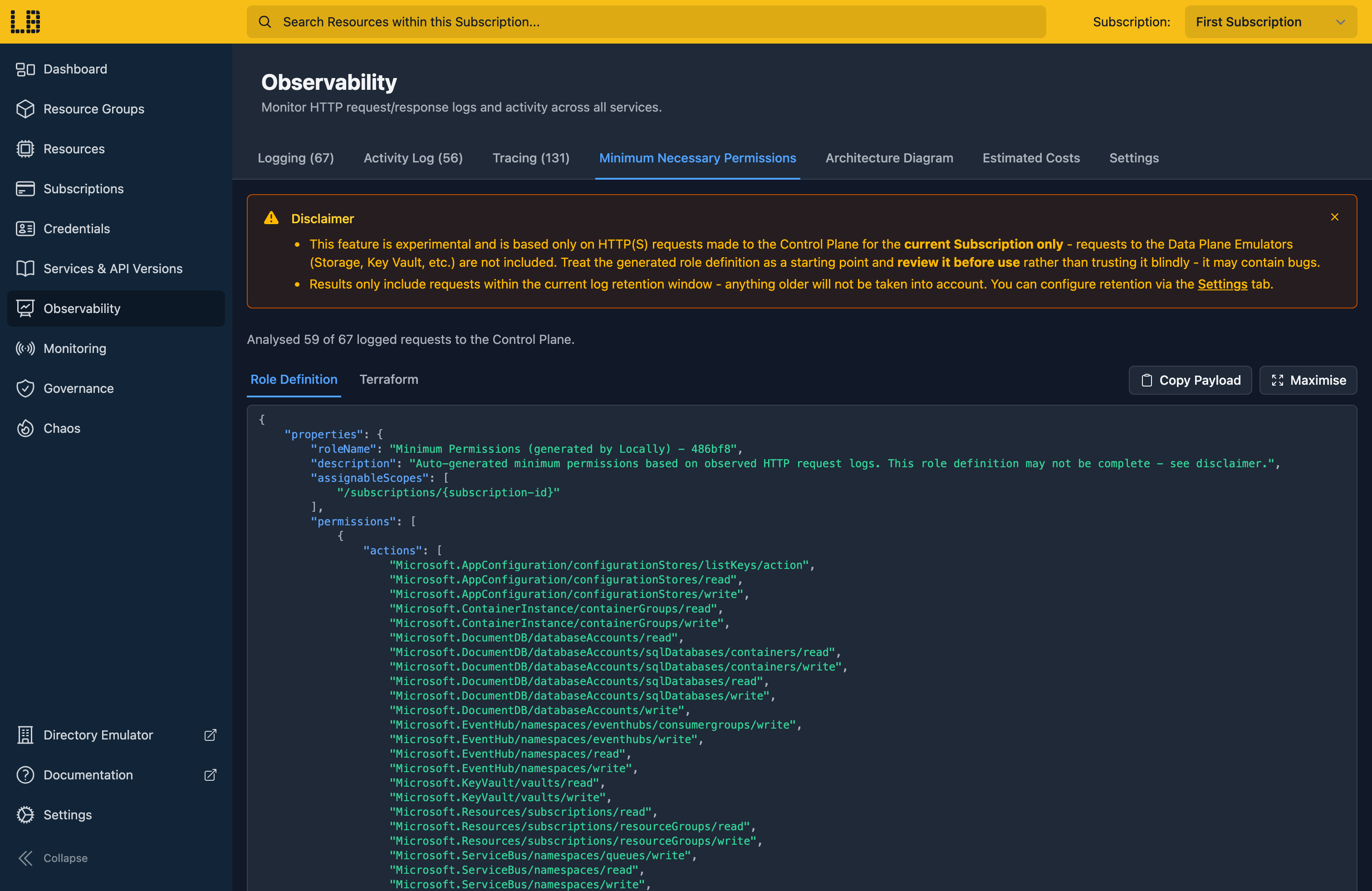
Above the role definition, the Dashboard shows how many Control Plane requests it's based on - so you can check it covers what you expected.
Role Definition
The Role Definition tab contains the role definition as JSON, in the same shape the Azure API uses - which you can copy using Copy Payload.
Before you create this role in Azure, you'll need to replace the /subscriptions/{subscription-id} placeholder in assignableScopes with the scope your identity deploys into - such as a Subscription, Management Group or Resource Group. The roleName ends with a random suffix, so it's worth renaming it to something your team will recognise.
Terraform
The Terraform tab contains the same permissions as an azurerm_role_definition:
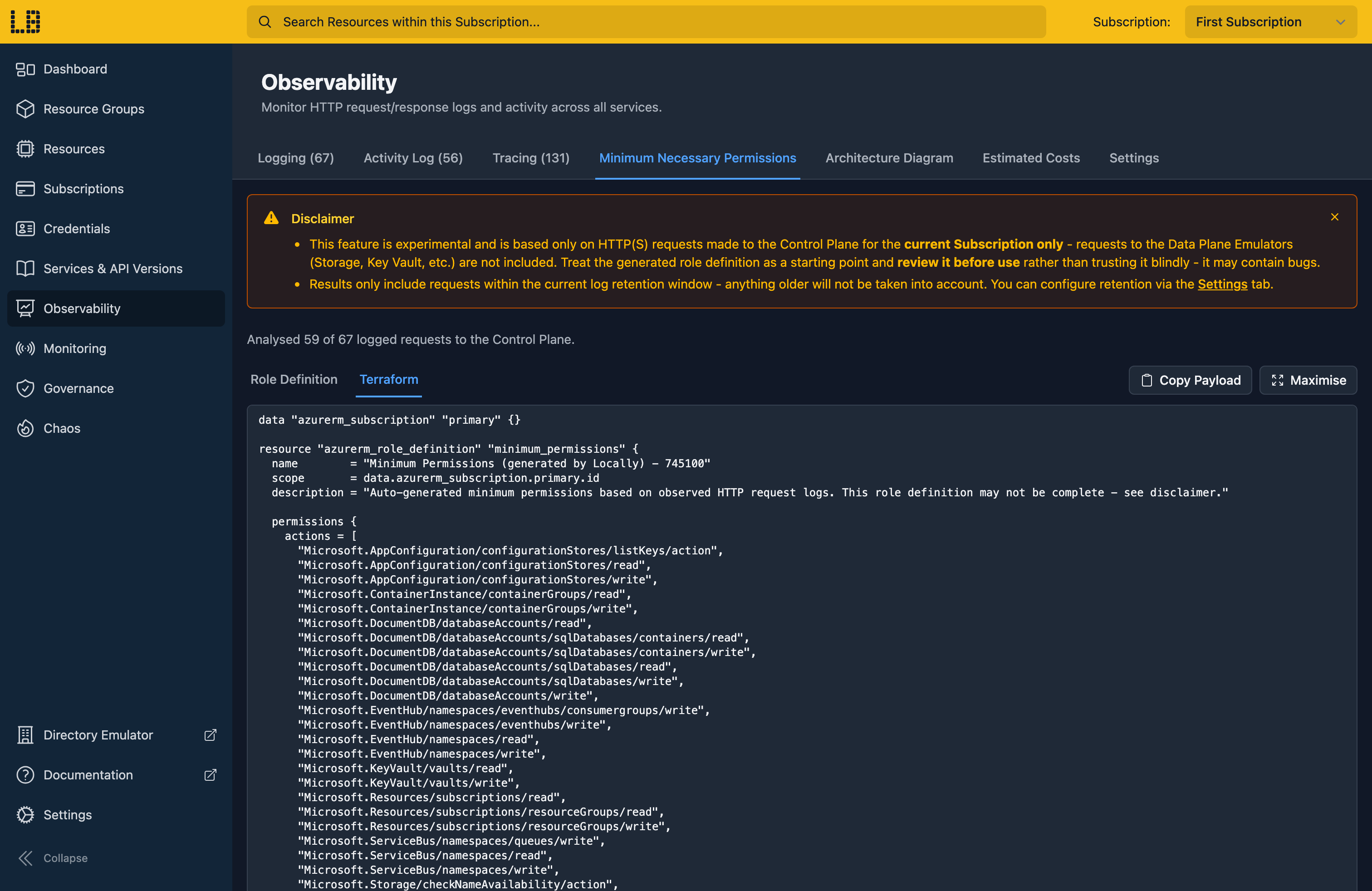
This uses the Subscription the AzureRM Provider is configured for, so there's no placeholder to replace - but as above, it's worth renaming it.
Notes
Heads up
The role definition only includes the permissions Locally has seen being used, so:
- Control Plane only - requests to the Data Plane Emulators (such as reading a blob, or a secret from Key Vault) aren't included, so
dataActionsis always empty, and you'll need to add these yourself. - Only what you ran - if part of your application (such as deleting resources) doesn't run against Locally, the permissions it needs won't be included.
The role definition is based on the requests in the logs, which Locally keeps for 15 minutes by default - you can change this in the Dashboard, under Observability → Settings. For example, you can clear the logs, keep requests for an hour, provision your infrastructure and deploy your application - and then review the role definition. With the Locally Agent Skills installed, you can ask your AI agent to clear the logs, provision and deploy for you.
Should you encounter any issues, please take a look at the troubleshooting section.
Sign in during Public Preview to get the Team plan free, plus an early-adopter discount when we launch. Sign in
