Durable Task Scheduler Emulator
Sign in during Public Preview to get the Team plan free, plus an early-adopter discount when we launch. Sign in
Durable Task Scheduler Emulator
The Durable Task Scheduler is a managed backend for durable orchestrations. It stores their state and hands their work out to the apps that run them, whether those are Durable Functions or apps using the Durable Task SDKs.
The Durable Task Scheduler Emulator within Locally lets you run your orchestrations end-to-end on your machine - from Durable Functions or the Durable Task SDKs - and follow each one through its history in the task hub dashboard.
For a step-by-step walkthrough, see Provisioning a Durable Task Scheduler.
Working with the Emulator
Each scheduler has its own endpoint, and each of its task hubs has a dashboard:
- Scheduler:
https://<name>-<suffix>-<region>.durabletask.locally:5672- where your clients and workers connect - and you can interact with the scheduler's task hubs. - Task hub dashboard:
<scheduler endpoint>/_ui/taskhubs/<task hub>- also the task hub'sproperties.dashboardUrl.
Note
<suffix> is six random characters chosen when the scheduler is created, so read the endpoint from the resource's properties.endpoint (for example as a Terraform output) rather than building it yourself.The scheduler's and task hub's resource pages in the Locally Dashboard link to the same places, under Endpoints for this Service.
The Task Hub Dashboard
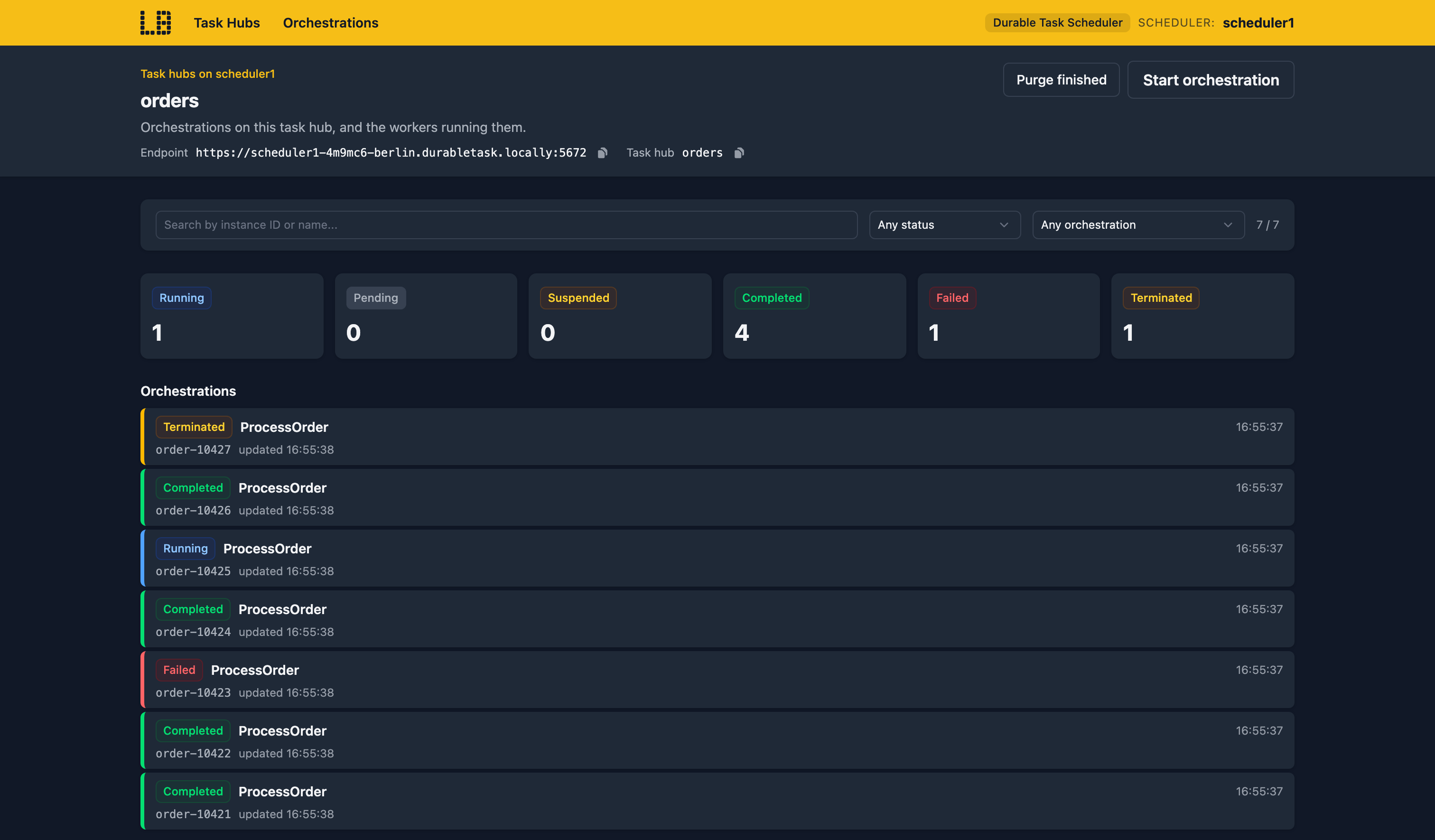
The task hub dashboard lists the hub's orchestrations - which you can search, and filter by status or name - and the workers connected to it, with when each connected, what it's working on and its limits. From here you can start an orchestration, or purge every finished one:
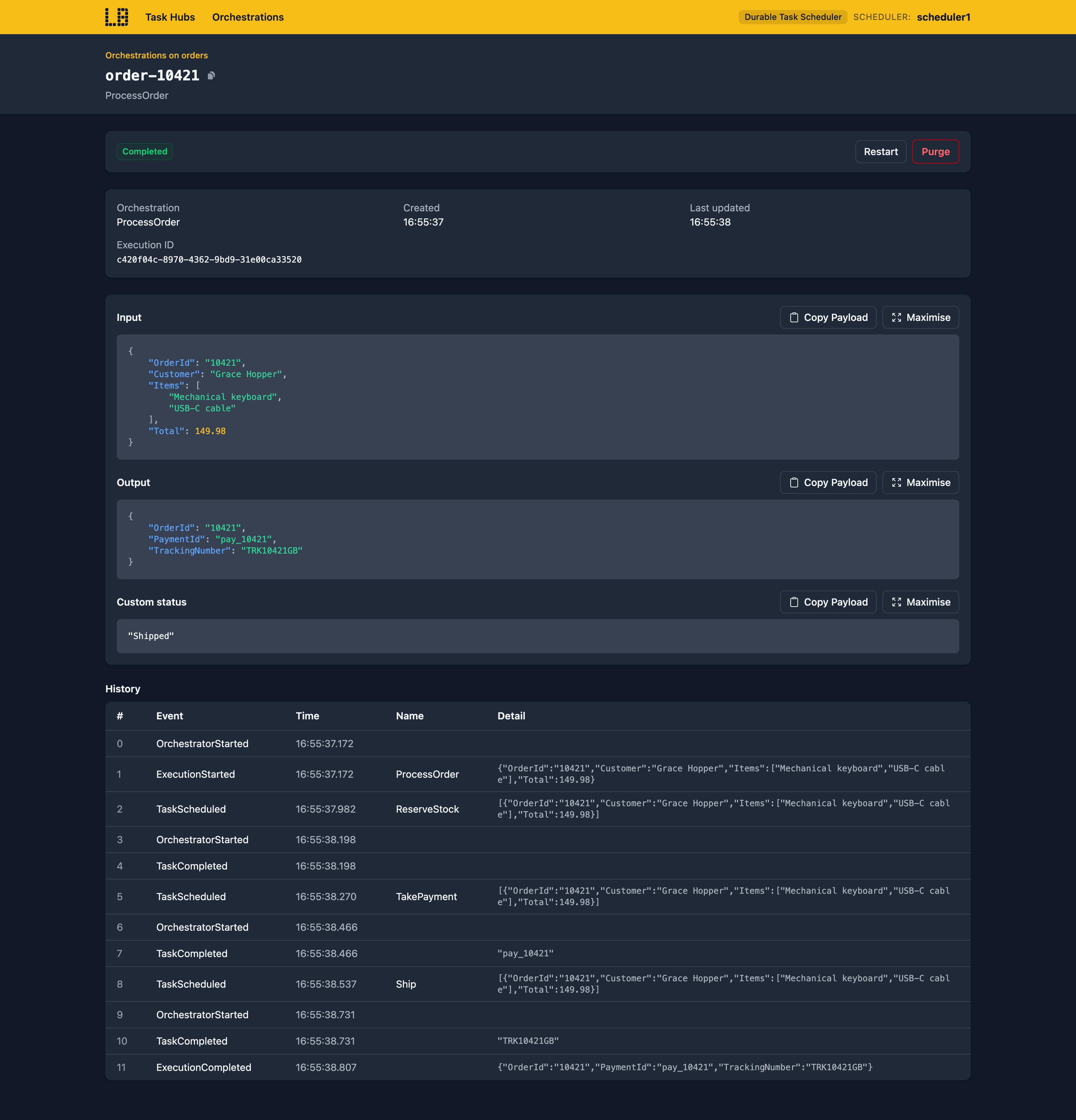
Opening an orchestration shows its input, output, custom status and any failure, along with its full history - and you can raise an event, suspend, resume, rewind, restart, terminate or purge it from there:
What's Supported
The Durable Task Scheduler emulator supports:
Clients and workers connect to the scheduler endpoint and a task hub, using a credential from Azure Identity.
Note
Authentication=DefaultAzure in a connection string doesn't work yet, as the credential it builds checks your tenant with Microsoft. See Using the Azure SDKs for how to set it up.Every call needs an access token and a Durable Task role on the scheduler or the task hub:
- Durable Task Data Contributor allows everything.
- Durable Task Worker runs orchestrations and activities.
- Durable Task Data Reader reads them.
Note
Authentication=None) or without one of these roles is refused with PermissionDenied.Several workers can share a task hub, and if one disconnects part-way through, its work is handed to another.
Note
Using Durable Functions
A Function App in the Function App Emulator keeps its Durable Functions orchestrations on a task hub when:
host.jsonselects theazureManagedstorage provider, and- the
DURABLE_TASK_SCHEDULER_CONNECTION_STRINGapp setting names the scheduler.
An orchestration started by an SDK client is then run by the Function App, and shows up on the task hub's dashboard.
Note
Examples
The locallybuild/examples repository has examples that provision a Durable Functions app backed by a Durable Task Scheduler in Locally using:
Differences from Azure
As of Locally v2026.10, the Durable Task Scheduler emulator has the following differences from Azure:
- Entities aren't sent to SDK workers. They work in Durable Functions apps on the scheduler.
- The IP allowlist and retention policies are saved, but not applied.
- Private endpoints and customer-managed encryption aren't available yet.
Should you encounter any issues, please take a look at the troubleshooting section.
Sign in during Public Preview to get the Team plan free, plus an early-adopter discount when we launch. Sign in
