Event Grid Emulator
Sign in during Public Preview to get the Team plan free, plus an early-adopter discount when we launch. Sign in
Event Grid Emulator
Azure Event Grid is an event routing service - delivering events from Azure services and your own applications to the handlers which need them, such as webhooks, queues and Functions.
Locally supports both provisioning Event Grid topics, domains, Namespaces and event subscriptions, and publishing and delivering events - so you can test your publishers and handlers end-to-end.
When you provision a topic in Locally, its endpoint is https://<topic>-<location>.eventgrid.locally:5662/api/events (and a Namespace is at <namespace>.eventgrid.locally), which you can publish to using the Azure Event Grid SDKs and the Azure CLI.
Finding the Emulator
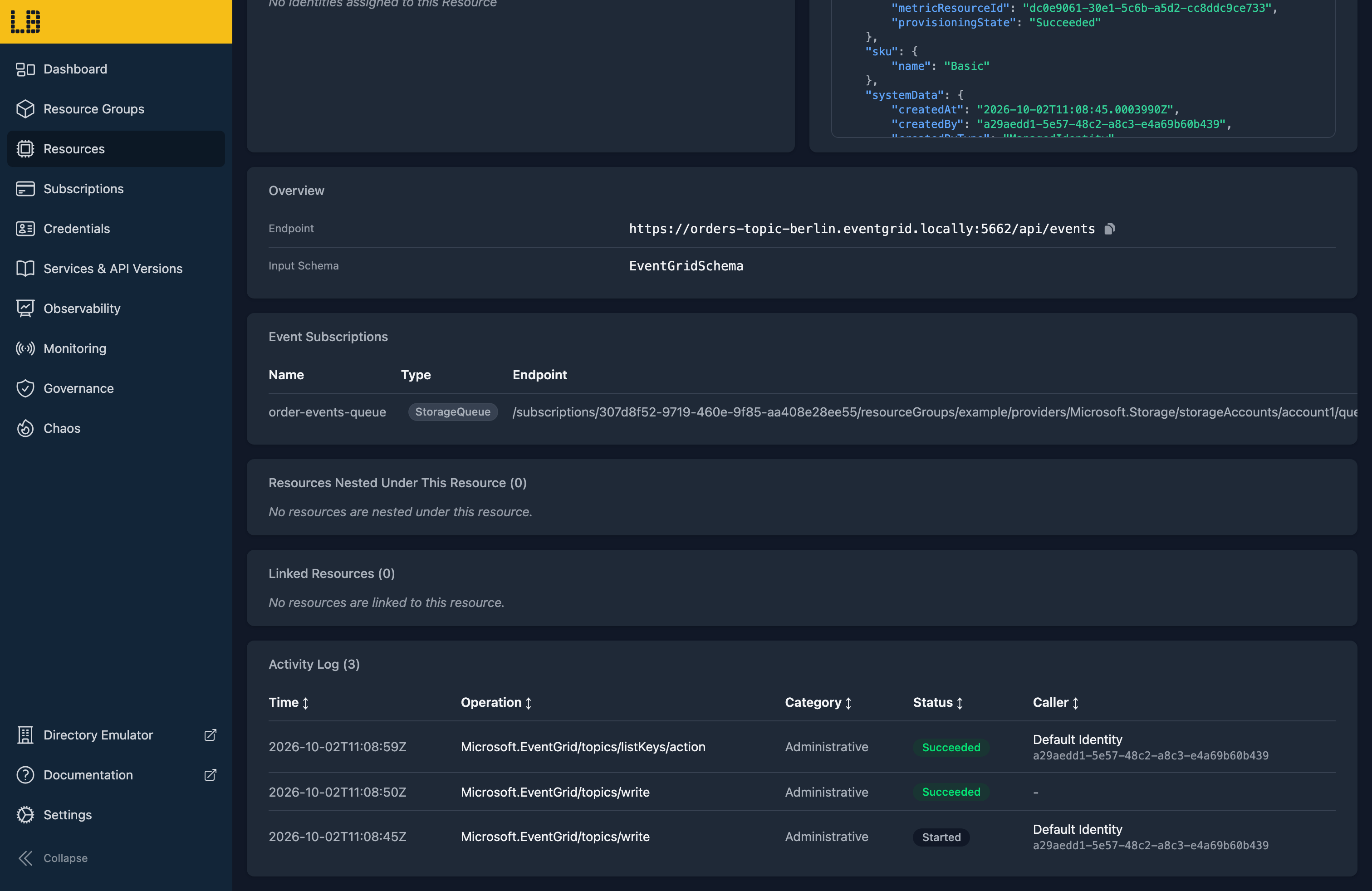
Once a topic has been created, its resource page within the Locally Dashboard shows its endpoint and input schema, along with its event subscriptions:
A Namespace's resource page links to the emulator under Endpoints for this Service. Custom topics aren't linked from the Dashboard yet, but their emulator is available at https://<topic>-<location>.eventgrid.locally:5662/_ui/.
The Event Grid Emulator
Within the Event Grid Emulator you can see a topic's event subscriptions - with how many events are pending, locked, acknowledged and rejected - along with its most recent events:
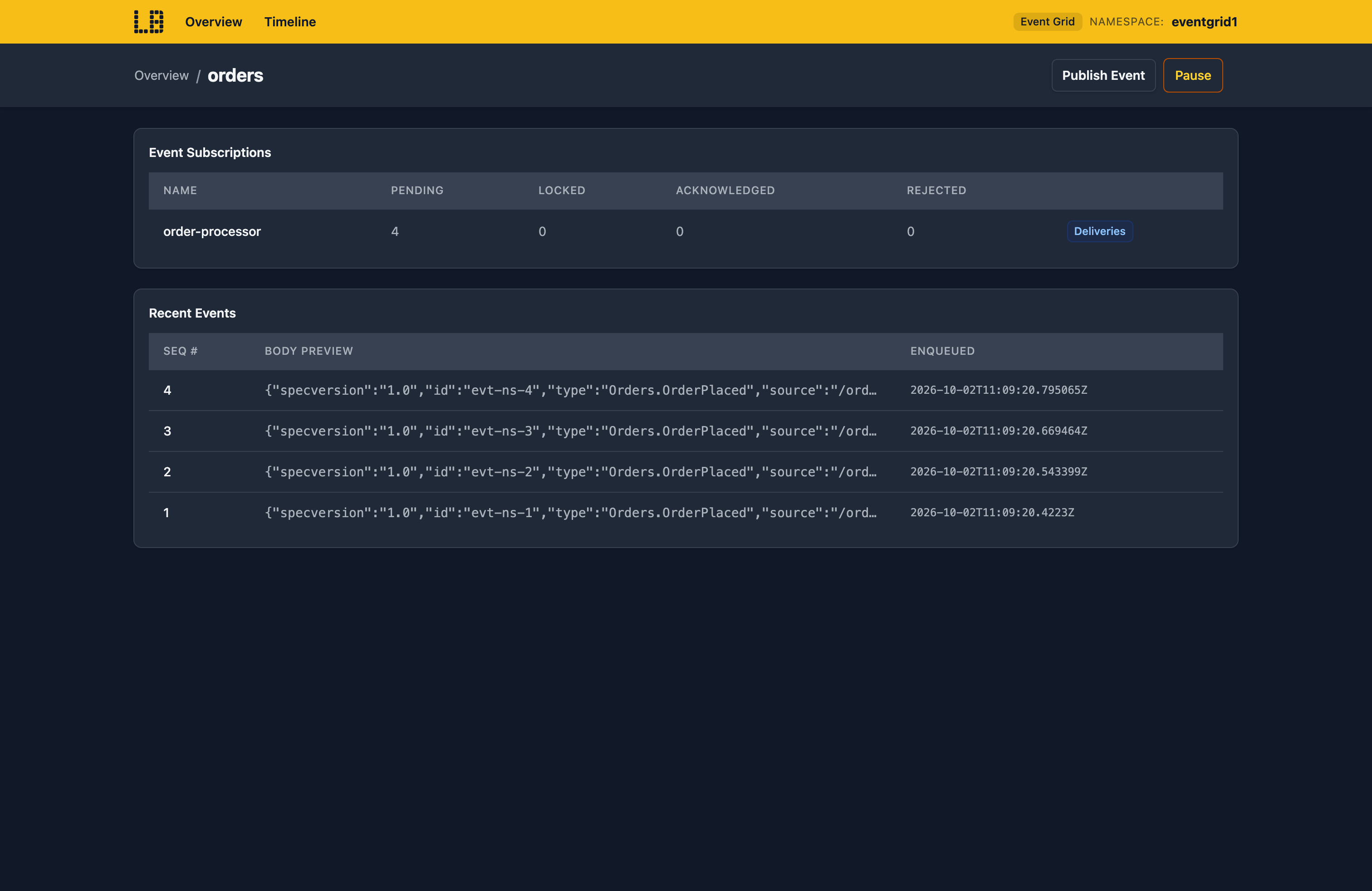
You can also publish events from the browser, and open a subscription to see each of its deliveries.
What's Supported
The Event Grid emulator supports:
Publishing is supported using the topic's access key, a SAS token, or a Microsoft Entra token (with the EventGrid Data Sender role) - and if local authentication is disabled, only Entra is accepted.
Event subscriptions can deliver to webhooks (including the validation handshake), Storage Queues, Event Hubs, Service Bus and Function Apps - retrying on Azure's schedule, and dead-lettering to a Storage container. Namespace subscriptions can also be pulled from, and Namespaces with MQTT enabled run an MQTT broker on port 5884.
Chaos Engineering (on the Team plan) can throttle, fail, slow down or drop requests - or simulate a regional outage - so you can check your publishers cope. This doesn't affect the MQTT broker.
Event Grid also works with Locally's other emulators, as you'd expect - system topics receive events such as:
ResourceWriteSuccessandResourceDeleteSuccess, for the resources you create and delete.BlobCreatedandBlobDeletedfrom the Storage Emulator.- Key-value and snapshot changes from the App Configuration Emulator.
- New, expiring and expired secrets, keys and certificates from the Key Vault Emulator.
- Device events from the IoT Hub Emulator, and message availability events from Premium Service Bus namespaces.
- Image pushes and deletes from the Container Registry Emulator, and app updates and slot swaps from the Web App Emulator.
Examples
This end-to-end example uses the Event Grid emulator, and has everything you need to run it against Locally:
Differences from Azure
As of Locally v2026.09.02, the Event Grid emulator has the following differences from Azure:
- Delivery to Hybrid Connections isn't supported - those events are logged and dropped.
- Only resource write and delete events are raised for resources -
ResourceActionSuccessand the failure and cancel events aren't. Most services other than those listed above don't raise events yet. - A subscription created directly on a resource works, but the system topic Azure creates behind it isn't shown in
az eventgrid system-topic list. - Events queued for a subscription before it expired are still delivered.
- The MQTT broker doesn't support QoS 2, WebSockets or the retained message APIs, and doesn't raise client life cycle events. Custom JWT issuer certificates held in Key Vault aren't resolved, so upload them instead.
Should you encounter any issues, please take a look at the troubleshooting section.
Sign in during Public Preview to get the Team plan free, plus an early-adopter discount when we launch. Sign in
