App Configuration Emulator
Sign in during Public Preview to get the Team plan free, plus an early-adopter discount when we launch. Sign in
App Configuration Emulator
Azure App Configuration is a managed service for storing your application's settings and feature flags in one place - so you can change them without redeploying, and keep them consistent across environments.
Locally supports both provisioning App Configuration stores and configuring the values within them (such as key-values and feature flags, and taking snapshots of them) - so you can fully test your application against it.
When you provision an App Configuration store in Locally, a data plane instance is created at https://<name>.config.locally:5664, which you can connect to using the App Configuration SDKs, the Azure CLI and the configuration providers for .NET (and other languages).
Finding the Emulator
Once an App Configuration store has been created, you can find its Data Plane Endpoint on its resource page within the Locally Dashboard:
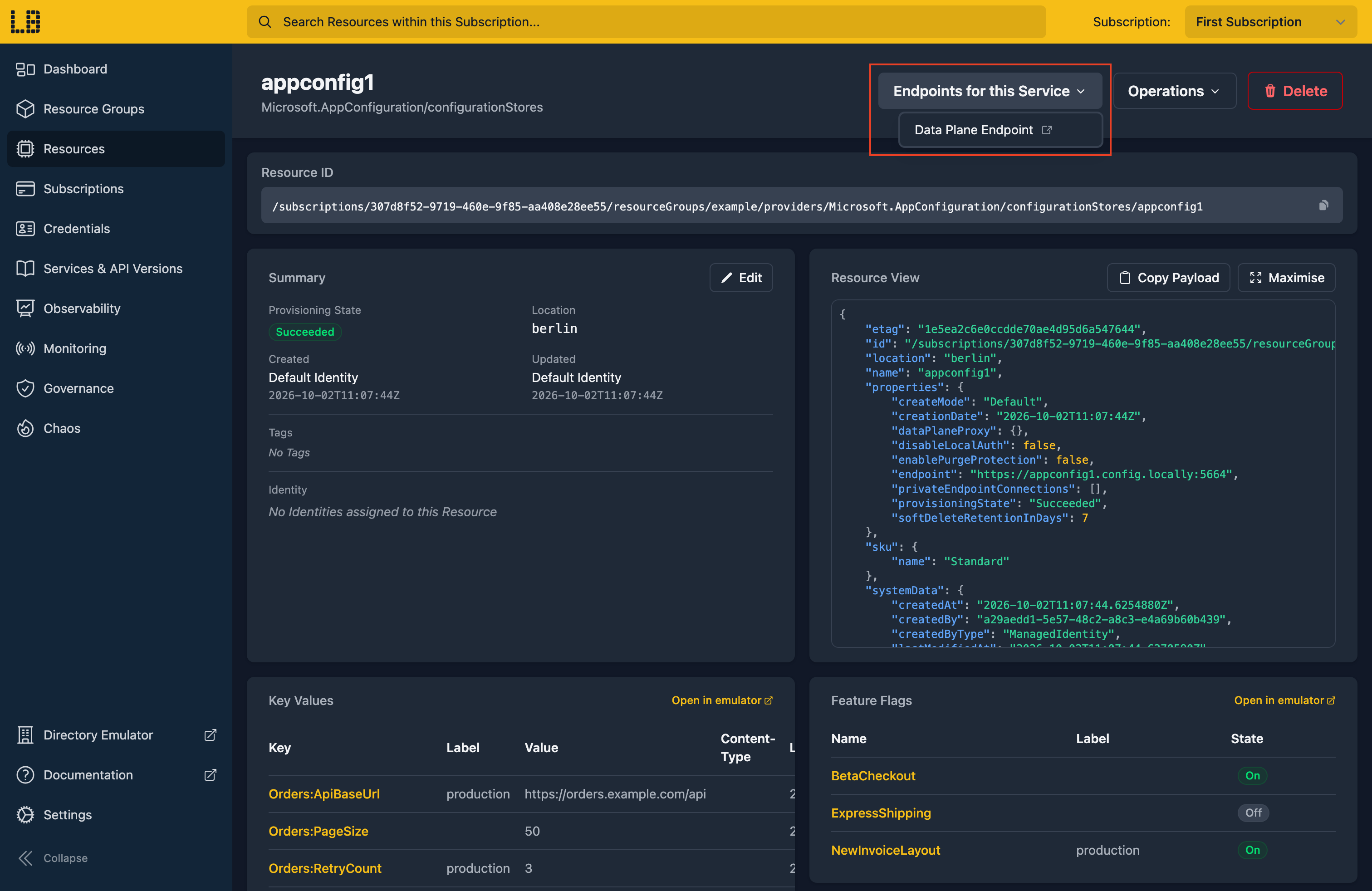
Opening the Data Plane Endpoint in your browser takes you to the emulator's own UI.
The App Configuration Emulator
Within the App Configuration Emulator you can view and manage key-values and feature flags, and find the connection strings to interact with the store:
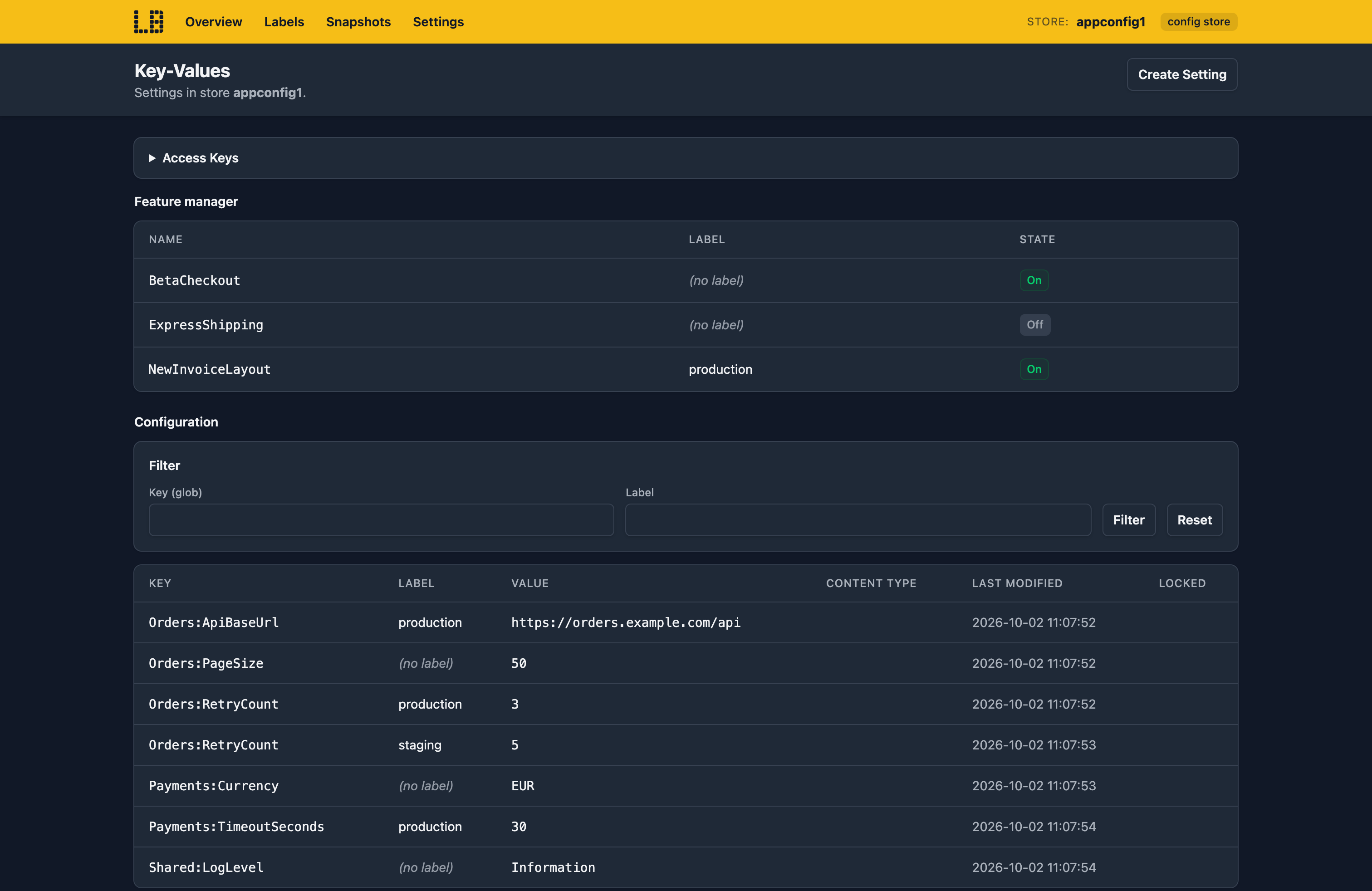
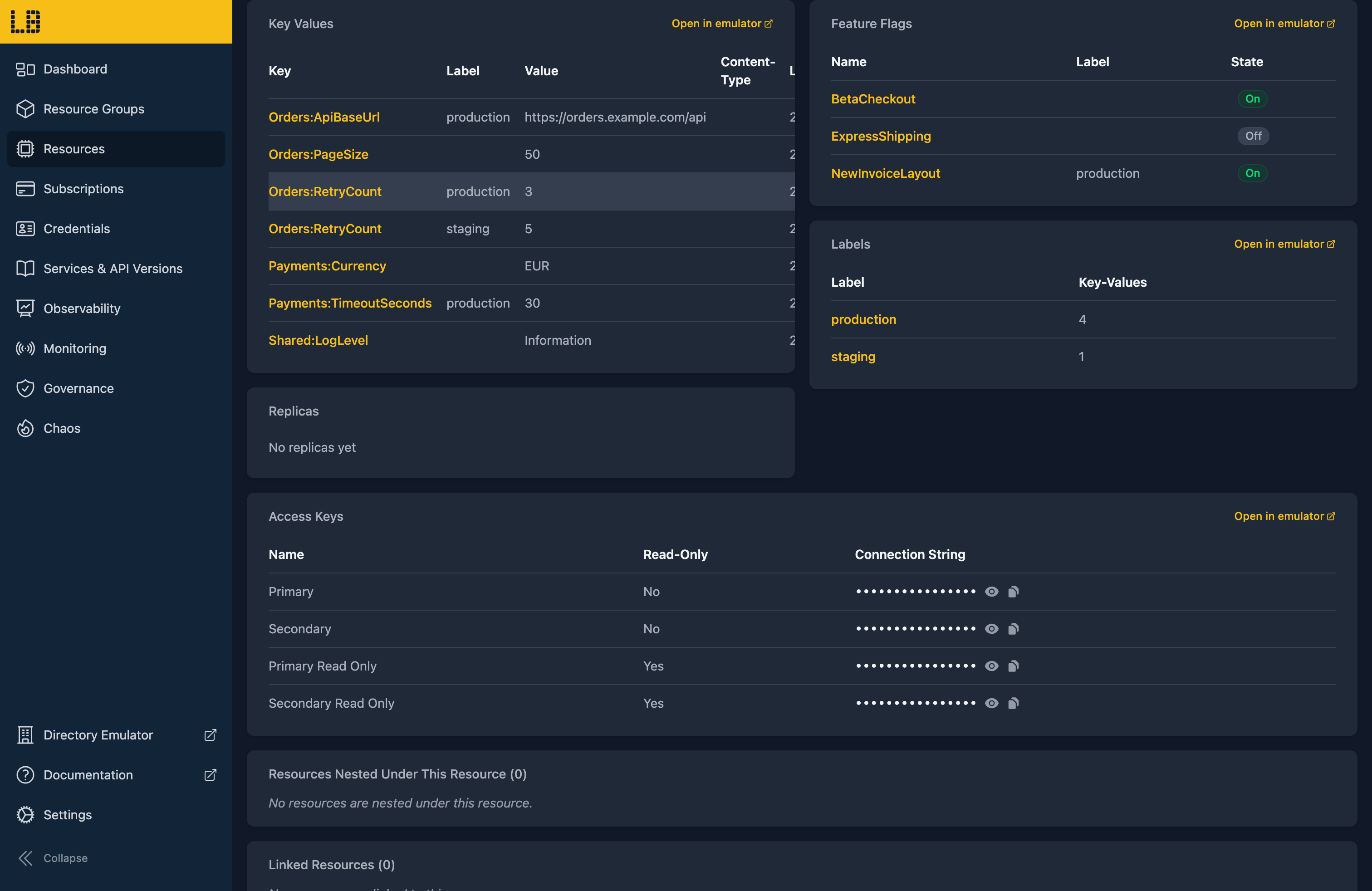
Key-values and feature flags created in the App Configuration Emulator, the Azure CLI or the Azure SDKs will appear both in the App Configuration Emulator and on the store's resource page in the Locally Dashboard:
What's Supported
The App Configuration emulator supports:
As of Locally v2026.09.02, the following API versions are supported for the App Configuration data plane:
Authentication is supported using either a Microsoft Entra token (with the App Configuration Data Reader or App Configuration Data Owner role) or an access key (if local authentication is enabled).
Replicas get their own endpoint, https://<name>-<replica>.config.locally:5664 - and every endpoint accepts reads and writes, with a change made through one visible through the others straight away.
App Configuration also works with Locally's other emulators, as you'd expect - for example:
- A key-value can hold a Key Vault reference to a secret in the Key Vault Emulator, which the configuration providers resolve for you.
- App settings in the Web App Emulator and Function App Emulator can use
@Microsoft.AppConfiguration(...)references, resolved using the app's managed identity - including a key-value that's itself a Key Vault reference. - Changes to key-values and snapshots are sent to the Event Grid Emulator, so a subscription on the store receives
KeyValueModified,KeyValueDeleted,SnapshotCreatedandSnapshotModifiedevents.
Examples
The locallybuild/examples repository has examples that provision an App Configuration store in Locally using:
Differences from Azure
As of Locally v2026.09.02, the App Configuration emulator has the following differences from Azure:
- Replicas are always in sync. There's no delay between regions, so a Sync-Token never has anything to wait for. We plan to add Chaos Engineering support for App Configuration (to simulate delays in replication, for example) in a future release.
- Private Link isn't supported on the data plane.
- Older preview API versions, such as
2022-11-01-previewand2023-05-01-preview, aren't accepted.
Should you encounter any issues, please take a look at the troubleshooting section.
Sign in during Public Preview to get the Team plan free, plus an early-adopter discount when we launch. Sign in
