Locally Runbooks
Sign in during Public Preview to get the Team plan free, plus an early-adopter discount when we launch. Sign in
Locally Runbooks
When provisioning infrastructure or deploying your application, you almost certainly have to integrate with other components - such as a shared Virtual Network, or a database with its schema and seed data. Locally Runbooks automatically provision this infrastructure and data, so that it's available within Locally when you need it.
Locally Runbooks are part of your Locally Team, are managed by team admins within your Locally Account and sync onto the machines of everyone in the team.
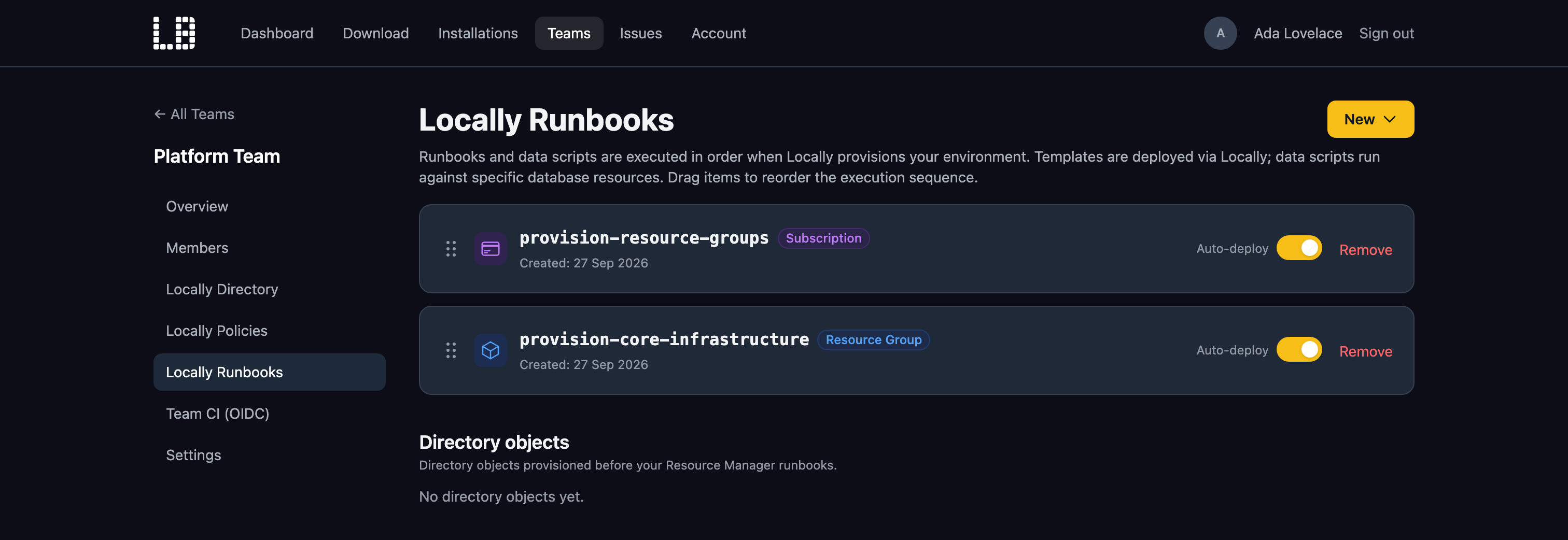
Locally Runbooks can either be deployed automatically when Locally starts up, so that everyone has a consistent baseline - or deployed at any time using the Locally CLI or the Locally Dashboard. For example:
                $


            locally runbooks deploy provision-core-infrastructure
Runbook types
Locally supports the following types of Runbook:
| Type | What it does |
|---|---|
| Subscription Runbook | Deploys an ARM Template at the Subscription scope - for example, to create Resource Groups. |
| Resource Group Runbook | Deploys an ARM Template into a Resource Group. |
| MySQL Data Runbook | Runs a SQL script against a MySQL Flexible Server. |
| PostgreSQL Data Runbook | Runs a SQL script against a PostgreSQL Flexible Server. |
| Directory objects | Provisions users, groups, applications and service principals into the Directory Emulator. |
These work well together - for example, a Resource Group Runbook can create a PostgreSQL Flexible Server, followed by a PostgreSQL Data Runbook which creates its schema and loads the seed data your application expects.
ARM Templates are pasted in as JSON, and can't use parameters, variables or template expressions. Data Runbooks target a server by its Resource Group and name, and need that server to be running in a container - which requires Docker or Podman, and the Launch Container-Backed Services feature flag.
Deploying Runbooks
When Locally starts up, it deploys any Runbooks with Auto-deploy enabled (along with any Data Runbooks), in the order they're listed in your Locally Account - which team admins can change by dragging them around. This allows you to, for example, provision a database server before loading data into it. If a Runbook fails to deploy, Locally logs the error and carries on with the next one.
Runbooks without Auto-deploy enabled can be deployed when you need them - such as the resources for a feature that only part of the team works on. You can see the Runbooks available to you by running:
                $


            locally runbooks list
And then deploy one by running:
                $


            locally runbooks deploy provision-core-infrastructure
Runbooks can also be listed and deployed using the MCP Server, so your AI assistant can deploy them for you.
Should you encounter any issues, please take a look at the troubleshooting section.
Sign in during Public Preview to get the Team plan free, plus an early-adopter discount when we launch. Sign in
