Preview

Sign in during Public Preview to get the Team plan free, plus an early-adopter discount when we launch. Sign in

A local cloud environment for Azure.

Put locally run in front of the commands you already use, and they deploy to your machine instead of Azure.

Real Azure semantics.

Real subscriptions. Real credentials. Real API behaviour.

Real subscriptions
Every time you launch Locally you get multiple subscriptions with real GUIDs, all within the same tenant - each supporting the resources, role assignments and policies that you expect.
Real identity, managed identities included
Your code signs in and gets proper tokens, and managed identities and role assignments work the way they do in Azure. If something's missing a role, you get the same 403 you would in the cloud.
Every API version your tools use
Locally serves the API versions your tools actually call, each with the fields and validation that version expects. Upgrade an SDK or a Terraform provider and the differences show up here, not in production.
Long-running operations
Implemented the way Azure implements them - so your SDK's polling and retry code takes the same paths it would against the cloud.

# Real Azure CLI, running against your local environment

$ locally run az network vnet create \

-g hello -n vnet1 \

--address-prefix 10.0.0.0/16

{

"newVNet": {

"addressSpace": {

"addressPrefixes": ["10.0.0.0/16"]

},

"id": ".../virtualNetworks/vnet1",

"location": "berlin",

"name": "vnet1",

"provisioningState": "Succeeded",

"type": "Microsoft.Network/virtualNetworks"

}

}

# Leave the prefix off and use an Azure region to hit real Azure

Real data planes.

Deploy it, then use it. The Azure services your code talks to, running on your machine.

Storage and data
Storage (Blob, Queue, Table and File), Cosmos DB, Key Vault and App Configuration, with real PostgreSQL, MySQL and Redis behind the database services.
Messaging
Service Bus, Event Hubs, Event Grid and IoT Hub. Your clients send and receive the way they would against Azure, dead letters included.
Compute
Web Apps, Function Apps, Container Instances, Container Registry, Virtual Machines and Bastion. Deploy your code and it actually runs.
Identity and monitoring
Entra ID, Application Insights and Log Analytics. Sign in, send telemetry and query your logs.

See every emulator → · Which ones come with each plan is on the pricing page.

# Create a Service Bus namespace, queue and topic

$ locally run az servicebus namespace create \

-n locally-ns -g servicebus-rg \

--location berlin

$ locally servicebus queue create --namespace locally-ns --name orders

Queue "orders" created in namespace "locally-ns".

$ locally servicebus topic create --namespace locally-ns --name events

Topic "events" created in namespace "locally-ns".

# Real namespaces, queues and topics - on your machine

See what's actually happening.

Every request, trace and resource, one click away in the Locally Dashboard.

Locally Dashboard
Everything you've deployed, in one place: subscriptions, resource groups, resources, role assignments and the deployments behind them. Learn more →
Logging
Every HTTP request and response across every Locally service. Filter, replay, and pivot to the matching trace in one click. Learn more →
Tracing
Follow any operation, from a single API call to a whole ARM deployment, across every service it touched. Learn more →
Architecture Diagrams
A live diagram of the resources you've provisioned, including data-plane sub-resources and the dependencies Locally infers between them. Learn more →
Cost Estimation
A ballpark monthly cost for each resource, based on what you've deployed, so you spot the expensive choices early. Learn more →
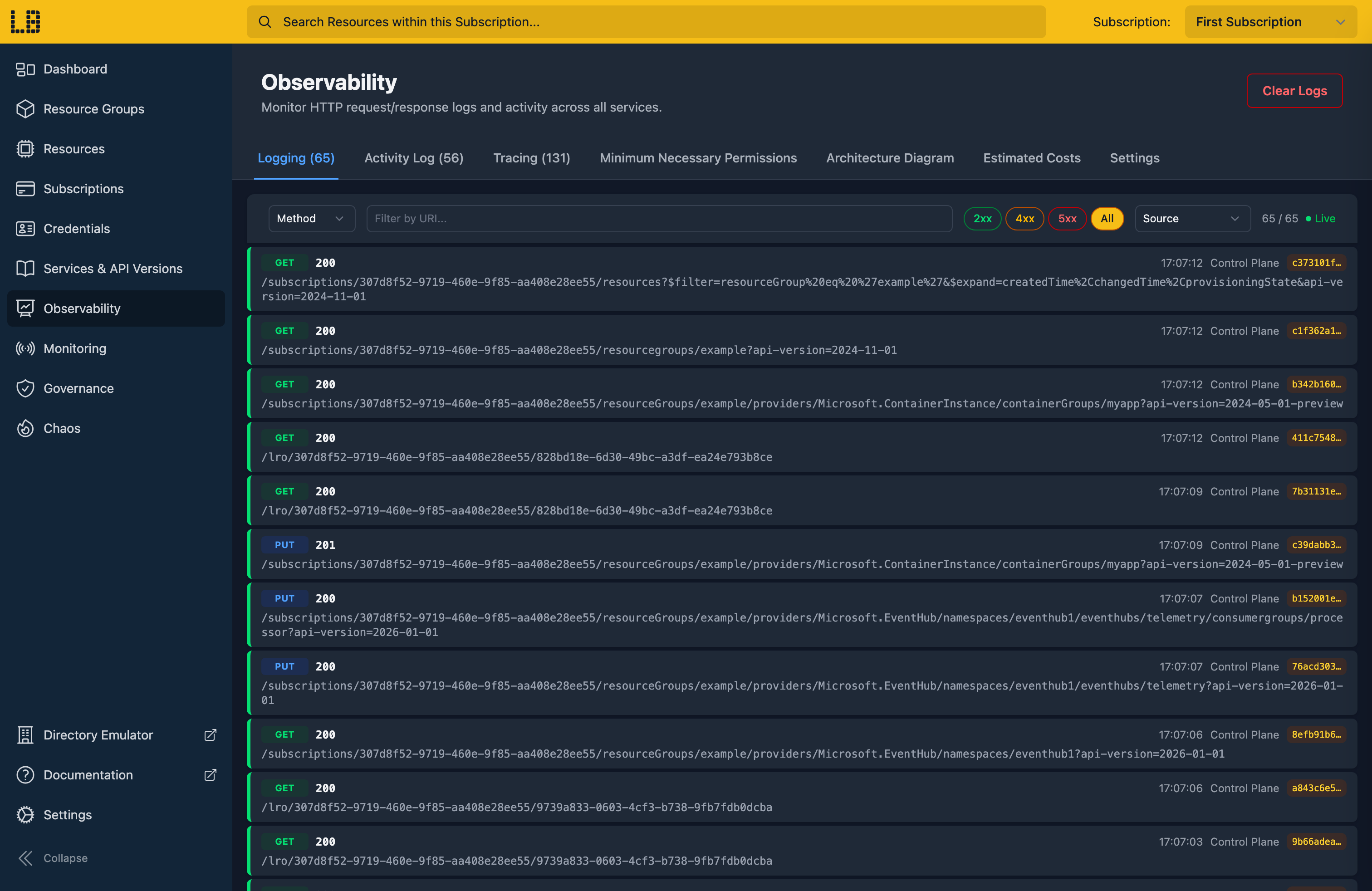
Locally Dashboard - logging view showing live HTTP requests

The Dashboard's logging view - every HTTP request flowing through your local environment, in real time.
On your machine. Online or offline.

Locally runs entirely on your machine - control plane, identity, data planes, dashboard. Provision subscriptions, deploy resources and run your tests on a plane, on a train, or anywhere you write your best code.

Self-contained
Once the CLI and its plugins are installed, you're set. Nothing you deploy reaches the cloud or creates real Azure resources.
Works fully offline
Every part of the stack runs on your machine. It only needs an internet connection every 32 days to renew your licence.
Per-developer environments
Every developer gets their own complete Azure environment. No shared subscriptions, no overwritten resources, no "who deployed that?" Slack threads.
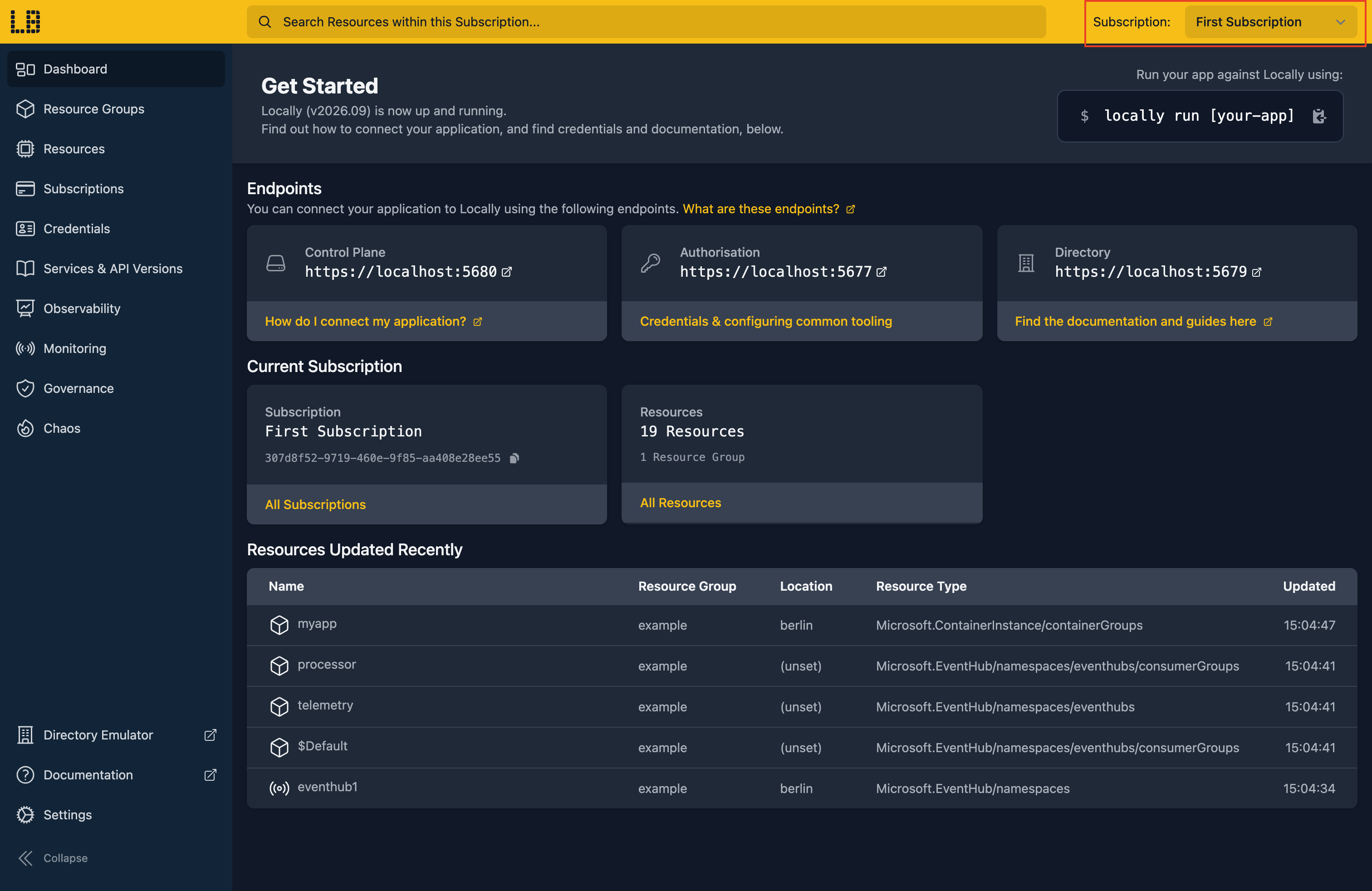
Locally Dashboard subscription selector showing multiple subscriptions in your local environment

Switch between subscriptions in the Locally Dashboard - each one a complete Azure environment, on your machine.

Need a real database? Locally launches a Postgres, MySQL or Redis container via Docker or Podman if you have them installed - still on your machine, never in the cloud.

Test bad days.

Break Azure on purpose, then see how your app copes.

Outages
Take down a region or a whole service, and find out whether your app fails over.
Throttling and errors
Return 429s, 500s and 403s on a share of requests, so your retry code actually runs.
Slow and dropped connections
Add latency or drop connections to find the timeouts that are set too tight.
Wherever your app is exposed
Aim failures at Resource Manager, Entra ID, or the services your app talks to, like Storage, Service Bus and Cosmos DB. Learn more →

# Throttle half of Storage requests in london

$ locally chaos storage 429 \

--percentage 50 --location london

storage 429: any plugin in london now fires on 50% of requests.

$ locally run npm test

PASS tests/upload.test.js

FAIL tests/thumbnails.test.js

✕ retries when Storage returns 429

Tests: 1 failed, 7 passed, 8 total

# Found on your machine, not by your users

Talk to your local cloud.

Ask your assistant what's running, or have it do the work.

Locally skills
Teach Claude Code and other agents how to use Locally, from running your tools against it to simulating an outage. Install them with npx skills add locallybuild/skills. Learn more →
Built-in MCP server
Your assistant can browse your subscriptions and resources, check supported API versions, and deploy templates and runbooks. Learn more →
Works with the assistant you use
Claude Code, Claude Desktop, OpenCode, VS Code Copilot and any other MCP client. Set yours up →

# In Claude Code, with Locally's MCP server

> What resource groups do I have?

⏺ locally - list_resource_groups_in_subscription (MCP)

⎿ 2 resource groups

⏺ You have two: orders-rg and shared.

> Deploy the install-consul runbook.

⏺ locally - locally_runbooks_deploy (MCP)

⎿ Deployed "install-consul"

⏺ Done. install-consul is now in your subscription.

Works with what you already use.

One prefix, every tool. Add locally run to any command to hit Locally. Leave it off and use an Azure region to hit Azure. No new SDKs, no new patterns, no per-tool setup.

Azure CLI Terraform OpenTofu Pulumi Bicep ARM Templates PowerShell Azure SDK for .NET* Azure SDK for Python* Azure SDK for Go* GitHub Actions GitLab CI Claude Code Claude Desktop OpenCode VS Code Copilot Agent Skills

* The Azure SDKs currently need a few lines of code to point at Locally - we're looking to make this automatic in the future.

Built for teams.

Share infrastructure, policies and know-how across your team.

Locally Runbooks
Package the shared infrastructure your team relies on as a Runbook, and Locally deploys it into every developer's environment, at startup or on demand. Learn more →
Policy & Compliance
Azure's built-in policies and regulatory initiatives, plus your own rules, checked on your machine so violations show up while you're still writing the code. Learn more →
Locally Directory
Find out who on your team has worked with an Azure service, based on what they've actually deployed. Members opt in. Learn more →

# Runbooks synced from your team

$ locally runbooks list

TEAM ORDER NAME TYPE DETAILS

Platform 10 core-network Template (Sub) auto-deploy

Platform 20 shared-services Template (RG) auto-deploy, rg: shared

Platform 30 postgres-seed Data Script Microsoft.DBforPo.../seed

# Deploy an on-demand one yourself

$ locally runbooks deploy install-consul

Deploying runbook "install-consul" from team "Platform"...

Preparing Template Deployment..

------------------------------------------

Scope: Subscription

Location: berlin

Deployment Name: locally-armtemplate-3f29c1

------------------------------------------

Template Deployment deployed successfully!

Have your first local subscription running in under a minute.

Runs entirely on your machine, with the tools you already use.

Install Locally →

Or read more: Pricing · Documentation