Key Vault Emulator
Sign in during Public Preview to get the Team plan free, plus an early-adopter discount when we launch. Sign in
Key Vault Emulator
Azure Key Vault is a service for storing your application's secrets, keys and certificates securely - so they don't need to live in your code or configuration.
Locally supports both provisioning Key Vaults (and Managed HSMs) and managing the secrets, keys and certificates within them - so you can fully test your application against it.
When you provision a Key Vault in Locally, it's available at https://<vault>.vault.locally:5661/ (and a Managed HSM at https://<hsm>.managedhsm.locally:5661/), which you can connect to using the Azure Key Vault SDKs, the Azure CLI and Terraform.
Finding the Emulator
Once a Key Vault has been created, you can find its Vault URI on its resource page within the Locally Dashboard - and Open in emulator takes you to the emulator:
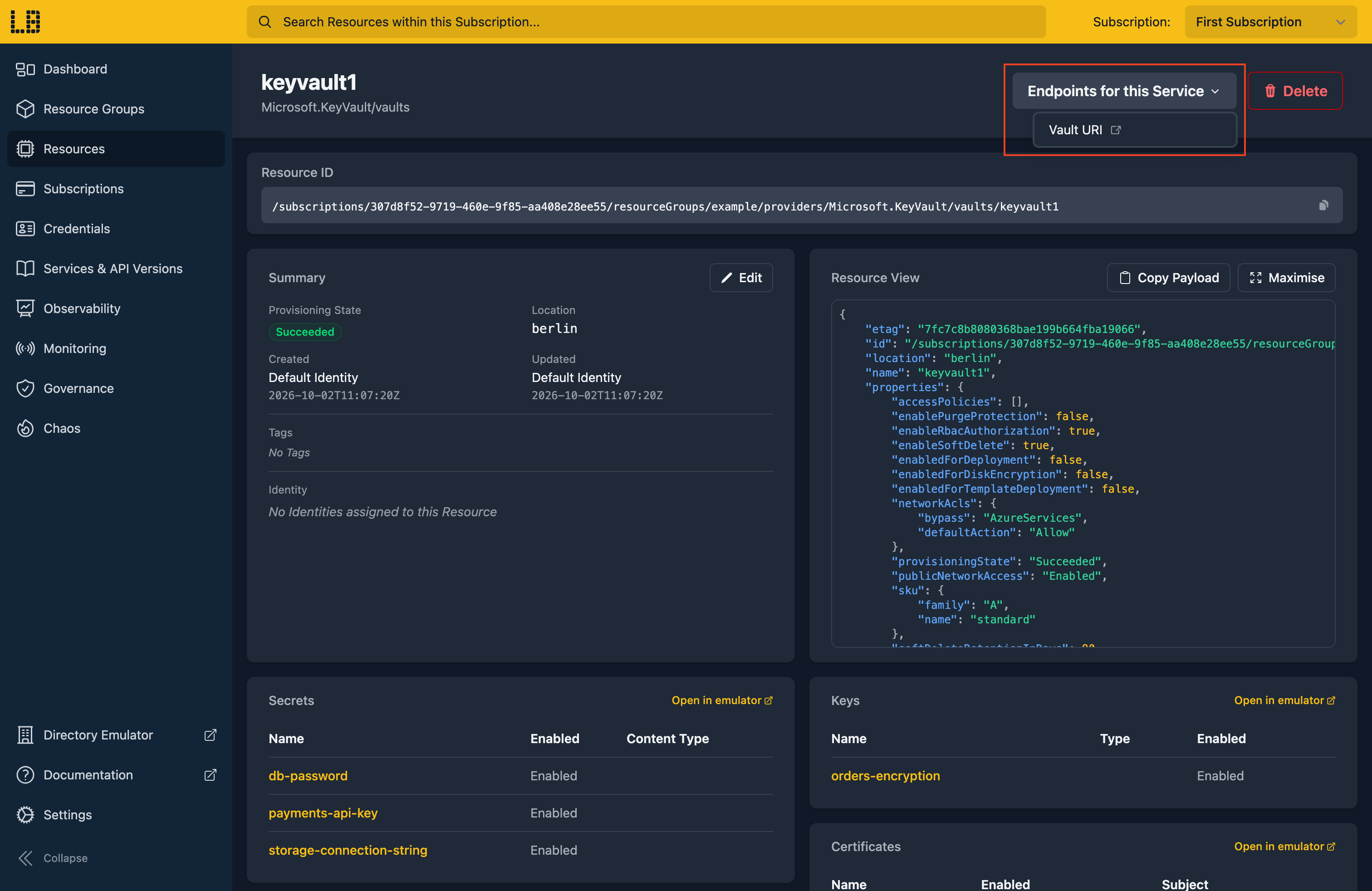
The Key Vault Emulator
Within the Key Vault Emulator you can browse and create secrets, keys and certificates, and look back through their versions:
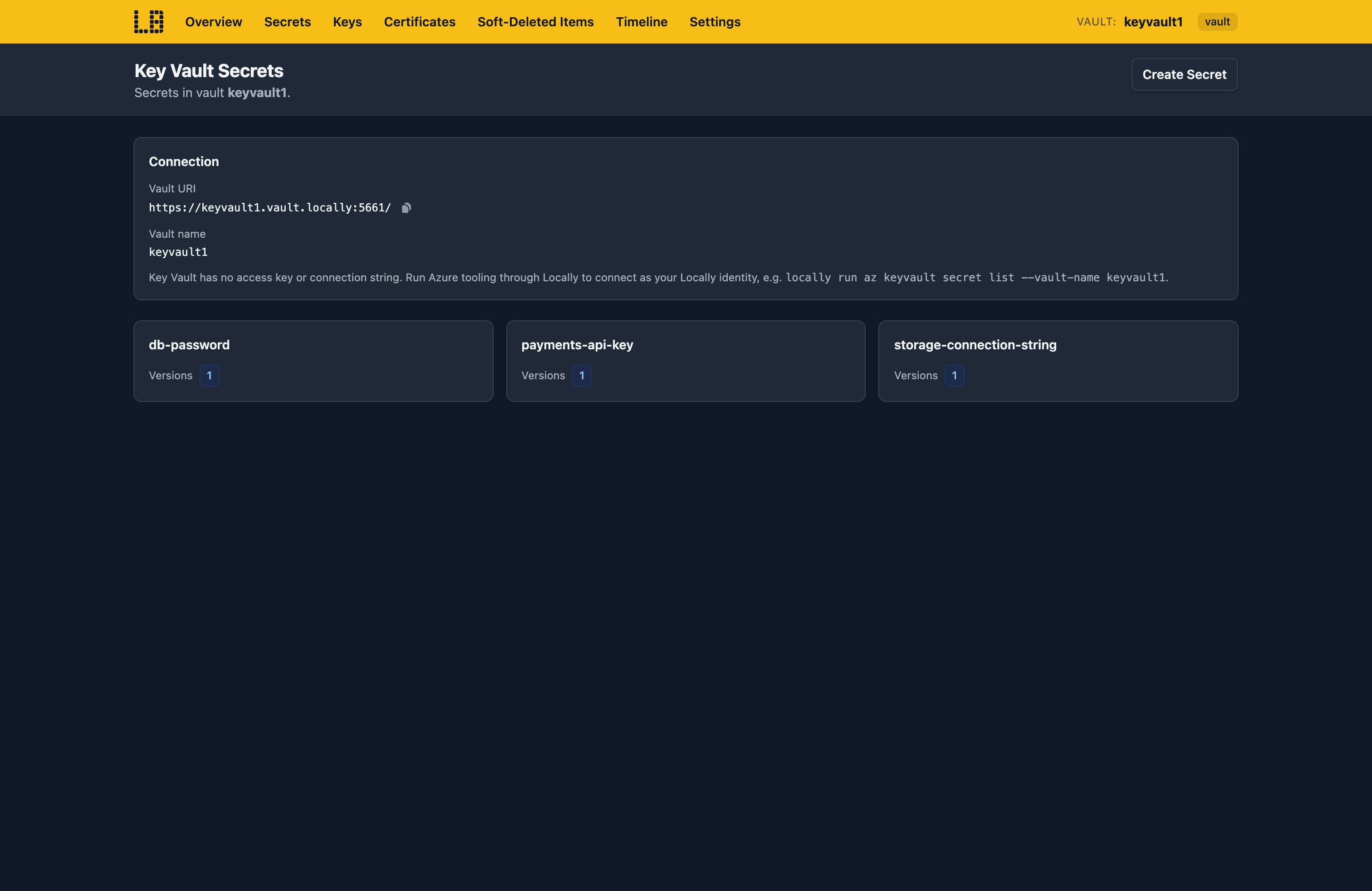
You can also recover or purge soft-deleted items, and switch off public network access to see how your application copes. The Timeline shows what's happened in the vault.
What's Supported
The Key Vault emulator supports:
As of Locally v2026.09.02, the following API versions are supported for the Key Vault data plane:
Authentication is supported using a Microsoft Entra token - checked against the built-in data-plane roles (such as Key Vault Secrets User) for an RBAC vault, or the vault's access policies otherwise.
Keys use real cryptography for encrypt, decrypt, sign, verify, wrap and unwrap, and certificates are real self-signed certificates. A Managed HSM serves keys only, uses its own local RBAC, and needs activating by downloading its security domain - as it does in Azure.
Chaos Engineering (on the Team plan) can throttle, fail, slow down or drop requests - or simulate a regional outage - for Key Vault and Managed HSM separately.
Key Vault also works with Locally's other emulators, as you'd expect - for example:
NewVersionCreated,NearExpiryandExpiredevents for secrets, keys and certificates are sent to the vault's system topics in the Event Grid Emulator.- The Web App and Function App Emulators resolve
@Microsoft.KeyVault(...)references using the app's managed identity. - Managed HSM backups are written to a container in the Storage Emulator.
Examples
The locallybuild/examples repository has examples that provision a Key Vault, with keys and secrets, in Locally using:
Differences from Azure
As of Locally v2026.09.02, the Key Vault emulator has the following differences from Azure:
- Certificate issuers can be configured, but never issue anything - certificates are always self-signed.
- Releasing a key isn't supported, since there's no attestation to release it against.
- A vault's firewall rules (
networkAcls) and private endpoints aren't applied to the data plane - only public network access is. - A request to a vault that doesn't exist returns a
503, rather than failing to resolve. - Every supported API version (
7.0to7.6and2025-07-01, plus the previews from7.2-preview) behaves the same way. - Only Bearer tokens are accepted - Proof-of-Possession tokens aren't.
- A Managed HSM's security domain protects a key Locally generated, rather than one held in hardware.
- Managed storage accounts and their SAS definitions are stored, but don't do anything.
Should you encounter any issues, please take a look at the troubleshooting section.
Sign in during Public Preview to get the Team plan free, plus an early-adopter discount when we launch. Sign in
