Security & Telemetry
Sign in during Public Preview to get the Team plan free, plus an early-adopter discount when we launch. Sign in
Security & Telemetry
This page answers the questions a security review asks of a tool that runs on a developer's laptop: what it listens on and for whom, what leaves the machine, what it stores, and how to turn each of those off.
What listens, and for whom
Every Locally service binds the loopback interface except two that containers need to reach through the host gateway: the DNS server on 5673 (UDP and TCP), and the managed-identity token endpoint for hosted apps, on a port chosen at launch and defended by a per-app secret header. Nothing else is reachable from another machine, and there is no option to expose it. Networking & Proxies has the full map with the bind address of each port.
Everything HTTP is HTTPS, signed by a Certificate Authority created on your machine by locally setup; its private key never leaves the config directory. Database data planes require TLS on the wire, as Azure does: the Postgres and MySQL flexible-server emulators refuse a clear-text login with the same errors Azure returns for require_secure_transport=ON, SQL Server encrypts every login, and Redis's clear-text companion port is off unless the cache was created with enableNonSslPort. A connection string copied from Locally therefore behaves the way the same string would against Azure.
Credentials and tokens
Locally issues real, RS256-signed JWTs from a signing key generated fresh at every launch. They are accepted only by the services on your machine and only for the lifetime of that launch - a token copied out of one session is worthless in the next, and worthless against Azure. The seeded service principals, users and managed identities are local fixtures: their client secrets and passwords are stored in memory and in your config directory, never sent anywhere. The default identity is deliberately over-privileged (Global Administrator and Owner) so that development is frictionless; use locally run --user, --service-principal or --managed-identity to exercise a less privileged principal, and Minimum Necessary Permissions to find out which role your deployment actually needs.
The Control Plane API can be browsed in a browser without authentication - a convenience for local development that is on by default and can be turned off in Settings → Feature Flags in the Dashboard.
What leaves the machine
Locally contacts three hosts, all under locally.build, all over HTTPS on port 443. Nothing else - no Azure endpoint, no third-party service - is called by the CLI or any emulator.
| Host | When | What is sent |
|---|---|---|
| api.locally.build | Certificate renewal, at least every 32 days; plugin catalogue and downloads; team content sync; analytics and crash reports if you opted in | The installation certificate (which identifies this install and its plan), the CLI version, and the payloads listed below |
| account.locally.build | locally login and locally setup sign-in | Your browser signs in there; the CLI receives the resulting installation certificate |
| get.locally.build | locally update and locally update --check | The current version and platform, to find the matching download |
Between certificate renewals Locally works with no network at all. Renewal and sign-in cannot be disabled - the certificate is the licence - but everything below can.
Crash reports and analytics
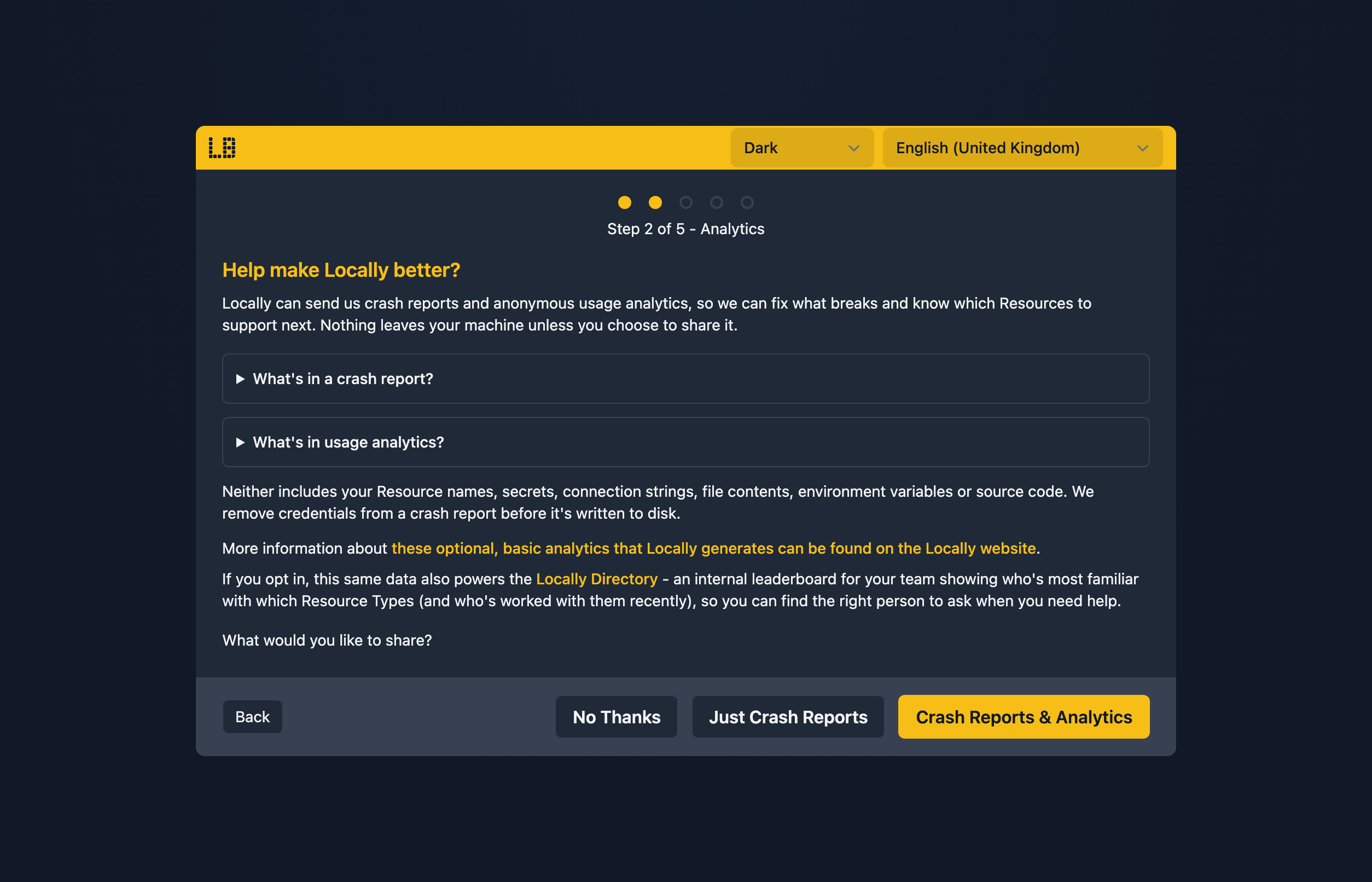
Both are opt-in. The data-sharing step of locally setup offers three answers - share nothing, share crash reports, or share crash reports and analytics - and you can change your answer at any time by re-running locally setup; it takes effect from the next launch. Neither payload ever contains resource names, resource properties, secrets, request bodies or your account details.
Crash report fields
A crash report is written when the Locally process panics, a plugin process dies or hangs, or a container Locally launched fails to become ready. It is stored under crashreports/ in the config directory first, so you can read exactly what would be sent (and delete it) before it is submitted on the next launch.
| Field | Contents |
|---|---|
| uuid, occurredAt, schemaVersion | A random ID for the report, when it happened, and the report format version |
| kind | process-panic, plugin-crash or container-failure |
| installationId | The installation UUID, so repeat crashes on one machine can be correlated |
| applicationVersion, platform, architecture | e.g. v2026.09, darwin, arm64 |
| component | Which process failed - the CLI, a named plugin, or a container |
| command | The locally subcommand that was running (for example build), not its arguments or environment |
| summary, stackTrace, truncated | The panic message and the Go stack trace, capped at 256 KiB with truncated set when the cap was hit. Container failures carry no stack trace. |
Analytics fields
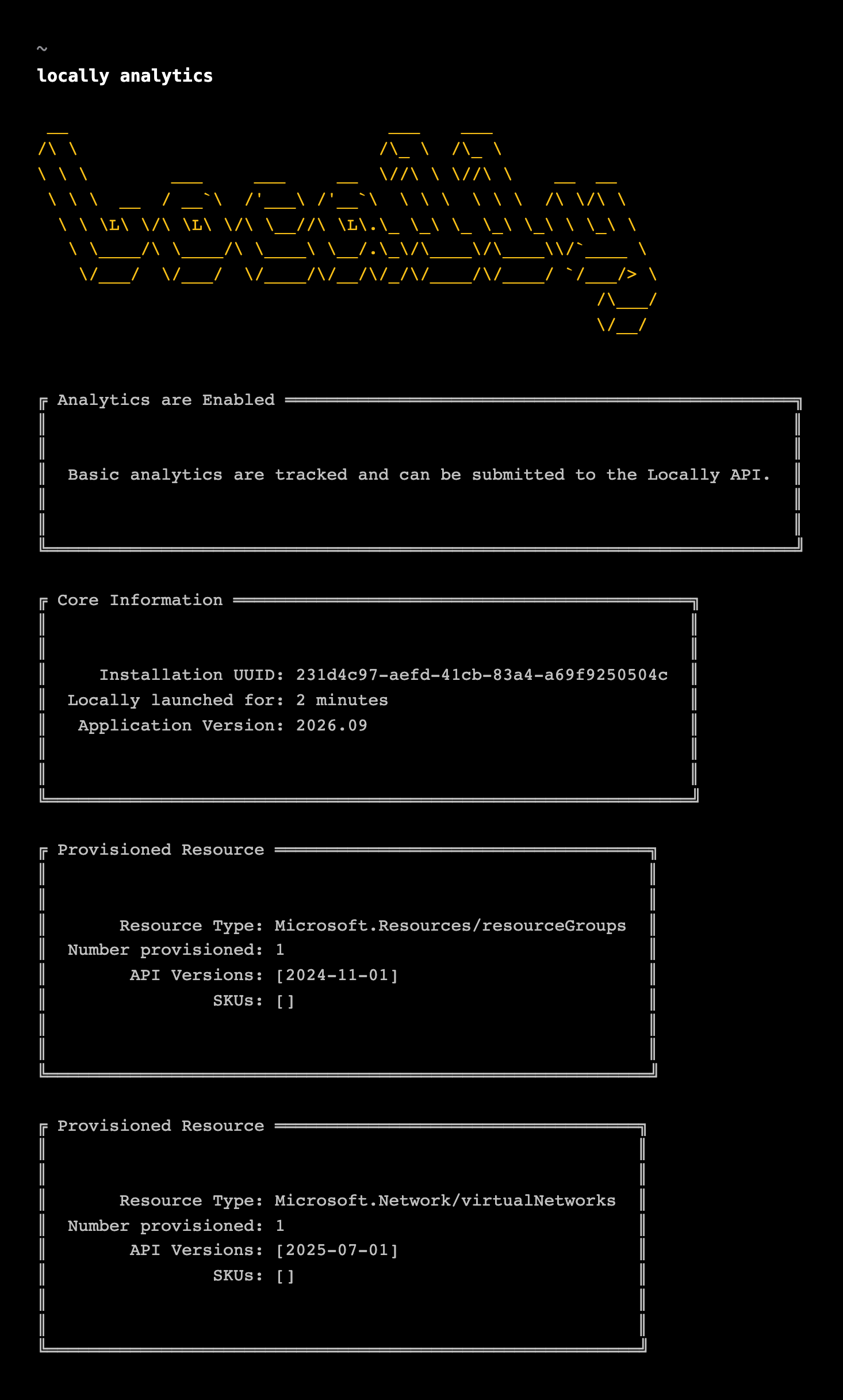
Analytics record what kinds of resources a launch provisioned, so we can prioritise which Resource Types and API versions to work on, and populate Locally Directory. One event is written to disk when Locally shuts down and submitted on the next launch with internet access - or discarded, if you haven't opted in. locally analytics prints what the current launch has recorded:
| Field | Contents |
|---|---|
| installationID, eventDate, applicationVersion | Which install, which day, which CLI version |
| launchDuration | How long Locally ran, in minutes |
| totalResourcesProvisioned | A count |
| provisionedResourceTypes[] | Per type: resourceType (e.g. Microsoft.Storage/storageAccounts), number, the apiVersions used and the skus chosen. Never a resource name, group, location or property. |
Retention
Submitted analytics events and crash reports are stored by the Locally API against your installation. There is no automatic expiry today; to have them removed, get in touch and quote the installation UUID that locally analytics prints. Locally's own on-disk copies live in the config directory and are yours to delete at any time. Website and account analytics are separate and covered by the Privacy Policy.
What is stored on disk
- Config directory (
~/.config/locally;%LocalAppData%\locallyon Windows):config.json, the local CA and TLS certificate with their private keys, the installation certificate from your account, installed plugin binaries, synced team content, pending analytics events, crash reports, and the Azure CLI working directorylocally run azuses. - A temporary directory (
locally-storage-*under the OS temp location) holding blob and file-share content while Locally runs; removed at shutdown. - The request log is held in memory only, bounded to the last 15 minutes by default, and does record request and response bodies - including any secret you send to an emulator - for the duration of that window. It is never written to disk or sent anywhere.
Nothing you provision is persisted.
Reporting a vulnerability
Please report security issues privately rather than in a public issue: the contact and disclosure details are published at /.well-known/security.txt.
Sign in during Public Preview to get the Team plan free, plus an early-adopter discount when we launch. Sign in
