Container Registry Emulator
Sign in during Public Preview to get the Team plan free, plus an early-adopter discount when we launch. Sign in
Container Registry Emulator
Azure Container Registry is a private registry for your container images - so you can push the images you build, and pull them into the services which run them.
Locally supports both provisioning Container Registries and pushing and pulling images to and from them - with each registry backed by a real container registry on your machine, using the same token authentication as Azure Container Registry.
When you provision a registry in Locally, it's available at <registry>.dockhand.locally:5667 (its loginServer), which you can push to and pull from using docker, podman and the Azure CLI.
Note
<name>.dockhand.locally:5667 rather than <name>.azurecr.io. Read loginServer from the resource rather than hard-coding it, and the same code works in both places.Finding the Emulator
Once a registry has been created, its resource page within the Locally Dashboard shows the docker login command, the login server and the admin credentials, along with its repositories - and View in Emulator takes you to the emulator:
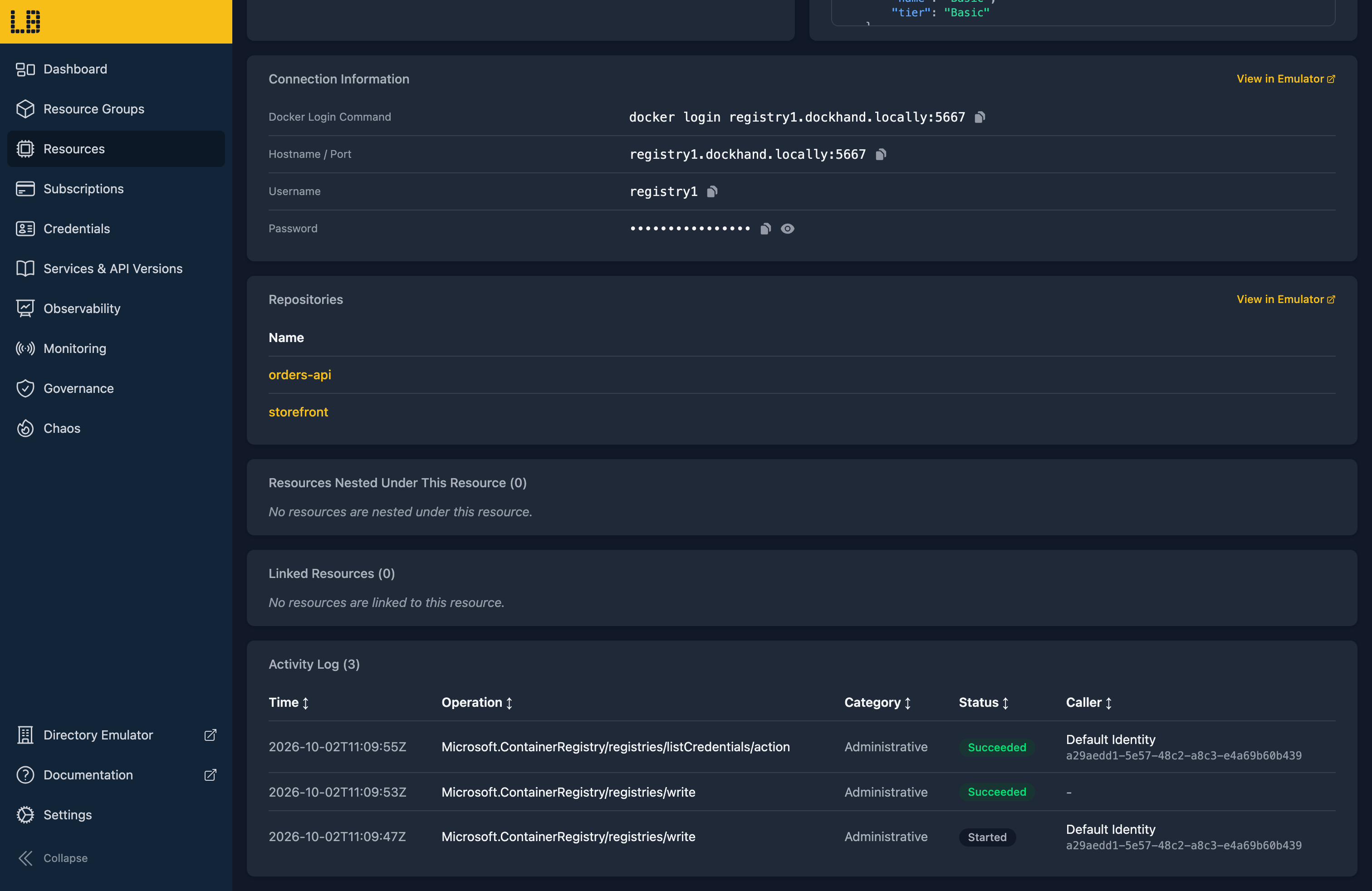
The Container Registry Emulator
Within the Container Registry Emulator you can see each repository with its tags, size and when it was last pushed to - and open a manifest to see its layers and config:
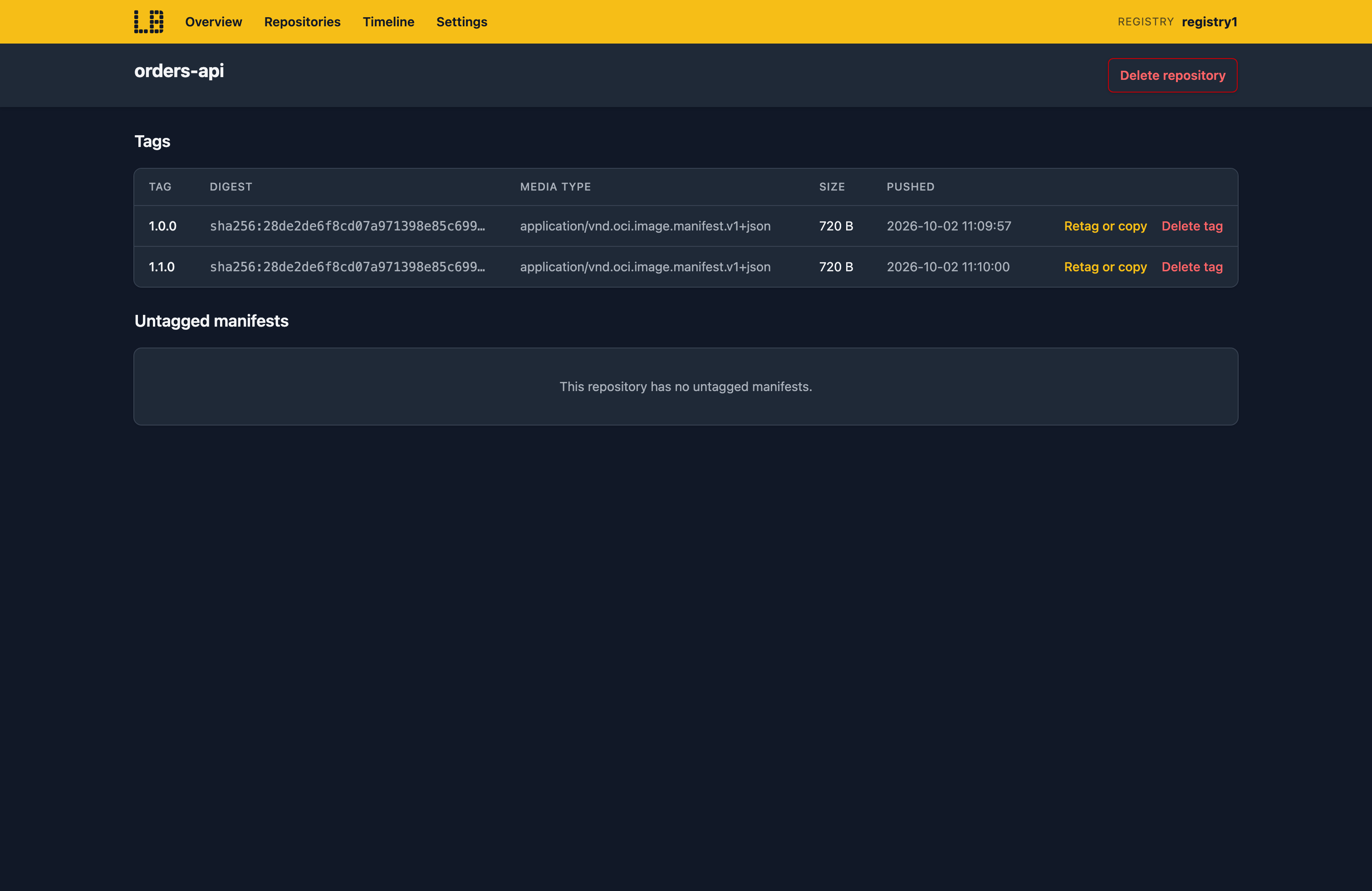
You can also retag, copy or delete images, import an image from another registry, and see every push, pull and delete on the Timeline.
What's Supported
The Container Registry emulator supports:
Authentication is supported using the admin user, tokens with scope maps, or a Microsoft Entra identity - checked against its role assignments on the registry, so AcrPull can pull but not push - and a token issued by one registry is refused by every other.
To push with Podman, run locally configure podman first - which sets up the Podman machine to trust Locally's certificate and resolve *.locally. az acr build and az acr run build your source using your local Podman or Docker, and push the result into the registry.
Container Registry also works with Locally's other emulators, as you'd expect - for example:
- Images can be pulled by the Container Instances and Web App Emulators, and by Container Apps.
- Pushing an image by tag raises
ImagePushed, and deleting one raisesImageDeleted, in the Event Grid Emulator.
Examples
These end-to-end examples use the Container Registry emulator, and have everything you need to run them against Locally:
Differences from Azure
As of Locally v2026.09.02, the Container Registry emulator has the following differences from Azure:
- You can't push from Docker Desktop, since its daemon runs in a VM that can't be pointed at Locally. Use Podman, or Docker on Linux.
- Geo-replication, webhooks and retention policies can be created, but nothing happens behind them.
- Only quick runs execute. Defined tasks (
az acr task), triggers and Windows images are recorded as failed runs. az acr importcan't copy from another registry in the same Locally yet.- There's no garbage collection - deleting an image doesn't free the space its layers use until Locally restarts.
- Content trust signatures are stored but not verified by the registry, and the Helm chart repository API isn't available.
Should you encounter any issues, please take a look at the troubleshooting section.
Sign in during Public Preview to get the Team plan free, plus an early-adopter discount when we launch. Sign in
