Provisioning an Event Grid Namespace
Sign in during Public Preview to get the Team plan free, plus an early-adopter discount when we launch. Sign in
Provisioning an Event Grid Namespace
This guide shows you how to use an Event Grid Namespace against Locally. We'll create a namespace, a topic and a queue subscription with the Azure CLI, then publish a CloudEvent and pull it back off the subscription with curl.
Before you start
- The Azure CLI (
az) installed. curlandjqinstalled, to call the namespace's data plane.- Locally installed, with Locally Setup completed.
1. Start Locally
Firstly, we need to launch Locally which we can do from a terminal by running:
                $


            locally build
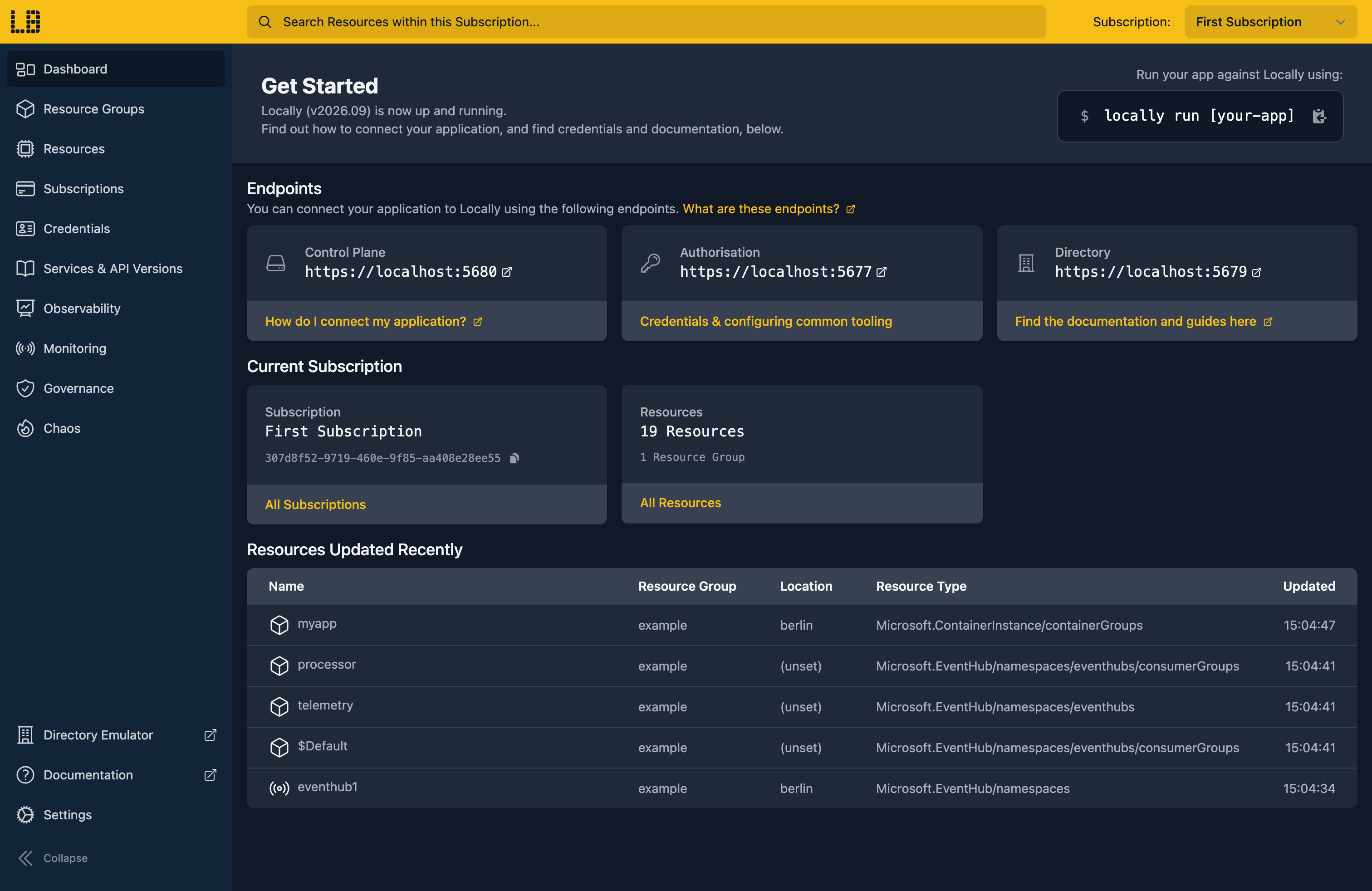
Once Locally has started, the Locally Dashboard will open automatically:
The az eventgrid namespace commands live in the eventgrid Azure CLI extension, so let's add it:
                $


            locally run az extension add --name eventgrid
It's added to Locally's own copy of the Azure CLI configuration, so your usual az setup isn't touched.
2. Create a Resource Group
Next we can create the Resource Group to hold the namespace:
                $


            locally run az group create -n sample-event-grid-namespaces -l berlin
There's two things to note here:
- The Azure CLI supports Automatic Configuration, meaning that it can automatically be configured to work against Locally just by prefixing commands with
locally run. - Locally intentionally uses a different set of locations to Azure as a safety precaution, so that you can be confident you're deploying against Locally rather than regular Azure. You can also configure Locally to use the Azure locations too, but you'll want to be extra sure that you're prefixing commands with
locally runwhen you do.
3. Create the Namespace
Now we can create the Event Grid Namespace:
                $


            locally run az eventgrid namespace create -g sample-event-grid-namespaces -n sample-egns-1 -l berlin --query "{name:name, provisioningState:provisioningState, hostname:topicsConfiguration.hostname}"
{
  "hostname": "sample-egns-1.eventgrid.locally",
  "name": "sample-egns-1",
  "provisioningState": "Succeeded"
}
That eventgrid.locally hostname is served by Locally's own DNS server and points at the Event Grid Emulator running on your machine.
4. Create a topic and a subscription
Events are published to a topic inside the namespace. Let's create one called orders:
                $


            locally run az eventgrid namespace topic create -g sample-event-grid-namespaces --namespace-name sample-egns-1 -n orders --query "{name:name, inputSchema:inputSchema, provisioningState:provisioningState}"
{
  "inputSchema": "CloudEventSchemaV1_0",
  "name": "orders",
  "provisioningState": "Succeeded"
}
To read events back off the topic, we'll add a subscription called worker with queue delivery. Rather than Event Grid pushing each event to a handler, our worker pulls events off the subscription when it's ready for them:
                $


            locally run az eventgrid namespace topic event-subscription create -g sample-event-grid-namespaces --namespace-name sample-egns-1 --topic-name orders -n worker --delivery-configuration "{deliveryMode:Queue,queue:{receiveLockDurationInSeconds:60,maxDeliveryCount:4}}" --query "{name:name, deliveryConfiguration:deliveryConfiguration, provisioningState:provisioningState}"
{
  "deliveryConfiguration": {
    "deliveryMode": "Queue",
    "queue": {
      "maxDeliveryCount": 4,
      "receiveLockDurationInSeconds": 60
    }
  },
  "name": "worker",
  "provisioningState": "Succeeded"
}
A received event is locked for 60 seconds, and handed out at most four times before it's given up on.
5. Publish an event
Publishing needs one of the namespace's access keys:
                $


            export EG_KEY=$(locally run az eventgrid namespace list-key -g sample-event-grid-namespaces --namespace-name sample-egns-1 --query key1 -o tsv)
And its endpoint. The hostname we saw earlier doesn't include a port, and Locally serves Event Grid over HTTPS on port 5662, so we'll add it:
                $


            export EG_ENDPOINT="https://$(locally run az eventgrid namespace show -g sample-event-grid-namespaces -n sample-egns-1 --query topicsConfiguration.hostname -o tsv):5662"
Now we can publish a CloudEvent to the orders topic:
                $


            curl -s -X POST "$EG_ENDPOINT/topics/orders:publish?api-version=2024-06-01" -H "Authorization: SharedAccessKey $EG_KEY" -H "Content-Type: application/cloudevents+json; charset=utf-8" -d '{"specversion":"1.0","id":"order-42","source":"/shop/orders","type":"Shop.OrderPlaced","data":{"orderId":42,"total":19.99}}'
{}An empty object back means the event was accepted.
Note
curl commands aren't prefixed with locally run, since they're calling the namespace directly rather than the Azure APIs. Every az command still needs the prefix.6. Receive and acknowledge the event
Let's receive the event from the worker subscription, saving the response to a file:
                $


            curl -s -X POST "$EG_ENDPOINT/topics/orders/eventsubscriptions/worker:receive?api-version=2024-06-01&maxEvents=1" -H "Authorization: SharedAccessKey $EG_KEY" -H "Content-Length: 0" | jq . | tee received.json
{
  "value": [
    {
      "brokerProperties": {
        "deliveryCount": 1,
        "lockToken": "16f41041-d43a-437d-b8a3-fd4eb3ed0b01"
      },
      "event": {
        "specversion": "1.0",
        "id": "order-42",
        "source": "/shop/orders",
        "type": "Shop.OrderPlaced",
        "data": {
          "orderId": 42,
          "total": 19.99
        }
      }
    }
  ]
}
The event is now locked to us. The lock token is what we use to settle it, so let's pull it out:
                $


            export LOCK_TOKEN=$(jq -r '.value[0].brokerProperties.lockToken' received.json)
Once the work is done, acknowledging the event removes it from the subscription:
                $


            curl -s -X POST "$EG_ENDPOINT/topics/orders/eventsubscriptions/worker:acknowledge?api-version=2024-06-01" -H "Authorization: SharedAccessKey $EG_KEY" -H "Content-Type: application/json" -d "{\"lockTokens\":[\"$LOCK_TOKEN\"]}" | jq .
{
  "succeededLockTokens": [
    "16f41041-d43a-437d-b8a3-fd4eb3ed0b01"
  ],
  "failedLockTokens": []
}
So receiving again comes back empty:
                $


            curl -s -X POST "$EG_ENDPOINT/topics/orders/eventsubscriptions/worker:receive?api-version=2024-06-01&maxEvents=1" -H "Authorization: SharedAccessKey $EG_KEY" -H "Content-Length: 0" | jq .
{
  "value": []
}
Note
deliveryCount. A worker can also :release an event to put it back straight away.Doing this with other tooling
Whilst this guide used the Azure CLI, the namespace works the same way through any of the tooling that Locally supports - Microsoft.EventGrid/namespaces, Microsoft.EventGrid/namespaces/topics and Microsoft.EventGrid/namespaces/topics/eventSubscriptions resources in HashiCorp Terraform or OpenTofu, Pulumi, Bicep or an ARM Template all provision against Locally in the same way.
The same is true of the data plane: point the Azure Event Grid SDK for .NET, Go or Python at the endpoint and key from step 5, and your application publishes and receives events against Locally.
Next steps
To push events to a handler instead of pulling them, see Event Grid Topic. The Event Grid Emulator shows each subscription's pending, locked and acknowledged events.
Should you encounter any issues, please take a look at the troubleshooting section.
Resource types this guide uses
These are the Azure resource types this guide creates in Locally:
- Microsoft.EventGrid/namespaces
- Microsoft.EventGrid/namespaces/topics
- Microsoft.EventGrid/namespaces/topics/eventSubscriptions
Sign in during Public Preview to get the Team plan free, plus an early-adopter discount when we launch. Sign in
