Enforcing Azure Policy
Sign in during Public Preview to get the Team plan free, plus an early-adopter discount when we launch. Sign in
Enforcing Azure Policy
This guide shows you how Locally enforces Azure Policy. We'll assign a built-in policy that only allows one location, watch a request outside it get refused, then check compliance - all with the Azure CLI.
Before you start
- The Azure CLI (
az) installed. - Locally installed, with Locally Setup completed.
Policy is part of Locally's Control Plane, so there's no plugin to install for it. We'll use a Storage Account to test it against, though:
1. Start Locally
Firstly, we need to launch Locally which we can do from a terminal by running:
                $


            locally build
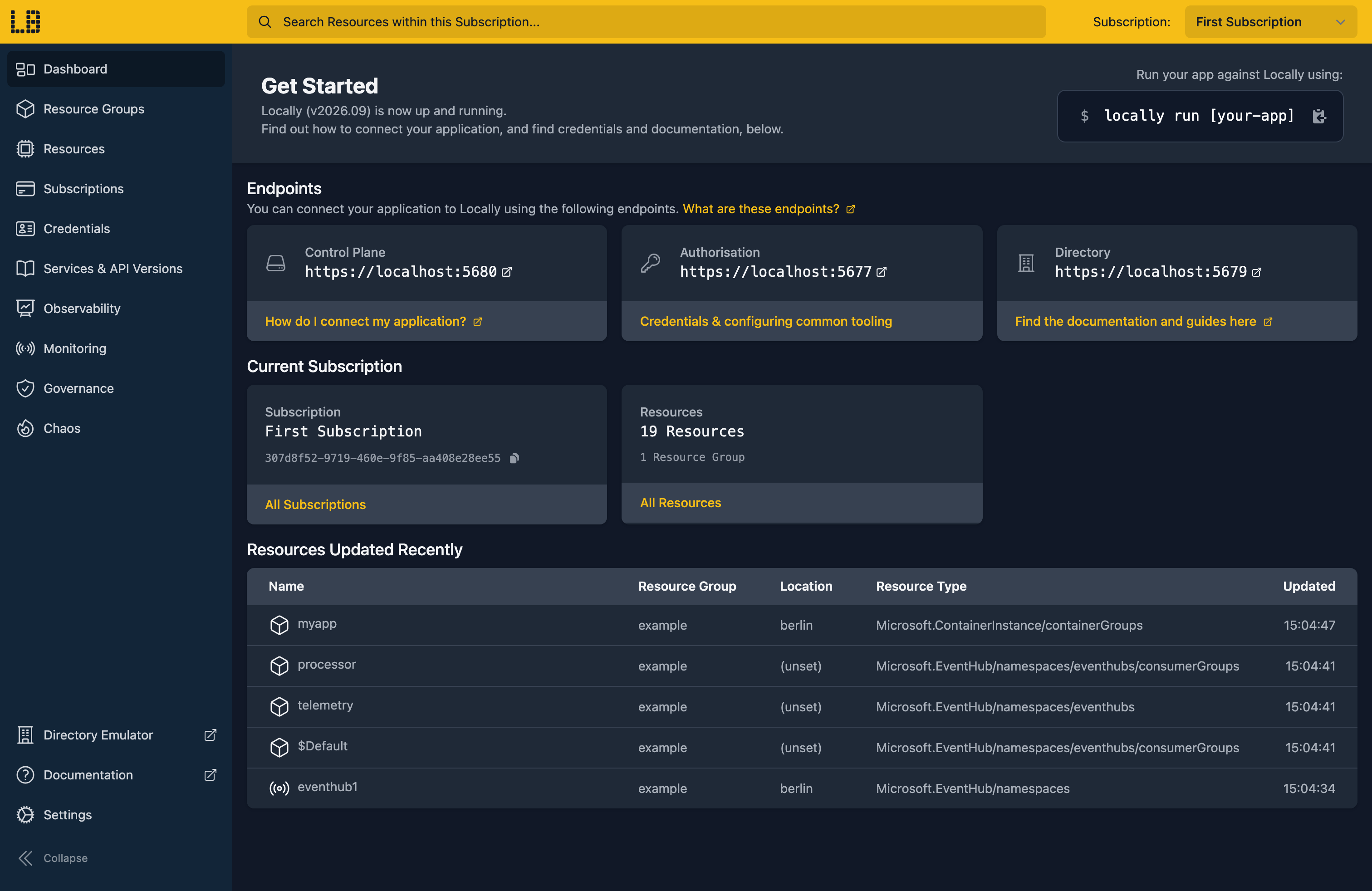
Once Locally has started, the Locally Dashboard will open automatically:
2. Create a Resource Group
Next we can create the Resource Group we'll assign the policy to:
                $


            locally run az group create -n sample-policy -l berlin
There's two things to note here:
- The Azure CLI supports Automatic Configuration, meaning that it can automatically be configured to work against Locally just by prefixing commands with
locally run. - Locally intentionally uses a different set of locations to Azure as a safety precaution, so that you can be confident you're deploying against Locally rather than regular Azure. You can also configure Locally to use the Azure locations too, but you'll want to be extra sure that you're prefixing commands with
locally runwhen you do.
We'll need the Resource Group's ID as the scope for the assignment, so let's keep hold of it:
                $


            export RG_ID=$(locally run az group show -n sample-policy --query id -o tsv)
3. Find the built-in policy
Locally ships Azure's built-in policy definitions with Azure's own IDs. We want Allowed locations:
                $


            locally run az policy definition list --query "[?displayName=='Allowed locations'].{Name:name, Type:policyType, Mode:mode}" -o table
Name                                  Type     Mode
------------------------------------  -------  -------
e56962a6-4747-49cd-b67b-bf8b01975c4c  BuiltIn  Indexed
That name is the same ID the definition has in Azure, so an assignment you write here carries straight over.
4. Assign it
Let's assign it to the Resource Group, allowing berlin and nothing else:
                $


            locally run az policy assignment create -n allowed-locations --display-name "Allowed locations: Berlin only" --policy e56962a6-4747-49cd-b67b-bf8b01975c4c --scope "$RG_ID" --params '{"listOfAllowedLocations": {"value": ["berlin"]}}'
{
  "note": "some fields skipped for brevity",

  "displayName": "Allowed locations: Berlin only",
  "enforcementMode": "Default",
  "name": "allowed-locations",
  "parameters": {
    "listOfAllowedLocations": {
      "value": [
        "berlin"
      ]
    }
  },
  "scope": "/subscriptions/307d8f52-9719-460e-9f85-aa408e28ee55/resourceGroups/sample-policy",
  "type": "Microsoft.Authorization/policyAssignments"
}
enforcementMode is Default, which means the policy is enforced rather than just reported on.
5. See a request refused, then allowed
Let's try creating a Storage Account in paris:
                $


            locally run az storage account create -n samplepolicyparis1 -g sample-policy -l paris --sku Standard_LRS
Locally refuses with the same RequestDisallowedByPolicy error Azure returns, naming the assignment that blocked it:
ERROR: (RequestDisallowedByPolicy) Resource "/subscriptions/307d8f52-9719-460e-9f85-aa408e28ee55/resourceGroups/sample-policy/providers/Microsoft.Storage/storageAccounts/samplepolicyparis1" was disallowed by policy.
Code: RequestDisallowedByPolicy
Message: Resource "/subscriptions/307d8f52-9719-460e-9f85-aa408e28ee55/resourceGroups/sample-policy/providers/Microsoft.Storage/storageAccounts/samplepolicyparis1" was disallowed by policy.
Exception Details:	(PolicyViolation) Denied by policy "e56962a6-4747-49cd-b67b-bf8b01975c4c" (policy assignment "/subscriptions/307d8f52-9719-460e-9f85-aa408e28ee55/resourceGroups/sample-policy/providers/Microsoft.Authorization/policyAssignments/allowed-locations", definition "/providers/Microsoft.Authorization/policyDefinitions/e56962a6-4747-49cd-b67b-bf8b01975c4c")
	Code: PolicyViolation
	Message: Denied by policy "e56962a6-4747-49cd-b67b-bf8b01975c4c" (policy assignment "/subscriptions/307d8f52-9719-460e-9f85-aa408e28ee55/resourceGroups/sample-policy/providers/Microsoft.Authorization/policyAssignments/allowed-locations", definition "/providers/Microsoft.Authorization/policyDefinitions/e56962a6-4747-49cd-b67b-bf8b01975c4c")
The same request in berlin goes through:
                $


            locally run az storage account create -n samplepolicyberlin1 -g sample-policy -l berlin --sku Standard_LRS --query "{name:name, location:location, state:provisioningState}"
{
  "location": "berlin",
  "name": "samplepolicyberlin1",
  "state": "Succeeded"
}
Note
6. Check compliance
Locally also records whether each resource complies with the policies assigned over it:
                $


            locally run az policy state list -g sample-policy --query "[].{Assignment:policyAssignmentName, Resource:resourceType, Location:resourceLocation, State:complianceState}" -o table
Assignment         Resource                           Location    State
-----------------  ---------------------------------  ----------  ---------
allowed-locations  Microsoft.Storage/storageAccounts  berlin      Compliant
Only the Berlin account shows up, since the Paris one was never created.
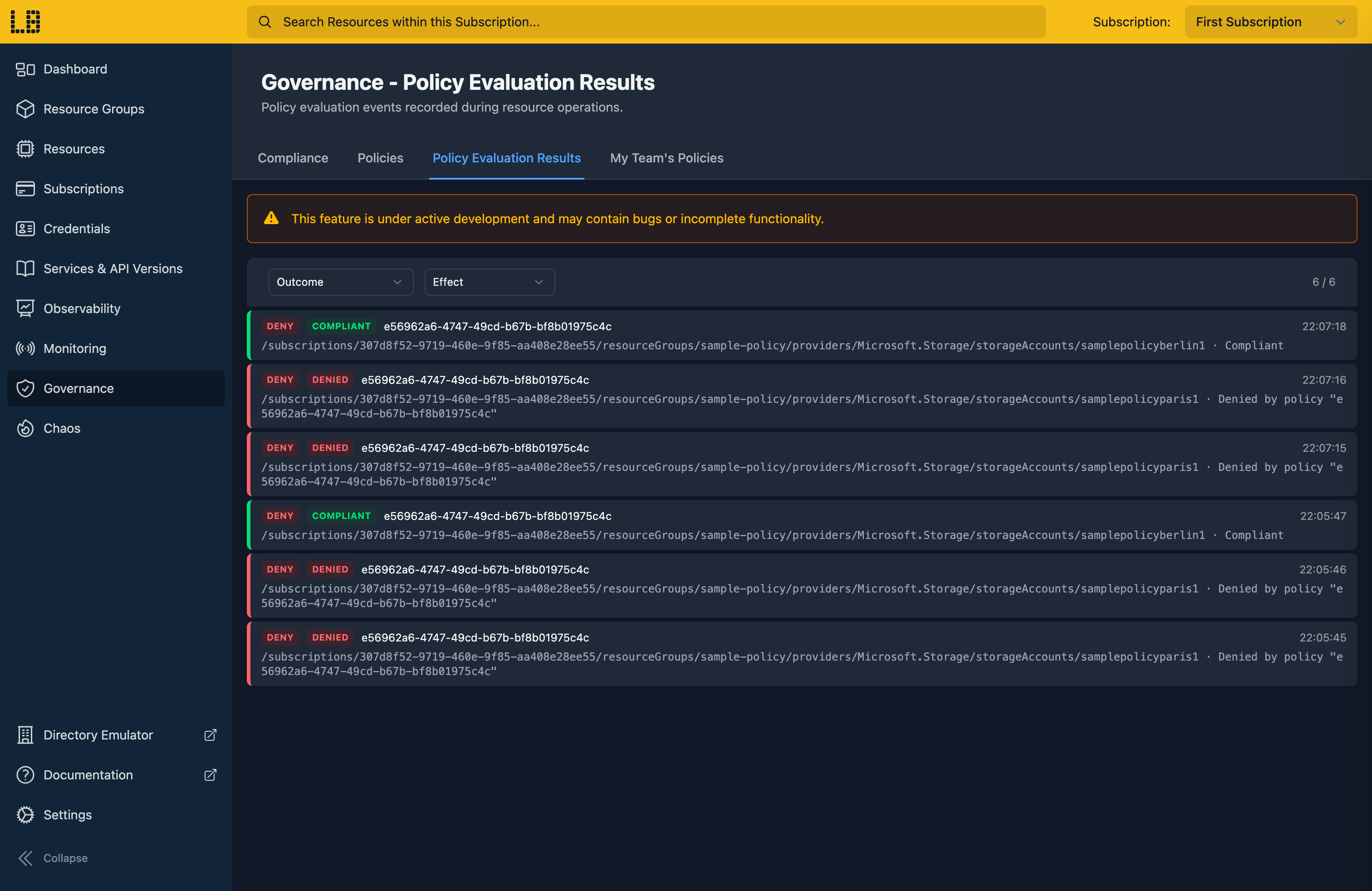
We can see each request the policy checked in the Locally Dashboard too:
Doing this with other tooling
Whilst this guide used the Azure CLI, policy works the same way through any of the tooling that Locally supports - a Microsoft.Authorization/policyAssignments resource in HashiCorp Terraform or OpenTofu, Pulumi, Bicep or an ARM Template all provision against Locally in the same way, and are refused in the same way too.
Next steps
Policy and Compliance checks what you've deployed against initiatives like CIS Azure Foundations. To find resources by tag or type, see Resource Graph.
Should you encounter any issues, please take a look at the troubleshooting section.
Sign in during Public Preview to get the Team plan free, plus an early-adopter discount when we launch. Sign in
