Policy & Compliance
Sign in during Public Preview to get the Team plan free, plus an early-adopter discount when we launch. Sign in
Policy & Compliance
Heads up
Locally's built-in support for Policy and Compliance means you can build and deploy your applications, and then find out whether you're compliant with all of the policies you need to be - be those the built-in Azure Policy definitions, or custom Azure Policies that your team uses.
Compliance
Locally checks the resources that you've deployed into your Subscription against each Initiative (like CIS Azure Foundations or PCI-DSS), which you can find in the Locally Dashboard, under Governance → Compliance:
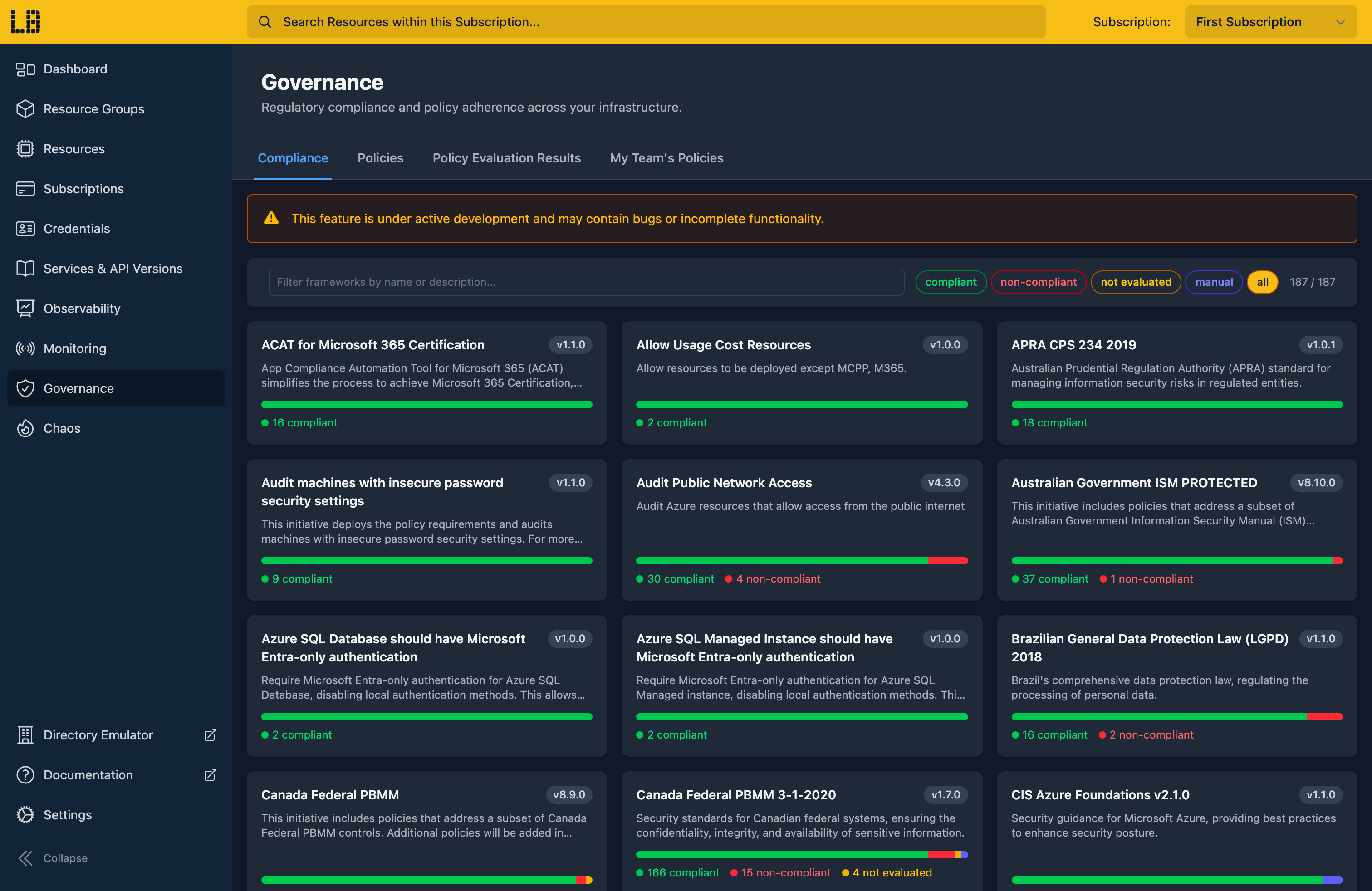
Your compliance is re-evaluated each time you open this page - so you can deploy your resources, and then confirm you're compliant with the policies you expect. Where you aren't, you can drill into the Initiative to see exactly which resources aren't compliant, and how to fix them:
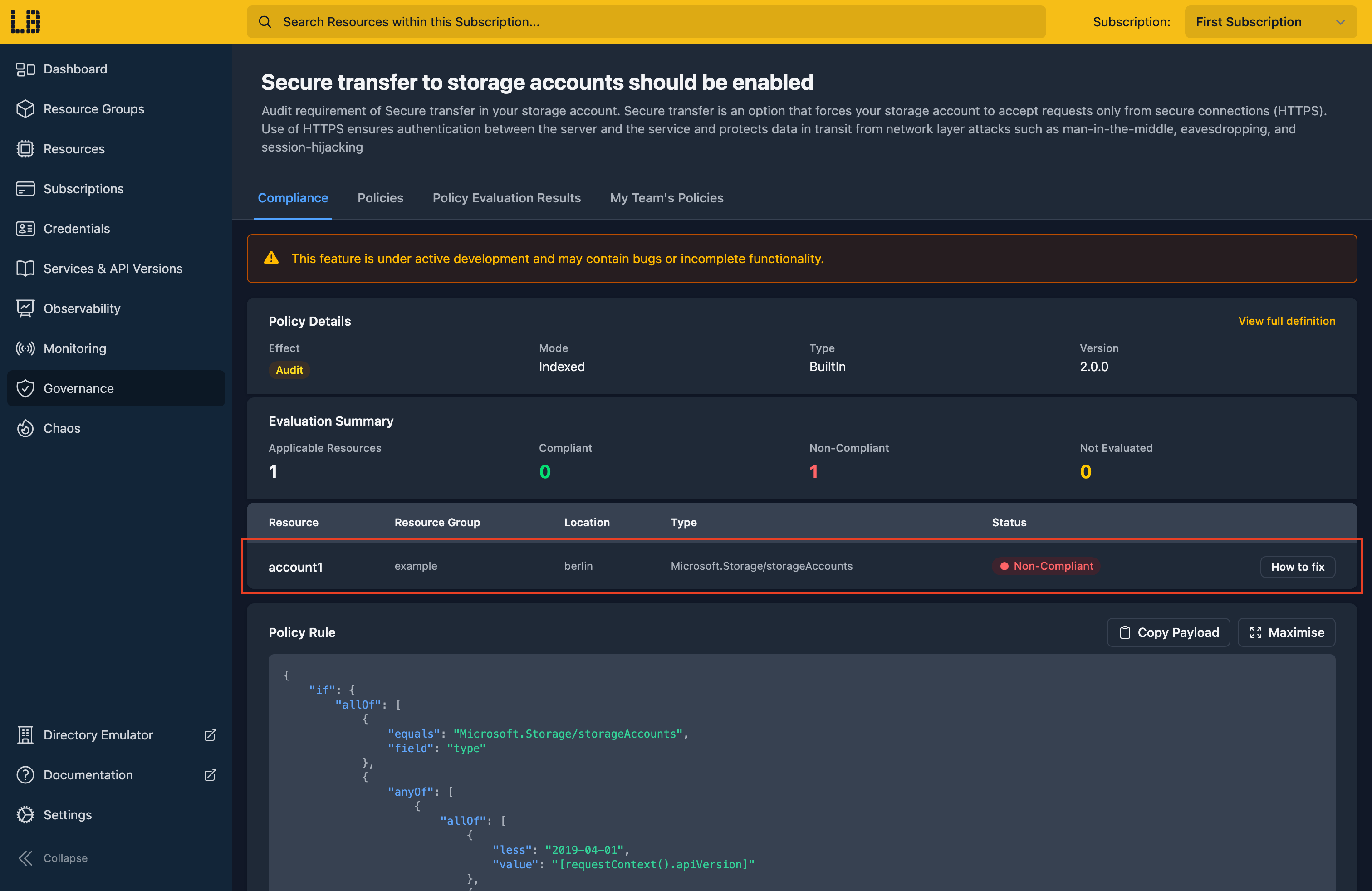
From there you can fix them yourself, redeploy and check again - or have your AI agent pick this up using the MCP Server, and make the fixes for you.
Initiatives don't need to be assigned to a Subscription to show up here - we show your compliance with all of the built-in Azure Policies. Each policy is checked using its default parameters, and is either:
- Compliant - none of your resources break it.
- Non-Compliant - at least one of your resources does.
- Not Evaluated - Locally can't check the policy's rule yet (see the Notes below).
- Manual - someone needs to confirm it's met, so it can't be checked automatically.
Not Evaluated and Manual policies aren't counted towards the compliance percentage.
Assigning policies
Policies can be assigned at the Management Group, Subscription or Resource Group scope using the Azure CLI, Terraform or an ARM Template - or to the current Subscription from the Policies tab within the Locally Dashboard:
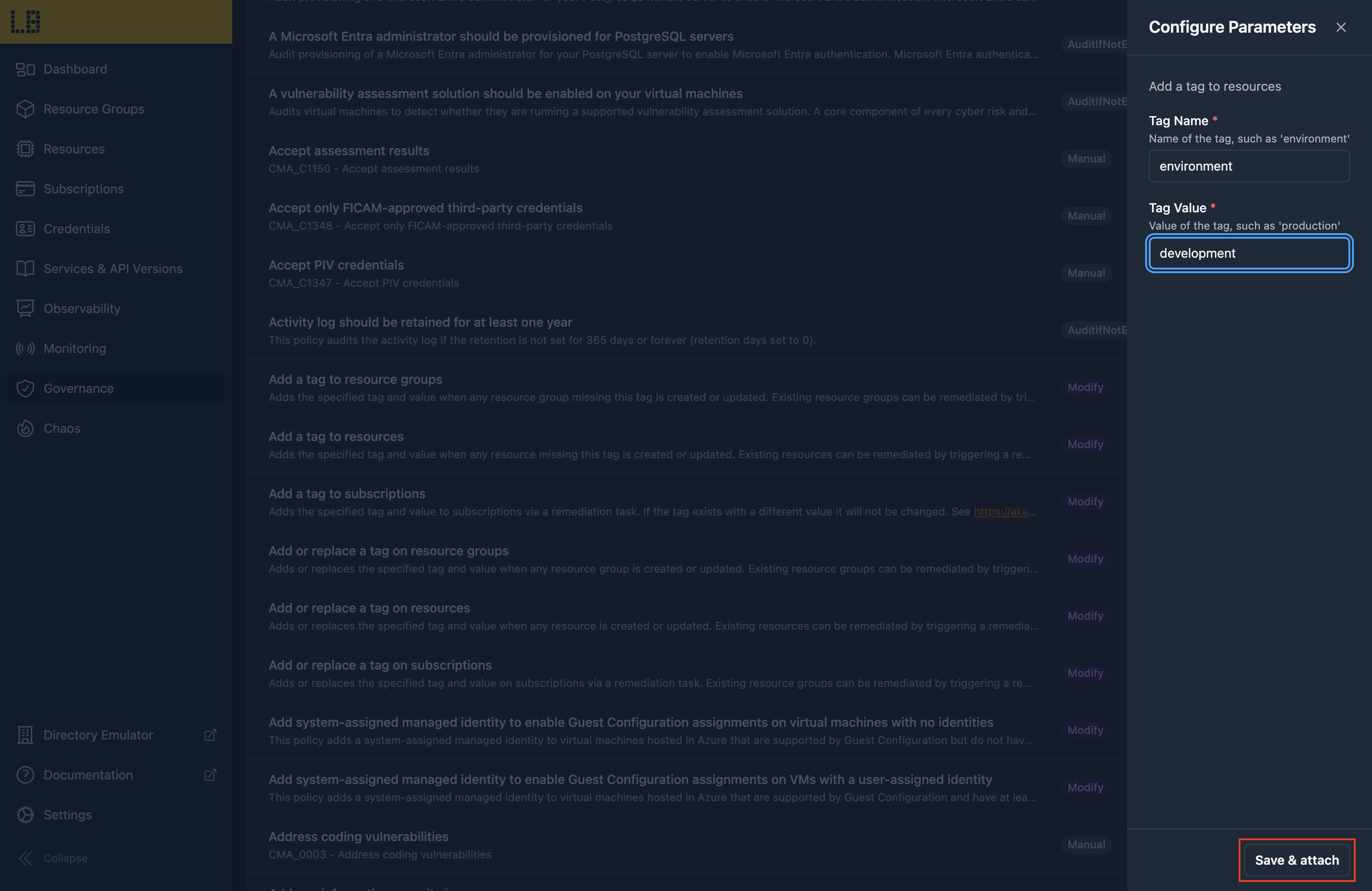
Locally ships with the full set of built-in Azure Policy definitions, so any of them can be assigned to your Subscription or Resource Group - alongside your own custom policies.
What happens when you deploy depends on the policy's effect:
- Deny and DenyAction policies block the request, with a
RequestDisallowedByPolicyerror. - Append and Modify policies change the request before it's applied.
- DeployIfNotExists policies deploy the missing resources afterwards.
- Audit and AuditIfNotExists policies record the result, without blocking anything.
Exclusions and an Enforcement Mode of DoNotEnforce are honoured too - and you can see what happened on the Policy Evaluation Results tab.
Notes
Locally evaluates your compliance with these policies on a best-effort basis, and is designed to be used alongside Azure Policy and Microsoft Defender for Cloud (which gives you extra functionality, such as your Secure Score) - rather than to replace them.
By checking your compliance within Locally, you shift compliance left - allowing developers and their AI agents to fix issues before deploying for real, which reduces the time spent on compliance.
At this time, Locally doesn't support all policy conditions (such as count, match and aliases using [*]), so policies using these show as Not Evaluated. Assigning an Initiative also doesn't yet enforce its policies when you deploy - although assigning those policies individually does. We plan to support both in the future.
Should you encounter any issues, please take a look at the troubleshooting section.
Sign in during Public Preview to get the Team plan free, plus an early-adopter discount when we launch. Sign in
