Architecture Diagrams
Sign in during Public Preview to get the Team plan free, plus an early-adopter discount when we launch. Sign in
Architecture Diagrams
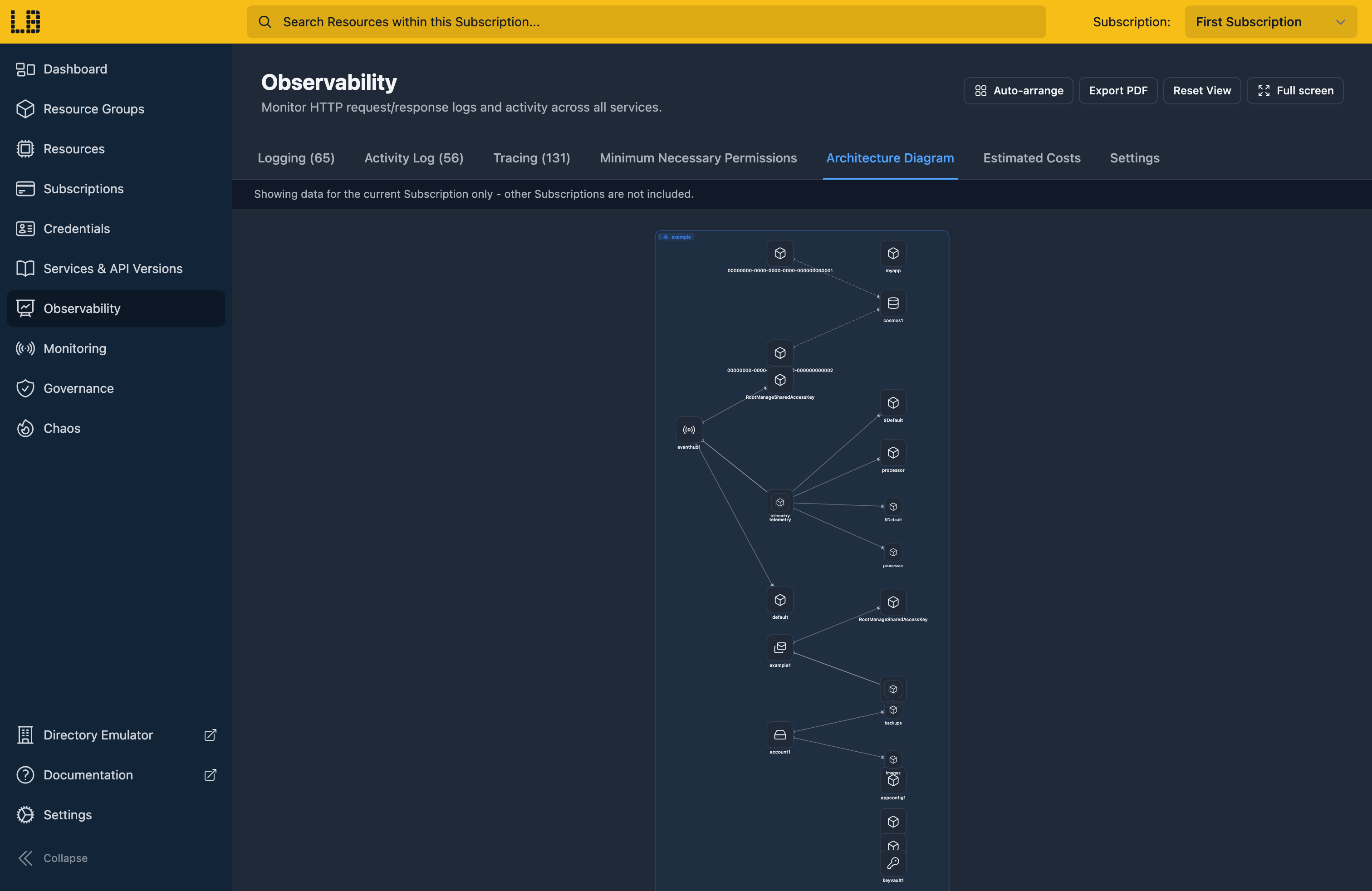
Locally shows the resources that you've deployed to Locally as a live architecture diagram, so you can see what you've provisioned and how it fits together. This can be found in the Locally Dashboard, within the Observability section.
What's included
Locally's Architecture Diagram is currently scoped to a single Subscription, and will show all of the Resource Groups and Resources. Where a Resource also has an associated Data Plane Emulator we also include those, for example:
- Blob containers, queues, tables and file shares inside each Storage Account.
- Queues, topics and topic subscriptions inside each Service Bus Namespace.
- Event Hubs and their consumer groups inside each Event Hubs Namespace.
- Topics and event subscriptions inside each Event Grid Namespace.
- Secrets inside each Key Vault.
Lines between resources show how they relate - for example, a Virtual Machine using a Network Interface.
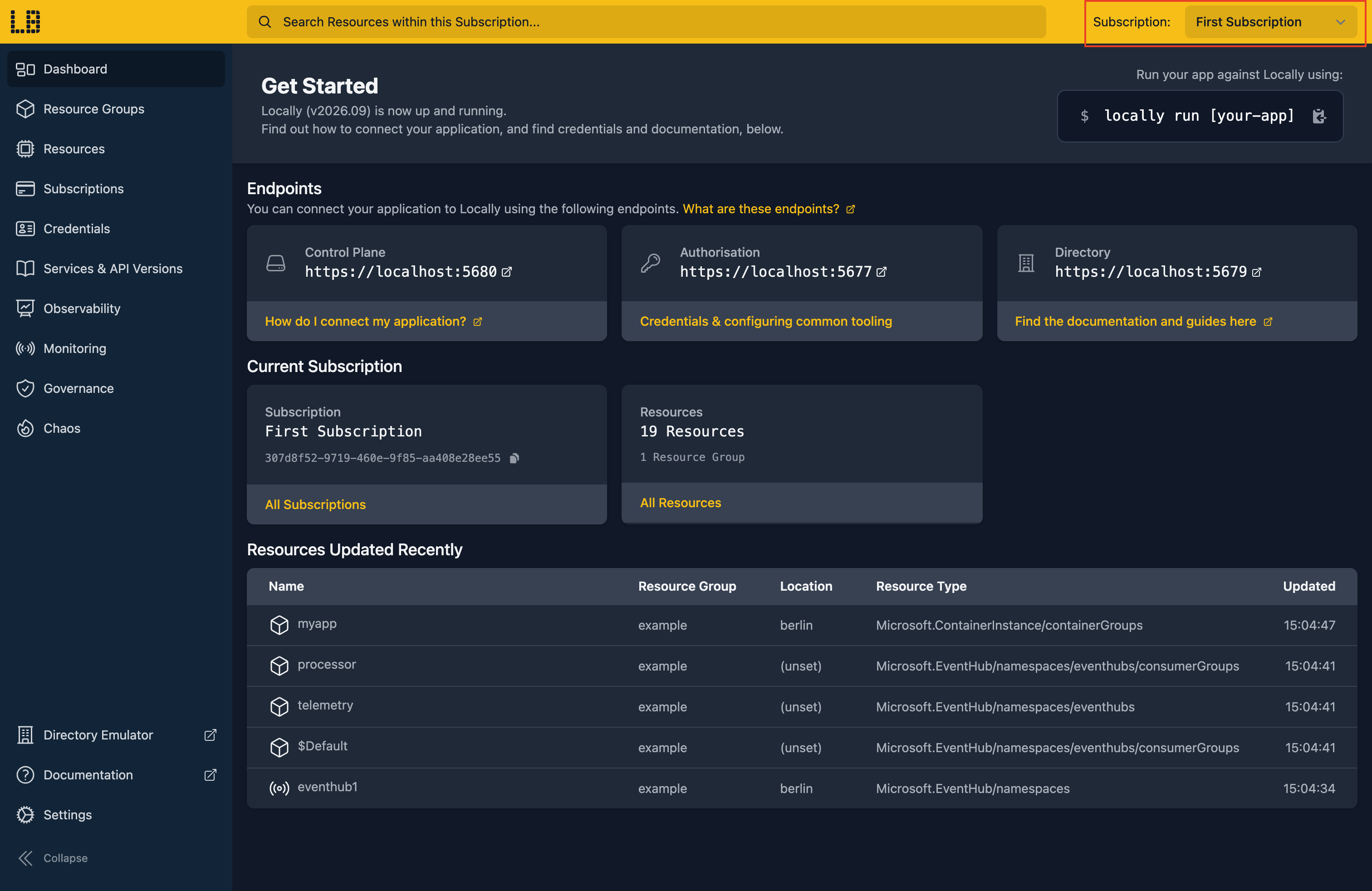
To see the Architecture Diagram for a different Subscription, use the Subscription selection dropdown in the top-right of the screen:
Exploring the diagram
The diagram is interactive - you can drag items around, hover over an item to see what it's connected to, and click on a resource to see its properties:
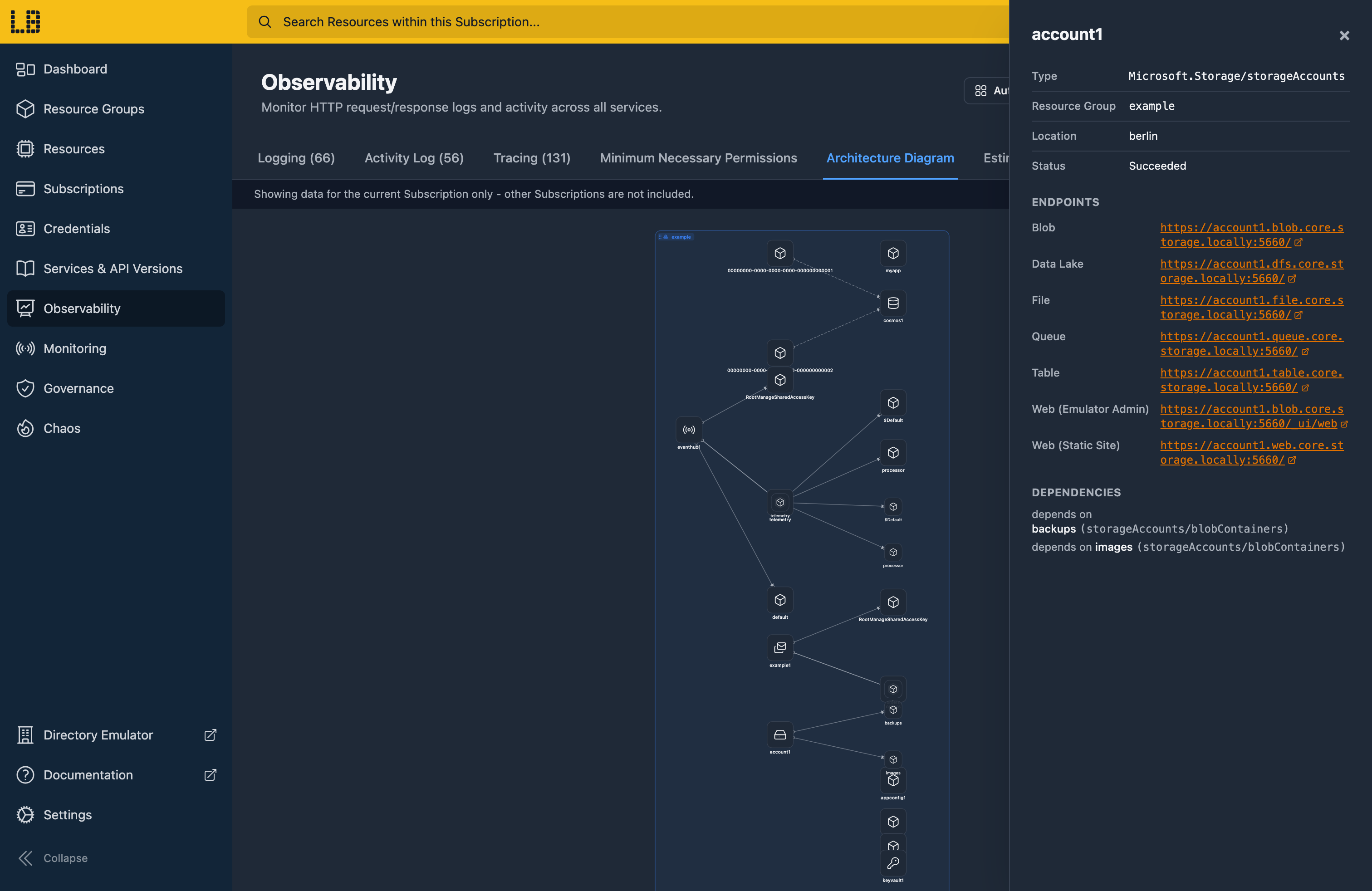
You can export a PDF of the Architecture Diagram, open it in full screen and reset any changes you've made using the buttons in the top right.
Sign in during Public Preview to get the Team plan free, plus an early-adopter discount when we launch. Sign in
