Enforce Stable API Versions
Sign in during Public Preview to get the Team plan free, plus an early-adopter discount when we launch. Sign in
Enforce Stable API Versions
Azure publishes both Stable and Preview versions of its APIs, and the Azure tooling you use (and the applications you build) can use a mix of these - so it's hard to know which API versions you're actually using. That makes it hard to work out the impact when an API version is deprecated: which tooling needs updating, and for which API?
Locally can reject requests that use Preview or Deprecated API versions. By turning these off, and then deploying and testing your application, you can find out whether it (or your tooling) uses any of them - for example, to check you're following an organisational policy of only using Stable API versions. When a request is rejected, the Locally API returns an error saying which API version was used, and why:
{
  "error": {
    "code": "PreviewAPIVersionNotAllowed",
    "message": "The API version \"2023-06-01-preview\" is a preview version. Preview API versions have been disabled via the 'Allow Preview API Versions' feature flag. Please use a stable (GA) API version instead.",
    "details": null
  }
}
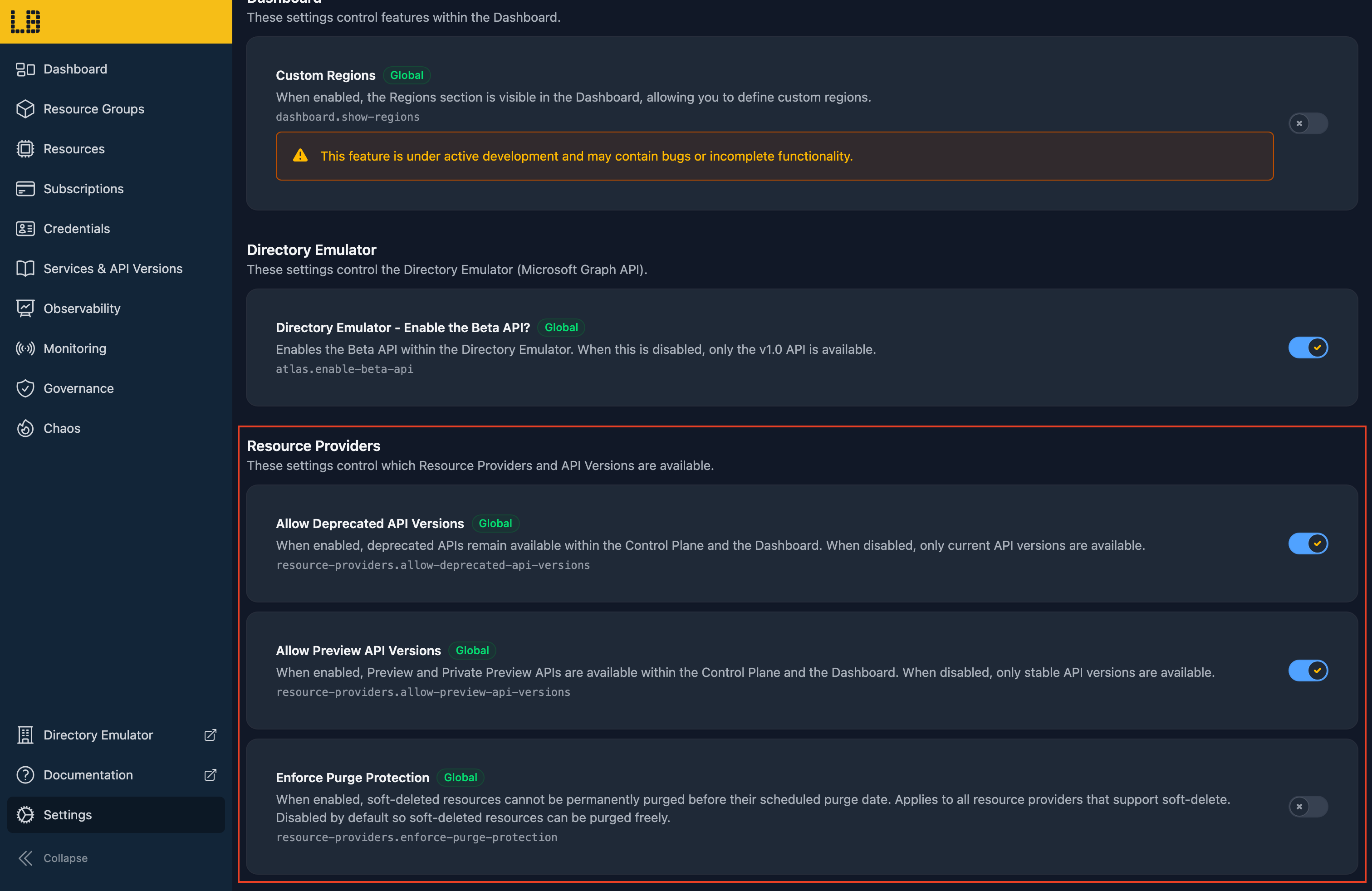
Both are allowed by default (as in Azure), and can be turned off separately in the Locally Dashboard, under Settings → Feature Flags, using Allow Preview API Versions and Allow Deprecated API Versions.
Microsoft Graph's Beta API
Microsoft Graph works the same way as Azure, with a Stable API version (v1.0) and a Preview one (beta). Functionality in beta can change at any time, has no SLA and isn't supported by Microsoft in production. For example, the beta APIs for Privileged Identity Management (Iteration 2) stop working on 28 October 2026, in favour of the Stable Iteration 3 APIs in v1.0.
The Directory Emulator supports both v1.0 and beta, and can reject requests to the beta API. By turning beta off, and then deploying and testing your application, you can find out whether it (or your tooling) uses it. When a request is rejected, the Directory Emulator returns an error saying why:
{
  "error": {
    "code": "Authorization_RequestDenied",
    "message": "The Microsoft Graph beta API is a preview surface. Beta API versions have been disabled via the 'Enable the Beta API' feature flag. Please use the v1.0 (GA) API version instead. The equivalent v1.0 endpoint is GET /v1.0/users."
  }
}
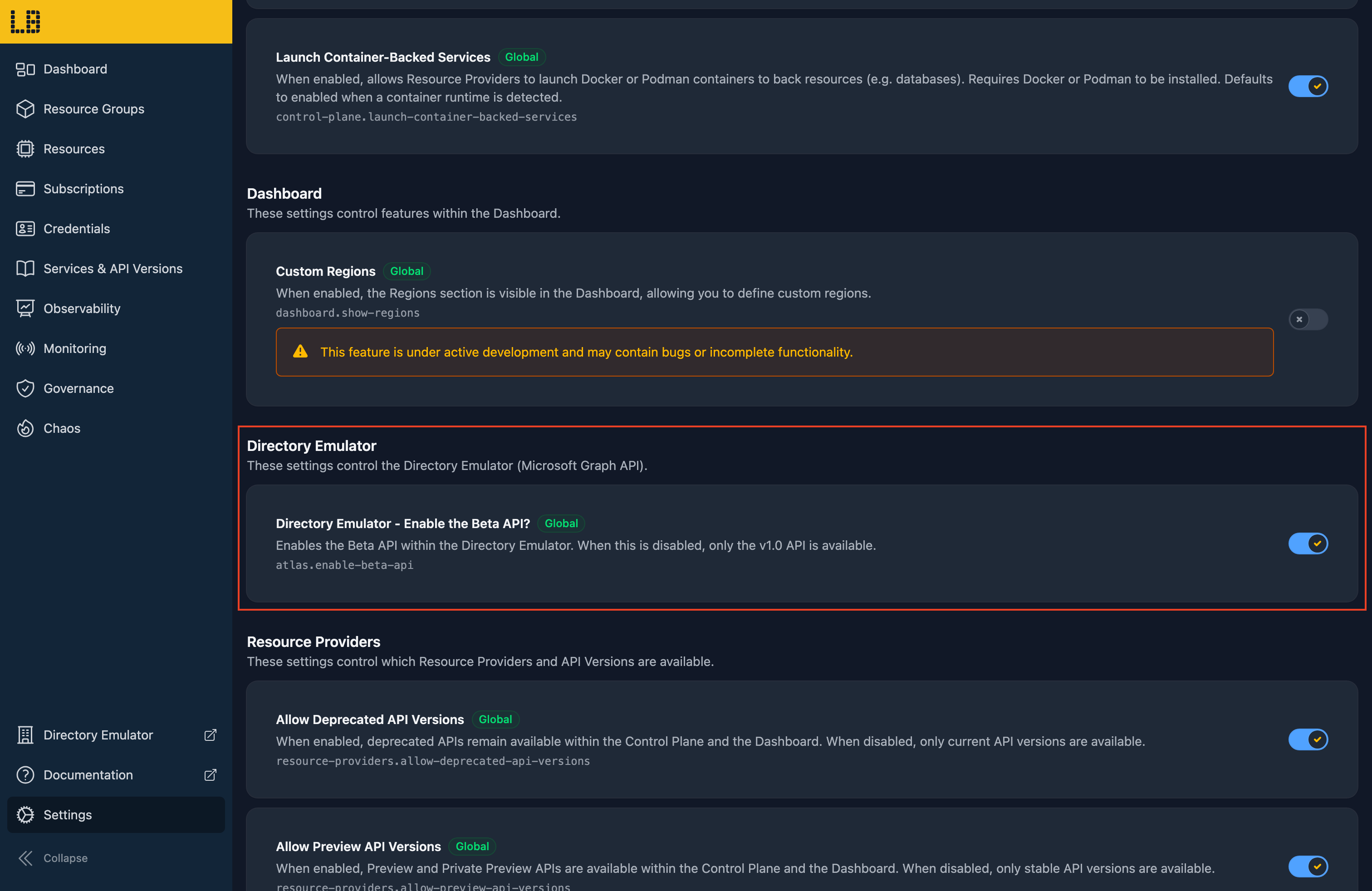
The beta API is enabled by default (as in Microsoft Graph), and can be disabled in the Locally Dashboard, under Settings → Feature Flags, using Directory Emulator - Enable the Beta API?. Requests to v1.0 aren't affected.
Should you encounter any issues, please take a look at the troubleshooting section.
Sign in during Public Preview to get the Team plan free, plus an early-adopter discount when we launch. Sign in
