Virtual Machines Emulator
Sign in during Public Preview to get the Team plan free, plus an early-adopter discount when we launch. Sign in
Virtual Machines Emulator
Azure Virtual Machines are on-demand Linux and Windows machines - which you configure using extensions, scripts and Run Commands.
Locally supports both provisioning Virtual Machines (and Scale Sets) and running scripts, extensions and Run Commands on them - with each Virtual Machine backed by a container in Docker or Podman, rather than a full Virtual Machine.
The image you ask for is checked against Azure's catalogue and reported back as the Virtual Machine's image - but the container is the same whichever image you pick, so it won't have the image's own contents.
Docker or Podman also needs to be running - without a container runtime, Virtual Machines are still created, but there's nothing behind them.
Finding the Emulator
Once a Virtual Machine has been created, its resource page within the Locally Dashboard shows its power state and whether it can be connected to - along with the credentials, and the command to connect (or, for Windows, a Remote Desktop file to download):
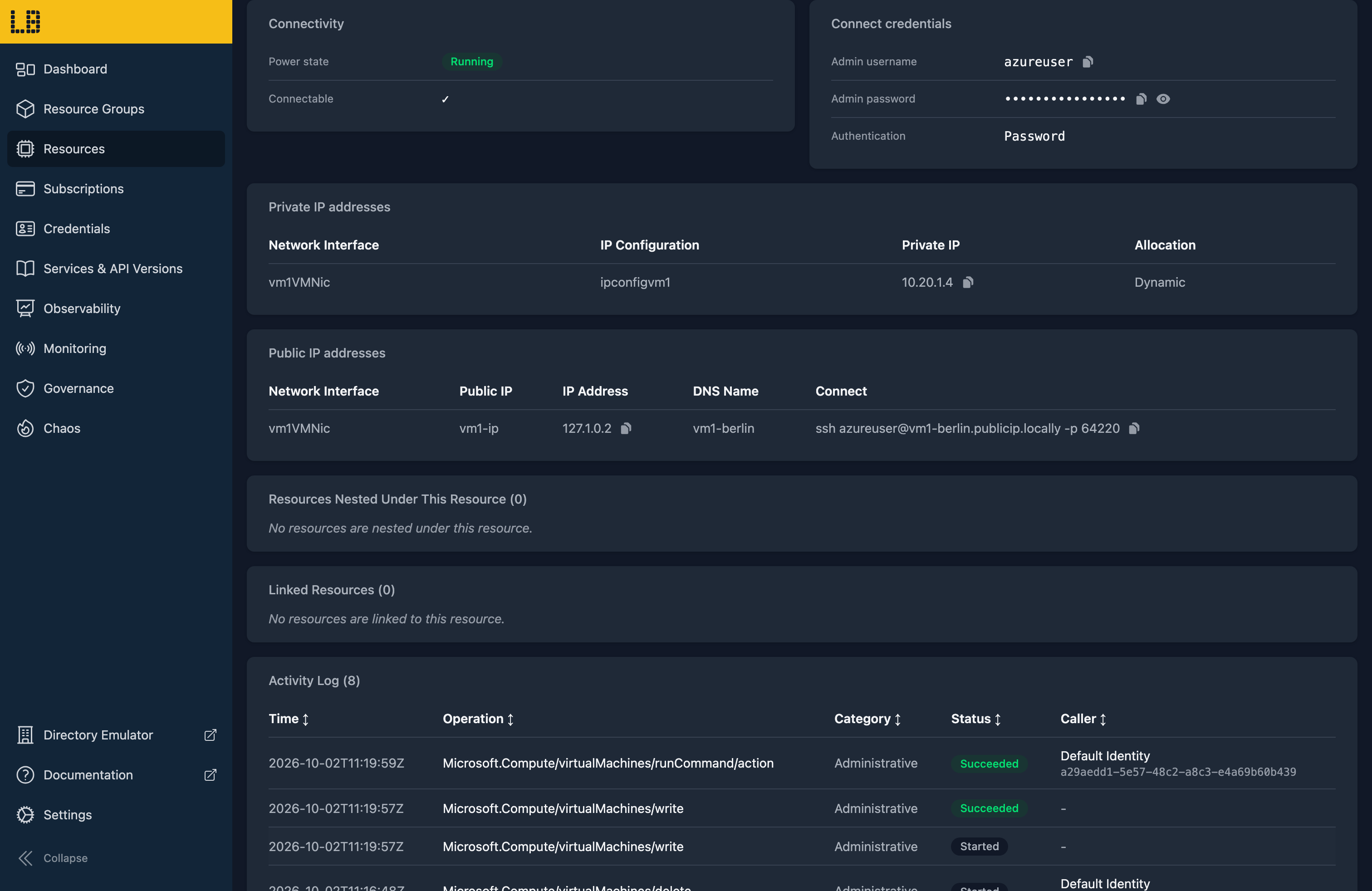
The Virtual Machines Emulator
Connecting to a Virtual Machine using locally connect --virtual-machine <name> opens an SSH (Linux) or Remote Desktop (Windows) session - but rather than a shell, what answers is a view of the Virtual Machine itself:
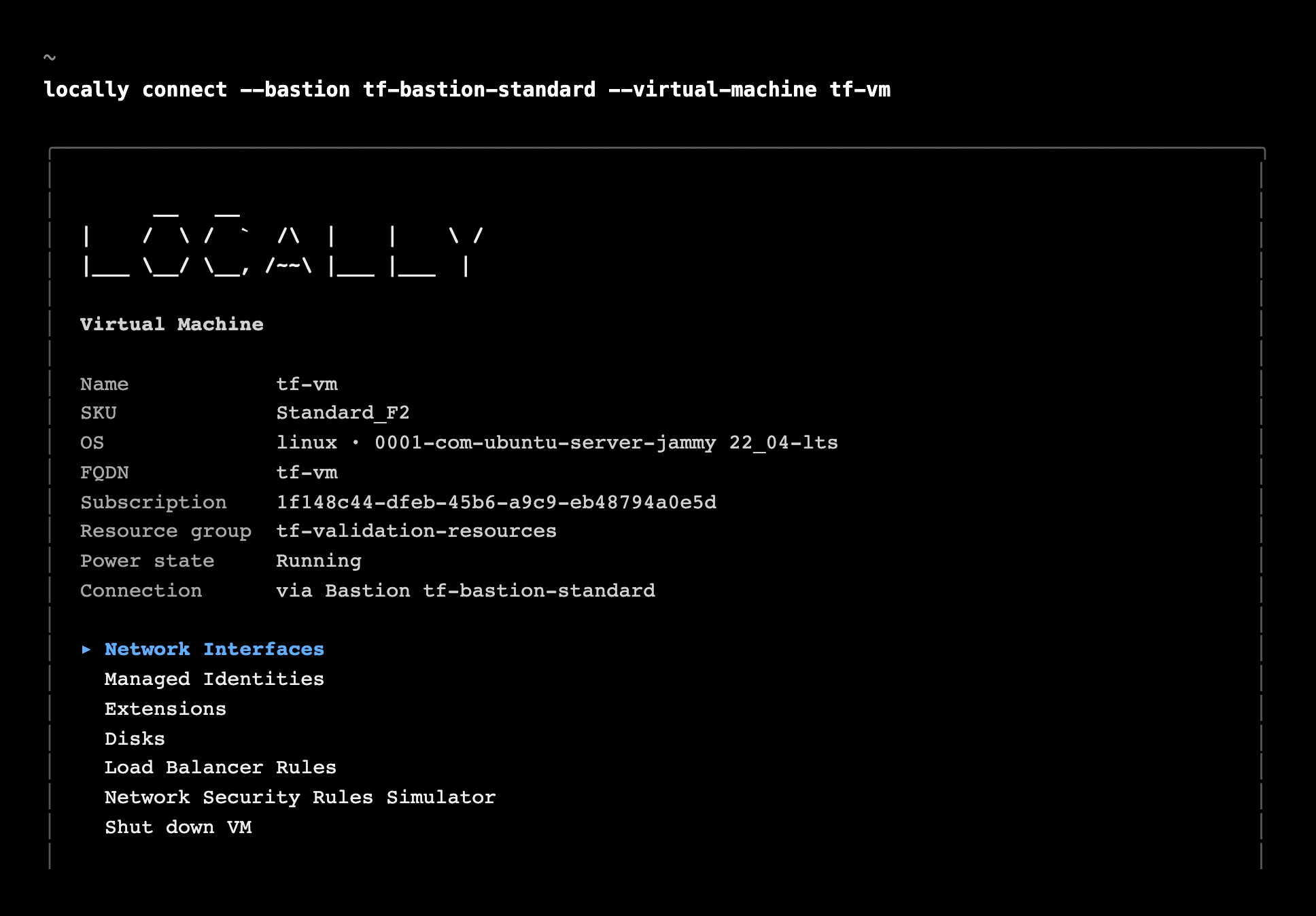
This shows its size, image and power state, along with its network interfaces, managed identities, the extensions which ran on it, its disks and load balancer rules - and a Network Security Rules Simulator, for checking what can actually reach it.
What's Supported
The Virtual Machines emulator supports:
Linux Virtual Machines run Ubuntu 24.04, and Windows ones run PowerShell on Linux - so scripts, extensions and Run Commands really run, and report their real output. Other extensions are accepted and report success, without running anything.
Connecting needs a Public IP, an inbound NAT rule on a Load Balancer, or a Bastion - and the username and password (or SSH key) are checked as they are in Azure. Scale Set instances work the same way, using --virtual-machine-scale-set and --instance-id.
Stopping or deallocating a Virtual Machine removes its container, and starting it creates a new one - so anything written inside it is lost, much like a temporary disk in Azure.
Virtual Machines also work with Locally's other emulators, as you'd expect - for example:
- Files in a Custom Script Extension's
fileUrisare downloaded from the Storage Emulator, using a key, a SAS or the Virtual Machine's managed identity. - Scripts can fetch a token as the Virtual Machine's managed identity (using
IDENTITY_ENDPOINTandMSI_ENDPOINT), and call other resources in Locally. - Virtual Machines without a public IP can be reached through the Bastion Emulator.
Differences from Azure
As of Locally v2026.09.02, the Virtual Machines emulator has the following differences from Azure:
- Every Virtual Machine runs the same container, whichever image it was created from. Windows Virtual Machines run PowerShell on Linux, and on Arm hosts (including Apple Silicon) the Windows Custom Script Extension and Run Commands report success without running.
- Connecting gives you a view of the Virtual Machine rather than a shell. To run something inside it, use an extension or a Run Command.
- A Virtual Machine's size is checked, but its CPU and memory aren't limited to match.
- Disks are created as resources, but aren't attached to the container.
- Scale Set extensions and per-instance Run Commands are recorded, but don't run.
- Boot diagnostics, the serial console and the Instance Metadata Service aren't available.
Should you encounter any issues, please take a look at the troubleshooting section.
Sign in during Public Preview to get the Team plan free, plus an early-adopter discount when we launch. Sign in
