Tracing
Sign in during Public Preview to get the Team plan free, plus an early-adopter discount when we launch. Sign in
Tracing
A single request to Locally often does more than one thing - such as the Control Plane handing it to a Resource Provider and then polling a long-running operation, or Event Grid delivering an event to a Function App. Tracing ties these together using the request's correlation ID, so you can follow what happened.
You can find this in the Locally Dashboard, under Observability → Tracing, which updates as things happen:
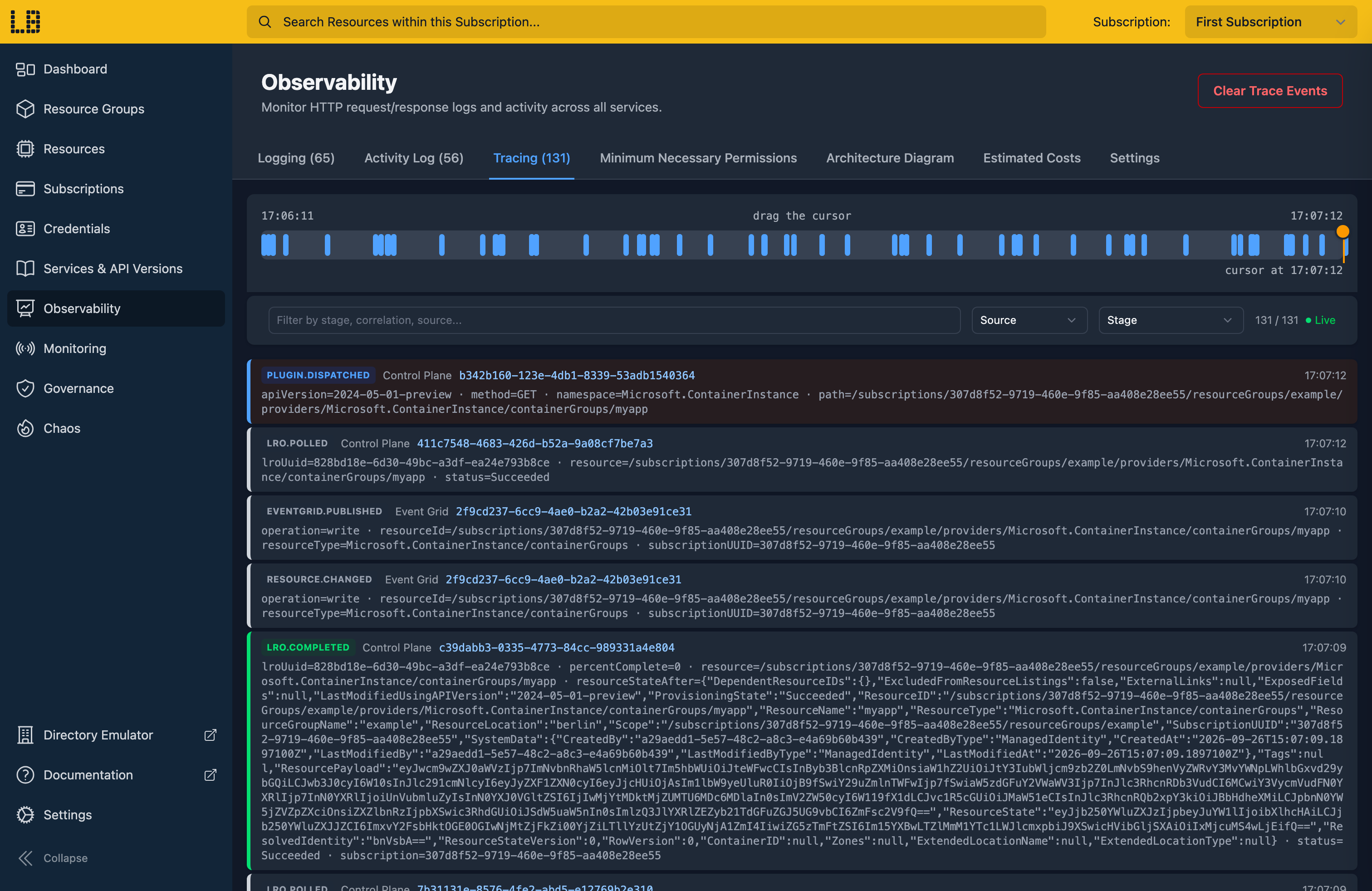
Each row is a single step from one of Locally's services - for example, a request being dispatched to a Resource Provider, a long-running operation completing, an Event Grid event being delivered, or a Chaos Engineering fault being injected. You can filter these by source, by stage, or by searching - and drag the timeline back to see what happened at a particular point, which pauses the live updates until you resume them.
Following a request
Selecting a row shows its details - including when it happened, its correlation IDs, and any details the service included:
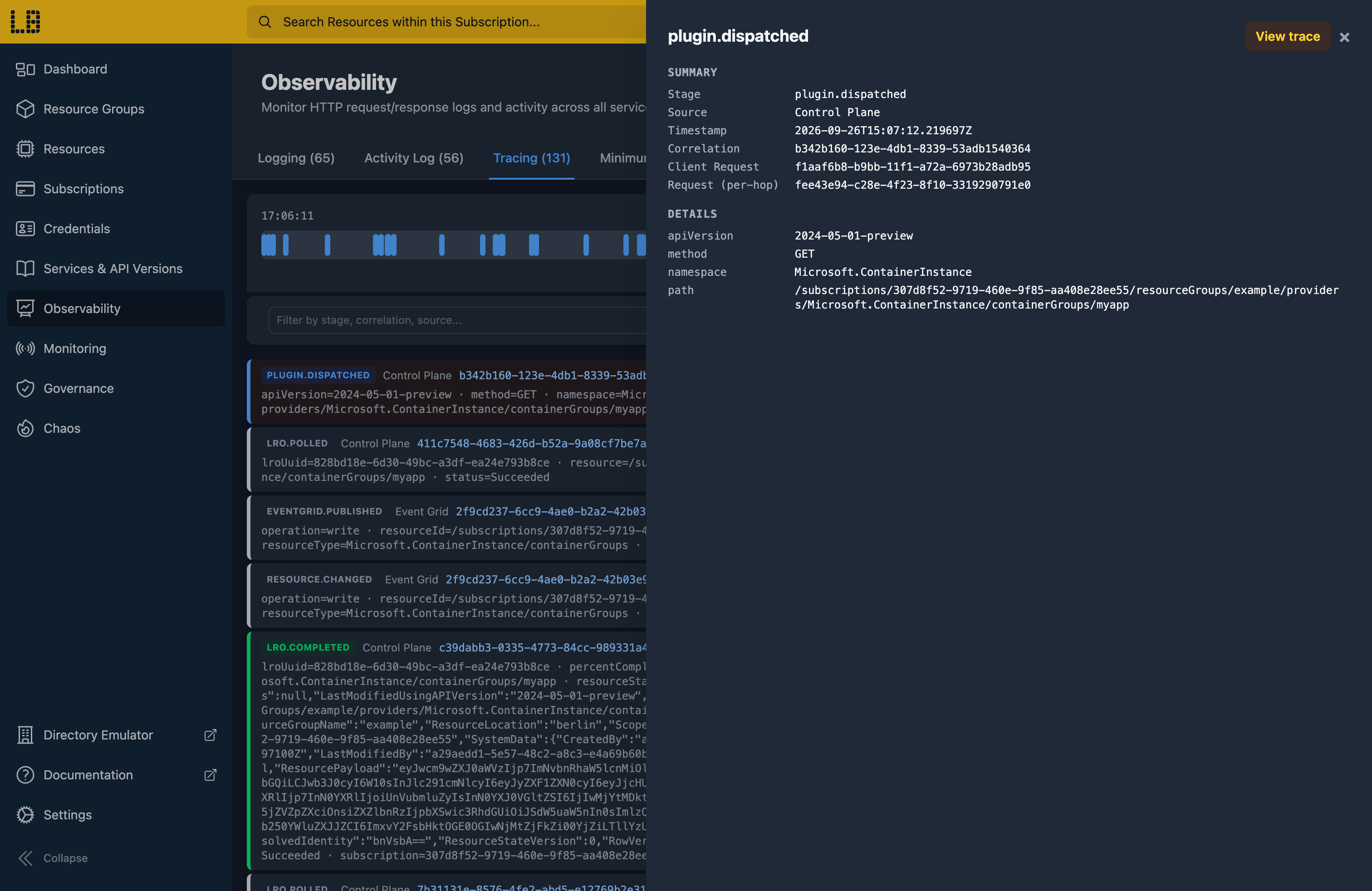
From here, View trace shows everything that happened under the same correlation ID - every request in Logging alongside every step in Tracing, in order, with how long it took from start to finish. You can also get to this from a request in Logging, or from the results of a Policy evaluation.
Retention
Locally keeps the last 15 minutes of trace events by default, but you can change this in the Locally Dashboard, under Observability → Settings.
You can keep trace events for as many minutes as you like, or keep a set number of the most recent ones instead - handy if you're working through a bigger deployment.
You can also clear them whenever you want to start afresh, using the Clear Trace Events button - or turn tracing off entirely, which clears them too.
Should you encounter any issues, please take a look at the troubleshooting section.
Sign in during Public Preview to get the Team plan free, plus an early-adopter discount when we launch. Sign in
