Adding Federated Identity Credentials
Sign in during Public Preview to get the Team plan free, plus an early-adopter discount when we launch. Sign in
Adding Federated Identity Credentials
This guide shows you how to add Federated Identity Credentials to a user-assigned Managed Identity and to an app registration against Locally. A Federated Identity Credential lets a workload outside Azure - like a GitHub Actions workflow - sign in as that identity using a token from its own identity provider, rather than a secret.
Before you start
- The Azure CLI (
az) installed. - Locally installed, with Locally Setup completed.
Managed Identities, app registrations and their Federated Identity Credentials are all built into Locally, so there are no plugins to install.
1. Start Locally
Firstly, we need to launch Locally which we can do from a terminal by running:
                $


            locally build
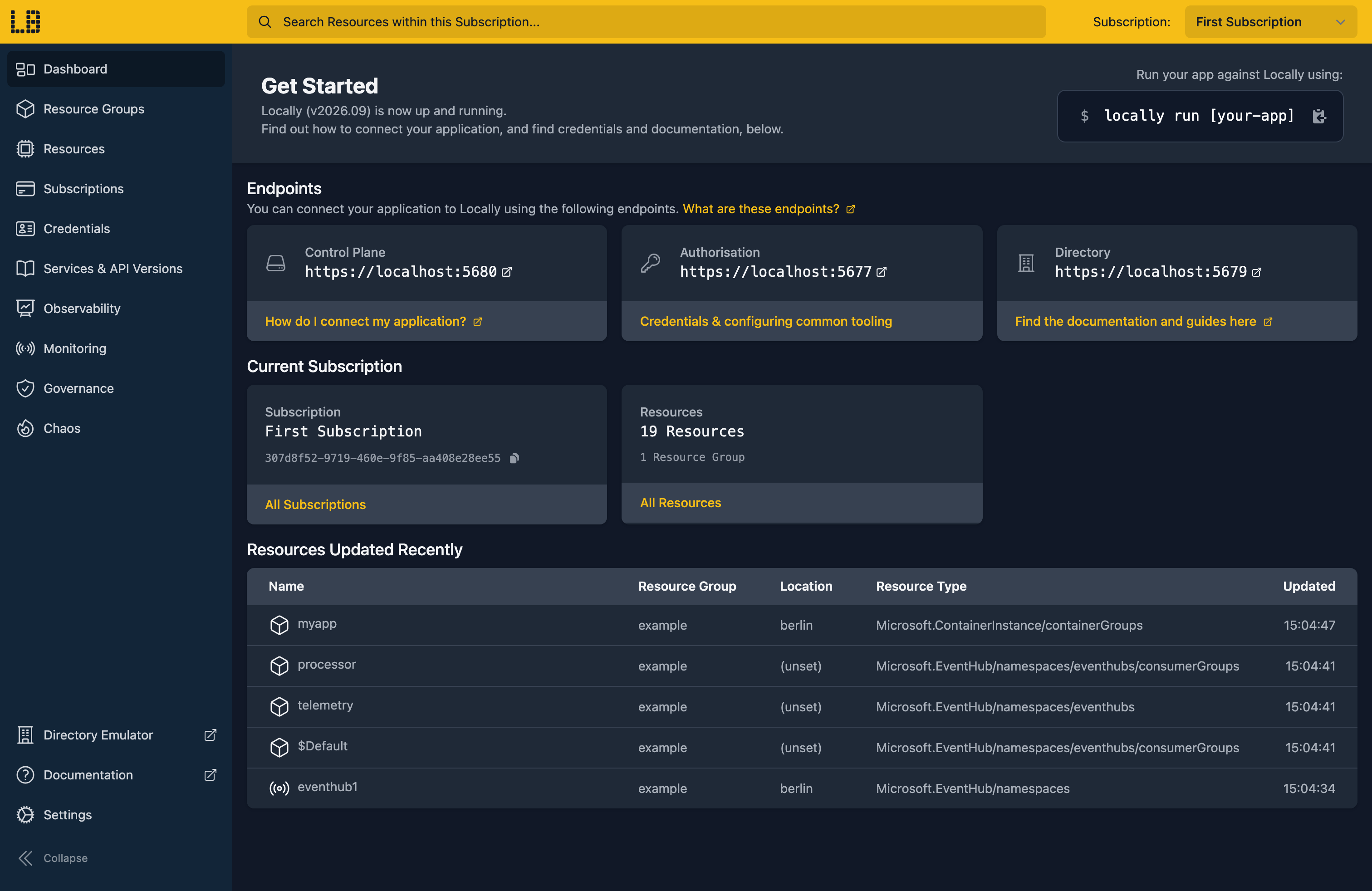
Once Locally has started, the Locally Dashboard will open automatically:
2. Create a Resource Group
Next we can create the Resource Group to hold the Managed Identity:
                $


            locally run az group create -n sample-federation -l berlin
There's two things to note here:
- The Azure CLI supports Automatic Configuration, meaning that it can automatically be configured to work against Locally just by prefixing commands with
locally run. - Locally intentionally uses a different set of locations to Azure as a safety precaution, so that you can be confident you're deploying against Locally rather than regular Azure. You can also configure Locally to use the Azure locations too, but you'll want to be extra sure that you're prefixing commands with
locally runwhen you do.
3. Create the Managed Identity
We'll start with a user-assigned Managed Identity for the workload to sign in as:
                $


            locally run az identity create -g sample-federation -n sample-workload-identity -l berlin
{
  "note": "some fields skipped for brevity",

  "clientId": "8d9fa14d-f903-4372-bac2-eeca3d246f60",
  "id": "/subscriptions/307d8f52-9719-460e-9f85-aa408e28ee55/resourceGroups/sample-federation/providers/Microsoft.ManagedIdentity/userAssignedIdentities/sample-workload-identity",
  "location": "berlin",
  "name": "sample-workload-identity",
  "principalId": "deffb84e-a9ac-4efa-94e1-37e8e2eef1c6",
  "resourceGroup": "sample-federation",
  "tenantId": "59e01520-e049-4dfa-8a7d-1a847fc07763",
  "type": "Microsoft.ManagedIdentity/userAssignedIdentities"
}
4. Add a Federated Identity Credential
A Federated Identity Credential says which tokens the identity trusts. Here we're trusting workflows that run on the main branch of a GitHub repository:
                $


            locally run az identity federated-credential create -g sample-federation --identity-name sample-workload-identity -n github-main --issuer https://token.actions.githubusercontent.com --subject repo:contoso/sample-app:ref:refs/heads/main --audiences api://AzureADTokenExchange
{
  "note": "some fields skipped for brevity",

  "audiences": [
    "api://AzureADTokenExchange"
  ],
  "id": "/subscriptions/307d8f52-9719-460e-9f85-aa408e28ee55/resourceGroups/sample-federation/providers/Microsoft.ManagedIdentity/userAssignedIdentities/sample-workload-identity/federatedIdentityCredentials/github-main",
  "issuer": "https://token.actions.githubusercontent.com",
  "name": "github-main",
  "resourceGroup": "sample-federation",
  "subject": "repo:contoso/sample-app:ref:refs/heads/main",
  "type": "Microsoft.ManagedIdentity/userAssignedIdentities/federatedIdentityCredentials"
}
A token is only accepted when all three of these match it:
issuer- the identity provider that issued the token, here GitHub Actions.subject- the workload the token was issued to, here themainbranch ofcontoso/sample-app. This has to match exactly, including its case.audiences- who the token was issued for.api://AzureADTokenExchangeis the value Azure recommends.
We can list the identity's Federated Identity Credentials to check it's there:
                $


            locally run az identity federated-credential list -g sample-federation --identity-name sample-workload-identity -o table
Issuer                                       Name         ResourceGroup      Subject
-------------------------------------------  -----------  -----------------  -------------------------------------------
https://token.actions.githubusercontent.com  github-main  sample-federation  repo:contoso/sample-app:ref:refs/heads/main
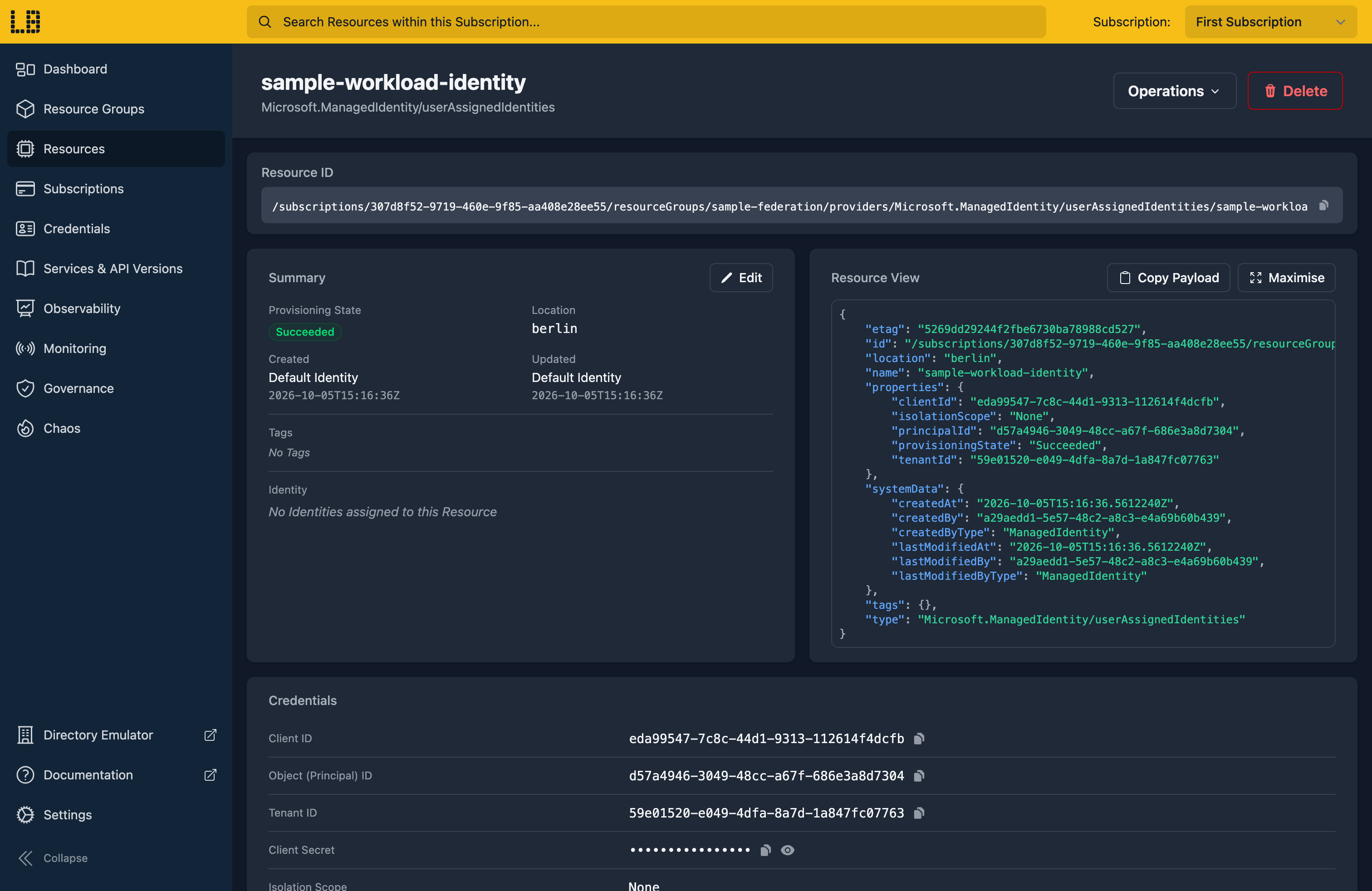
We can see the Managed Identity in the Locally Dashboard too:
5. Create an app registration
App registrations can have Federated Identity Credentials too. They live in Locally's directory rather than in a Resource Group, so we'll create one there:
                $


            locally run az ad app create --display-name sample-federated-app --query "{appId:appId, displayName:displayName}"
{
  "appId": "b7385917-2423-410d-a1be-74fede50e779",
  "displayName": "sample-federated-app"
}
We'll need its appId in the next few steps, so let's keep it in a variable:
                $


            export APP_ID=$(locally run az ad app list --display-name sample-federated-app --query "[0].appId" -o tsv)
6. Add a Federated Identity Credential to the app
For an app registration, the Federated Identity Credential is passed as JSON, with the same issuer, subject and audiences as before:
                $


            locally run az ad app federated-credential create --id $APP_ID --parameters '{"name":"github-main","issuer":"https://token.actions.githubusercontent.com","subject":"repo:contoso/sample-app:ref:refs/heads/main","audiences":["api://AzureADTokenExchange"]}'
{
  "audiences": [
    "api://AzureADTokenExchange"
  ],
  "id": "58cc32e6-a778-4019-aca4-76760ebcde3e",
  "issuer": "https://token.actions.githubusercontent.com",
  "name": "github-main",
  "subject": "repo:contoso/sample-app:ref:refs/heads/main"
}
                $


            locally run az ad app federated-credential list --id $APP_ID -o table
Issuer                                       Name         Subject
-------------------------------------------  -----------  -------------------------------------------
https://token.actions.githubusercontent.com  github-main  repo:contoso/sample-app:ref:refs/heads/main
Locally applies the same rules as Azure here, so an app registration can't have two Federated Identity Credentials with the same issuer and subject. Trying to add a second one under a different name is refused:
                $


            locally run az ad app federated-credential create --id $APP_ID --parameters '{"name":"github-main-2","issuer":"https://token.actions.githubusercontent.com","subject":"repo:contoso/sample-app:ref:refs/heads/main","audiences":["api://AzureADTokenExchange"]}'
ERROR: Issuer and subject combination already exists for this application (issuer "https://token.actions.githubusercontent.com", subject "repo:contoso/sample-app:ref:refs/heads/main")7. Signing in with a federated token
When a workload signs in with a token from the issuer, Locally checks the token's issuer, subject and audience against the identity's Federated Identity Credentials, and verifies its signature against the keys the issuer publishes. If they all match, Locally issues an access token for the Managed Identity or app registration - with no secret involved.
Note
token.actions.githubusercontent.com, needs to be reachable from your machine when the token is exchanged.8. Tidy up
Finally, we can tidy up. As the app registration lives in the directory rather than the Resource Group, it needs deleting on its own:
                $


            locally run az ad app delete --id $APP_ID
And to remove the Resource Group, along with the Managed Identity and its Federated Identity Credential:
                $


            locally run az group delete -n sample-federation --yes
Doing this with other tooling
Whilst this guide used the Azure CLI, Federated Identity Credentials on a Managed Identity are a Microsoft.ManagedIdentity/userAssignedIdentities/federatedIdentityCredentials resource, so they provision in the same way with HashiCorp Terraform or OpenTofu, Pulumi, Bicep or an ARM Template.
Next steps
Using a Managed Identity covers giving an identity access to a Key Vault, and Role Assignments covers how Locally enforces the roles you give it.
Should you encounter any issues, please take a look at the troubleshooting section.
Sign in during Public Preview to get the Team plan free, plus an early-adopter discount when we launch. Sign in
