Preview

Sign in during Public Preview to get the Team plan free, plus an early-adopter discount when we launch. Sign in

Infrastructure at the speed of code.

A complete Azure environment that starts in seconds, on your laptop or in CI. Works with the Azure CLI, Terraform, Pulumi, Bicep, and ARM templates.

locally build
Terminal 2

Works with the tools you already use

Terraform OpenTofu Pulumi Azure CLI Bicep ARM Templates PowerShell Claude

See it in action

Three minutes with Locally: a complete Azure environment, running on your machine.

0:00 / 3:12

Walkthrough of Locally · 3:12

Try it. Under a minute.

Free during Public Preview. No credit card required.

# Add the Locally tap

$ brew tap locallybuild/tap

# Trust the tap

$ brew trust locallybuild/tap

# Install

$ brew install locally

# Trust the cert and sign in to your Locally Account (one-time)

$ locally setup

# Start your Locally cloud environment

$ locally build

Prefer a direct download?

Locally v2026.09.03 as a .tar.gz - extract the locally binary onto your PATH, then run locally setup.

Then prefix any command with locally run to hit your local Azure environment. Full walkthrough in the Getting Started guide.

Same tools. Faster feedback.

Time to deploy a resource group, network, two subnets, a NIC and a Windows VM.

Azure Compute / Networking SDKs
up to 11.9× faster
Deploying to Azure1m 17s
Deploying to Locally6.5s

Last tested on 25th September 2026 against Locally v2026.09.

Median of 5 runs, provisioning a Windows Server 2022 VM (size Standard_D2als_v6) and its network, in Sweden Central.

Azure Locally
Select a tool
View as table
ToolAzureLocallyFasterVersions
Azure SDK for Go1m 17s6.5s11.9×azcore v1.23.1 · armcompute v8.4.0 · armnetwork v9.0.0
Bicep1m 11s9s7.8×v0.47.16
OpenTofu2m 6s34s3.7×v1.12.6 · AzureRM v5.7.0
Terraform2m 6s35s3.6×v1.16.4 · AzureRM v5.7.0

Two commands. A Local Cloud Environment on your machine.

No new SDKs, no credentials to configure, no Azure subscription to provision. Start the environment, then prefix any tool you already use with locally run.

locally build

$ locally build

 __                               ___    ___
/\ \                             /\_ \  /\_ \
\ \ \        ___     ___     __  \//\ \ \//\ \    __  __
 \ \ \  __  / __`\  /'___\ /'__`\  \ \ \  \ \ \  /\ \/\ \
  \ \ \L\ \/\ \L\ \/\ \__//\ \L\.\_ \_\ \_ \_\ \_\ \ \_\ \
   \ \____/\ \____/\ \____\ \__/.\_\/\____\/\____\\/`____ \
    \/___/  \/___/  \/____/\/__/\/_/\/____/\/____/ `/___/> \
                                                      /\___/
                                                      \/__/

All services started ✓

Locally (2026.09.03) is now running.

We've opened a browser to the dashboard at: https://127.0.0.1:5678

You can find the documentation at: https://locally.build/docs

┌ Try it out ────────────────────────────────────────────┐
│                                                        │
│  locally run [command] [args]                          │
│                                                        │
└────────────────────────────────────────────────────────┘
terminal

$ locally run az servicebus namespace create \

-n servicebus1 -g example-resources -l berlin

{

"id": "/subscriptions/193c8904-55b9-4875-9690-01997f5f3839/resourceGroups/example-resources/providers/Microsoft.ServiceBus/namespaces/servicebus1",

"location": "berlin",

"minimumTlsVersion": "1.2",

"name": "servicebus1",

"provisioningState": "Succeeded",

"resourceGroup": "example-resources",

"serviceBusEndpoint": "https://servicebus1.servicebus.locally:5662",

"sku": { "name": "Standard", "tier": "Standard" },

"status": "Active",

"type": "Microsoft.ServiceBus/namespaces"

}

locally build

Starts your local cloud environment: control plane, identity, data plane emulators, and dashboard. Ready in seconds.

locally run

Prefixes any command to inject credentials automatically. Leave the prefix off and use an Azure region to hit real Azure.

Terraform OpenTofu Pulumi Bicep ARM Templates Azure CLI PowerShell Azure SDK for .NET Azure SDK for Python Azure SDK for Go Azure SDK for Java Azure SDK for JS GitHub Actions GitLab CI

Then look inside.

A local cloud you can't introspect is just a black box. The dashboard ships with a full observability stack so when something doesn't behave the way you expect, the answer is one click away.

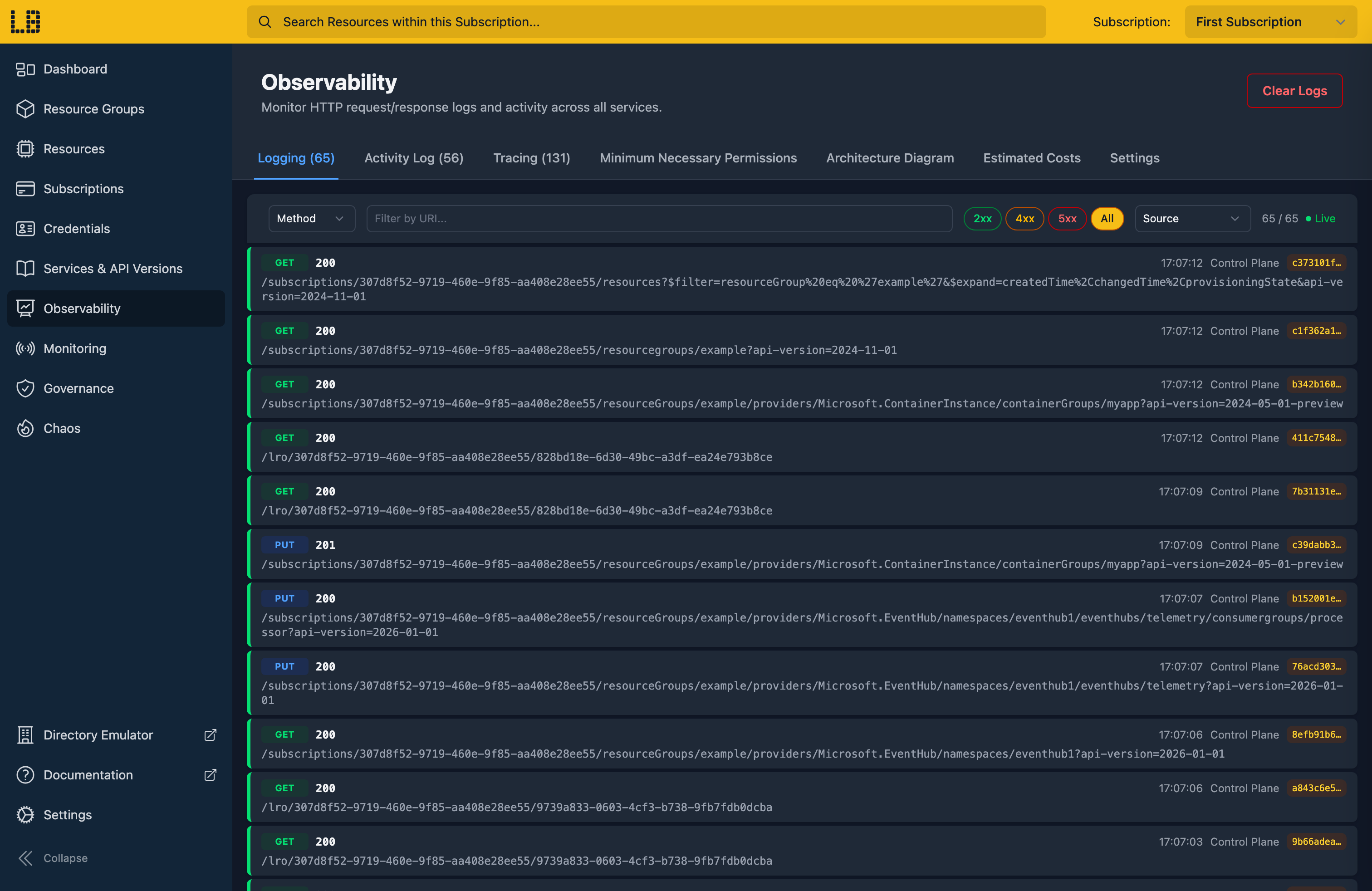
The Locally Dashboard logging view showing live HTTP requests and responses

Logging

Every HTTP request and response across every service - with filtering, replay, and a one-click pivot to the matching trace.

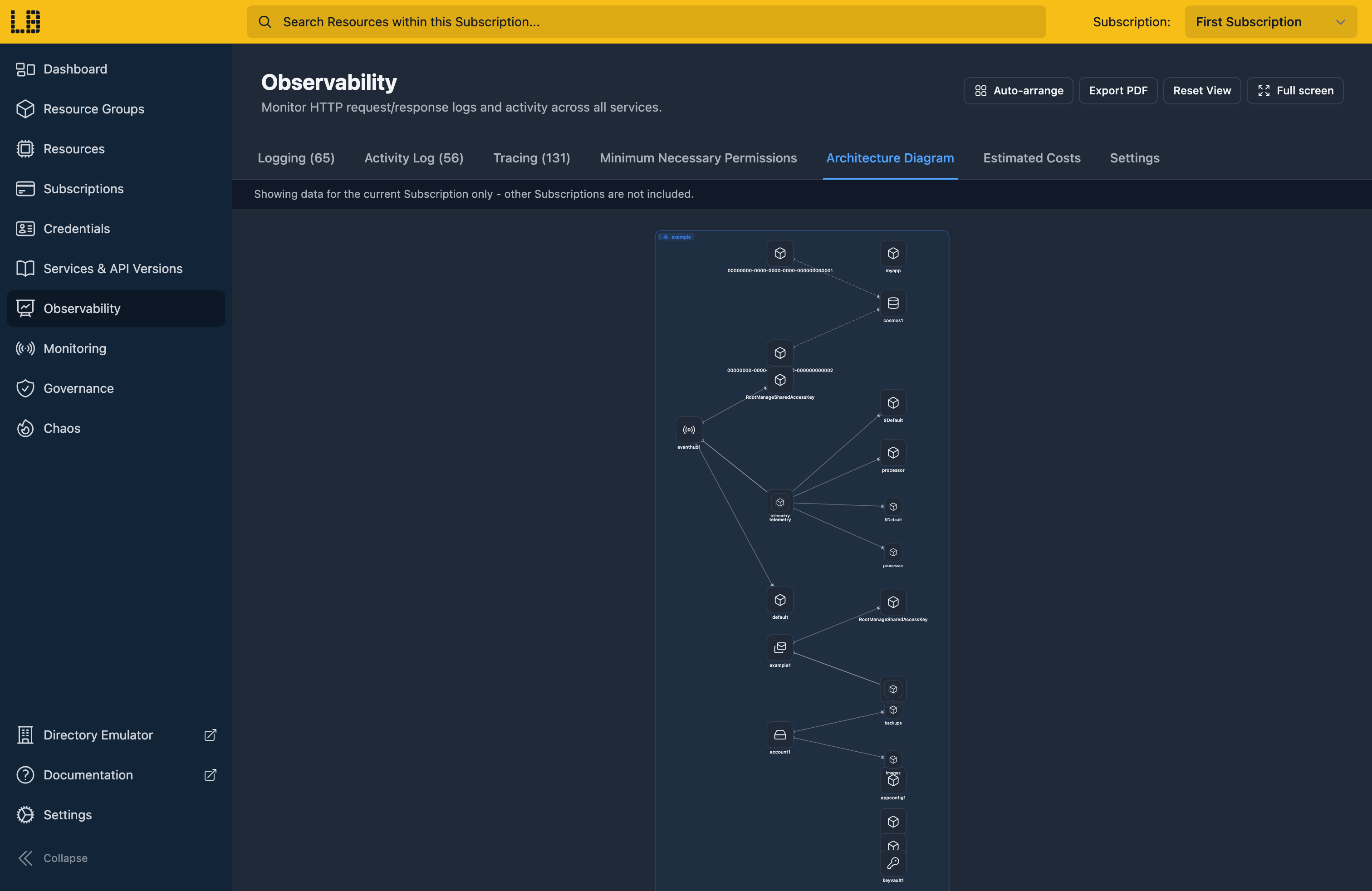
The Locally Dashboard architecture diagram view showing a live graph of provisioned resources

Architecture diagrams

A live diagram of the resources you've provisioned, including data-plane sub-resources and the dependencies Locally infers between them.

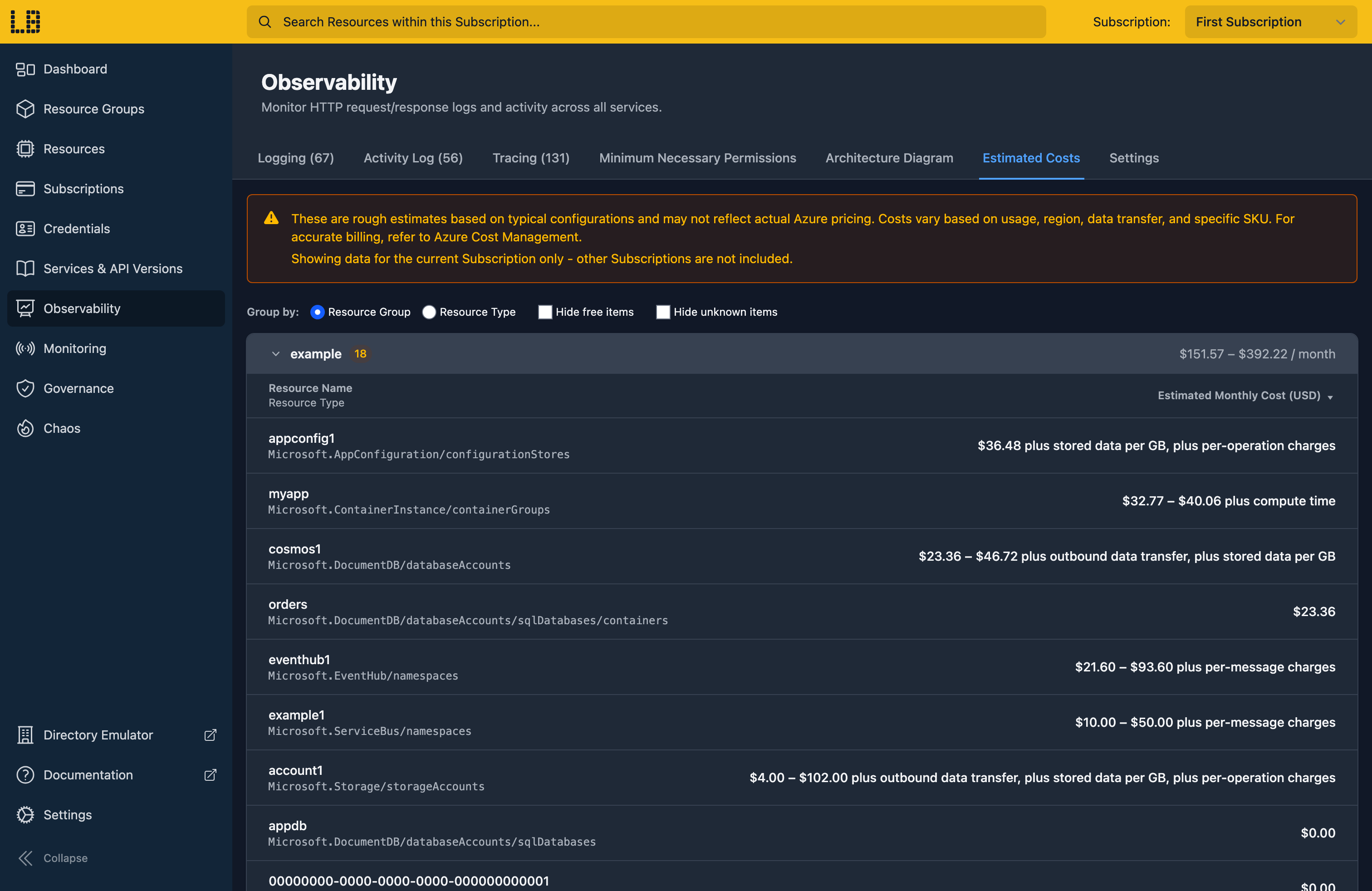
The Locally Dashboard cost estimation view showing per-resource monthly cost estimates

Cost estimation

Per-resource ballpark monthly cost computed from the SKU, capacity, and redundancy you've actually deployed - spot expensive choices before they hit Azure.

Learn more about the Locally Dashboard →

Two layers of safety between Locally and Azure

Prefix a command with locally run to hit Locally. Leave the prefix off and use an Azure region to hit Azure.

1. Wrap your tool

locally run terraform apply locally run pulumi up locally run az …

2. Target a Locally region

berlin kyiv london oslo paris rome warsaw

On the Team plan, copy the regions from Azure Public, China or US Government - or define your own.

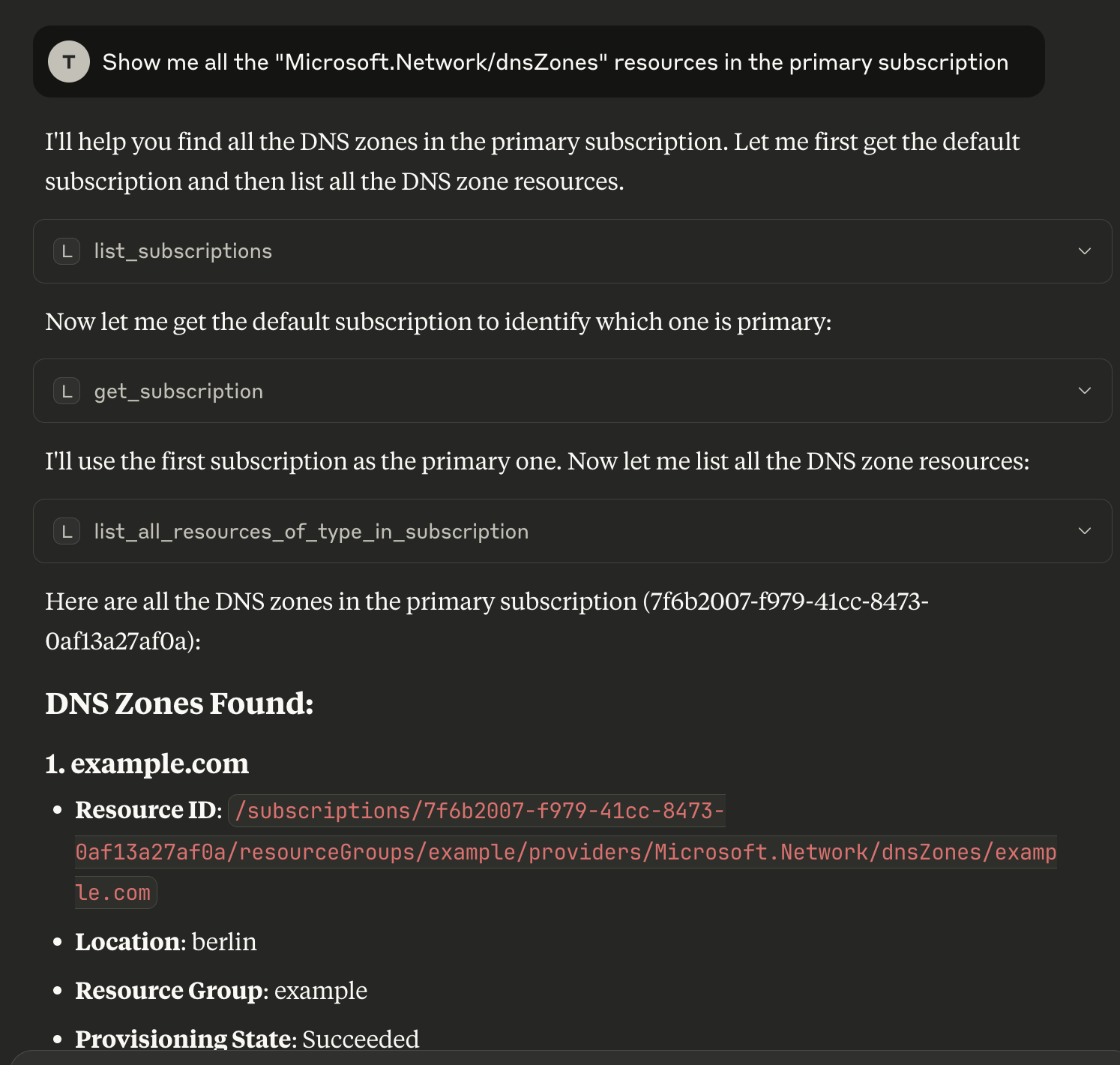
Give your agent its own Azure.

Let your agents deploy, break and fix things on their own, well away from your real subscription. When it works here, take it to Azure.

Nothing lands in your real subscription
Everything your agent creates lives on your machine. When it gets something wrong it can start again, and there's nothing left running in Azure to clean up.
It never sees your Azure credentials
locally run gives it credentials for Locally and nothing else. Locally's regions don't exist in Azure either, so a command that misses Locally fails instead of deploying.
One subscription per agent
Every environment comes with several subscriptions. Pin each agent to one with --subscription and they won't trip over each other, or you.
It can test the bad days too
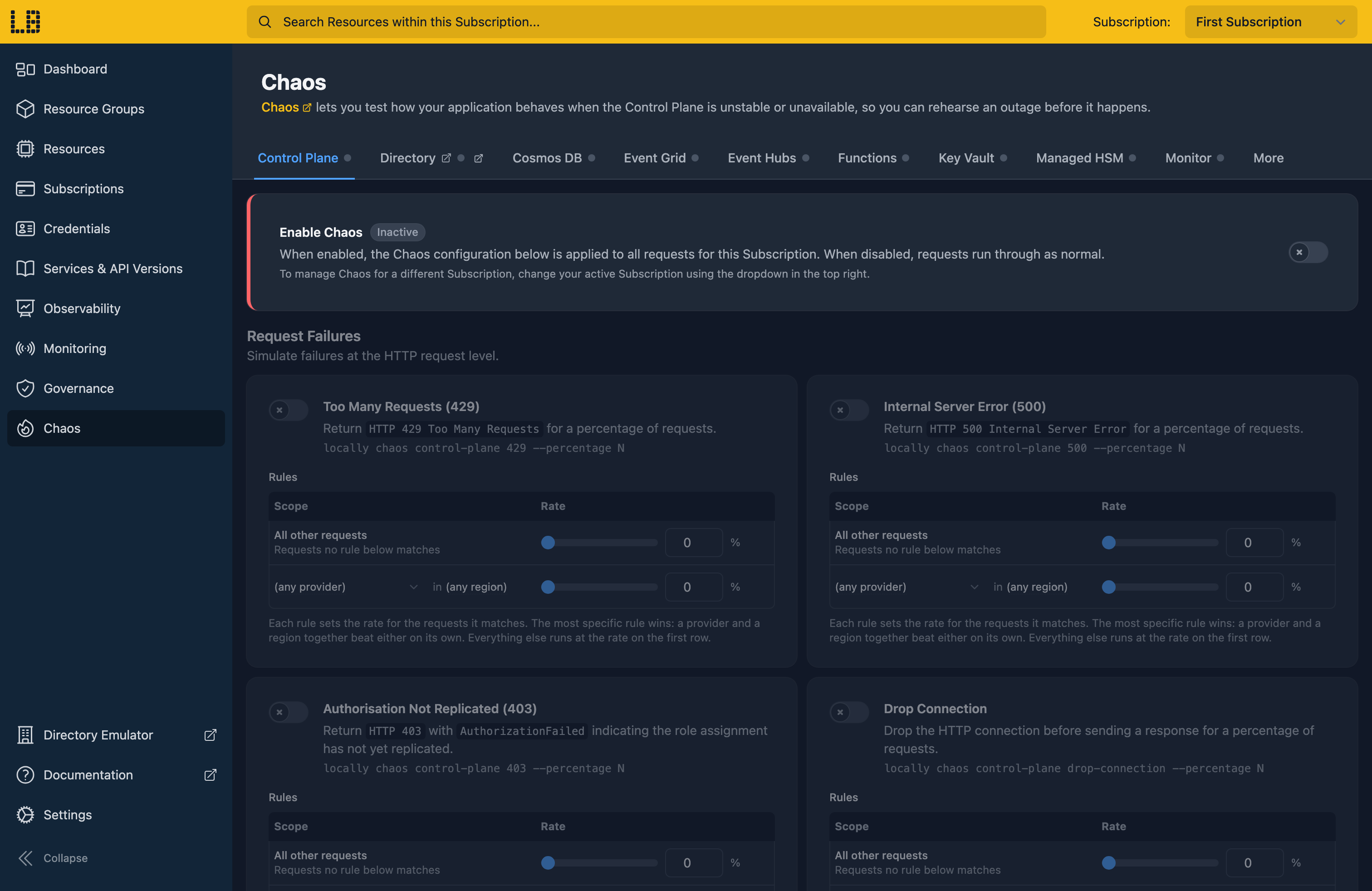
Your agent can take a region down, throttle a service or drop connections with locally chaos, then tell you how your app copes. See how →

# Once: give Claude the Locally skills

$ npx skills add locallybuild/skills

> Deploy this app to Locally, then show me how it behaves when the primary region is down.

⏺ Bash(locally run terraform apply -auto-approve)

⎿ Apply complete! Resources: 9 added, 0 changed, 0 destroyed.

⏺ Bash(locally chaos storage outage --percentage 100 --location london)

⎿ storage outage: any plugin in london now fires on 100% of requests.

⏺ Bash(locally chaos servicebus outage --percentage 100 --location london)

⎿ servicebus outage: any plugin in london now fires on 100% of requests.

⏺ Bash(locally run npm run test:e2e)

⎿ 3 failed, 9 passed

⏺ With London down, new orders fail after a 30s timeout. The Paris storage account and namespace are deployed, but the app only reads its London connection strings, so it never fails over. Want me to add that?

The skills teach Claude, and other agents, how to set up, run, debug and adapt your config for Locally. Browse them on GitHub →


Goes deeper when you need it.

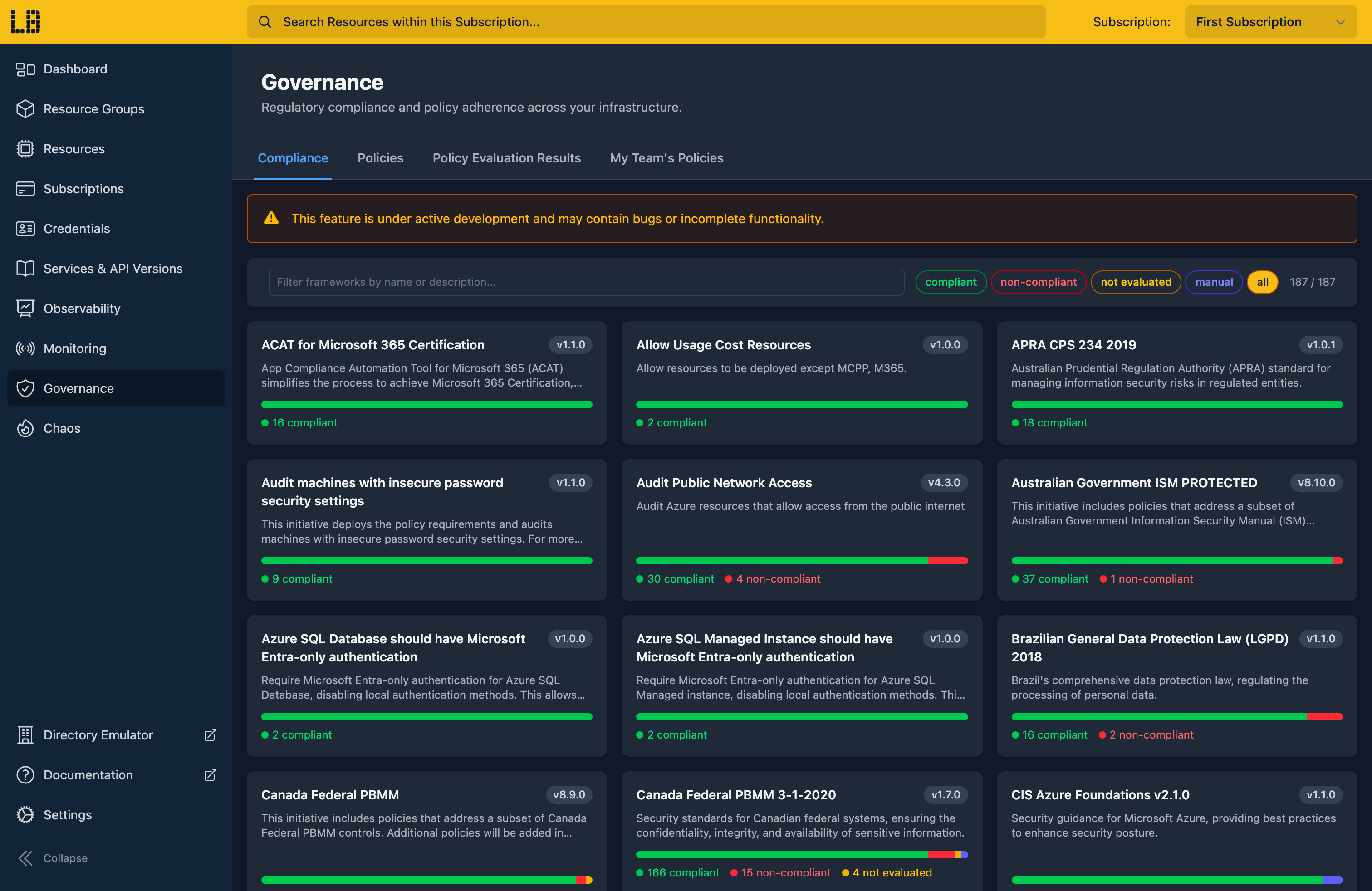
The fast iteration loop is just the start. Locally has the tools to test failure conditions, enforce guardrails across your team, and let your AI assistant work alongside you.

See all features →

Have your first local subscription running in under a minute.

Runs entirely on your machine, with the tools you already use.

Install Locally →

Or read more:

A local cloud for you and your AI agents.

Your Azure infrastructure, running on your machine. Deploy in seconds, break things freely, and ship to Azure when you're ready.