Function App Emulator
Sign in during Public Preview to get the Team plan free, plus an early-adopter discount when we launch. Sign in
Function App Emulator
Azure Functions is a serverless compute service - running your code in response to events, such as HTTP requests, timers or messages, without you managing the servers it runs on.
Locally supports both provisioning Function Apps and deploying and running your code - so your triggers fire from Locally's other emulators, and your bindings read and write real data.
When you provision a Function App in Locally, it's available at https://<app>.furnace.locally:5663 - and you can deploy to it using the Azure CLI, func azure functionapp publish, or anything else which deploys through Kudu.
Storage is needed because every Function App keeps its state in a Storage Account. The language workers come from Azure Functions Core Tools, so func needs to be on your PATH.
Finding the Emulator
Once a Function App has been created, its resource page within the Locally Dashboard shows its host name, runtime, app settings, and the functions loaded from the last deployment - and Open in emulator takes you to the emulator:
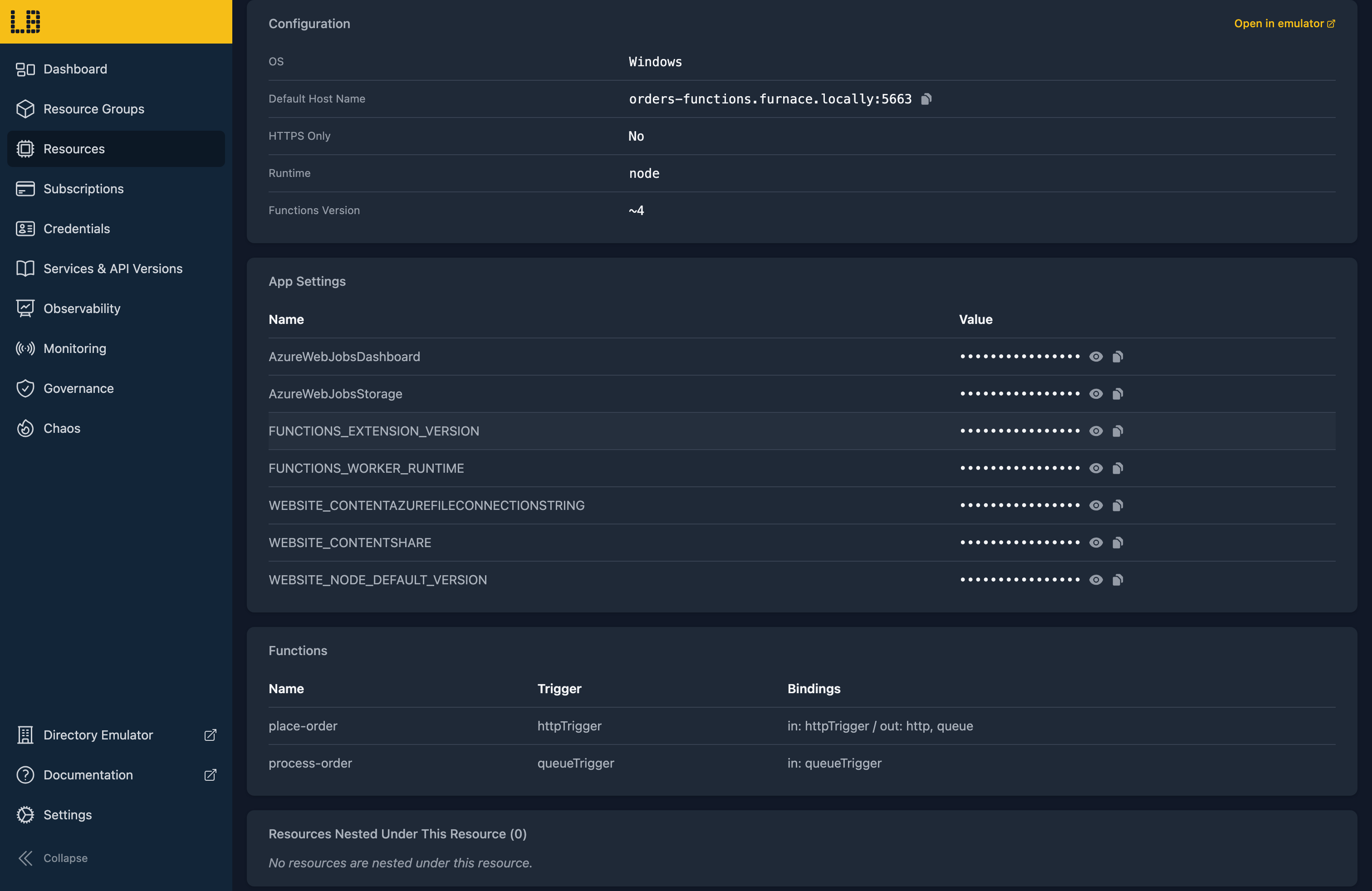
You can also open the emulator from the command line using locally function dashboard --name <app>.
The Function App Emulator
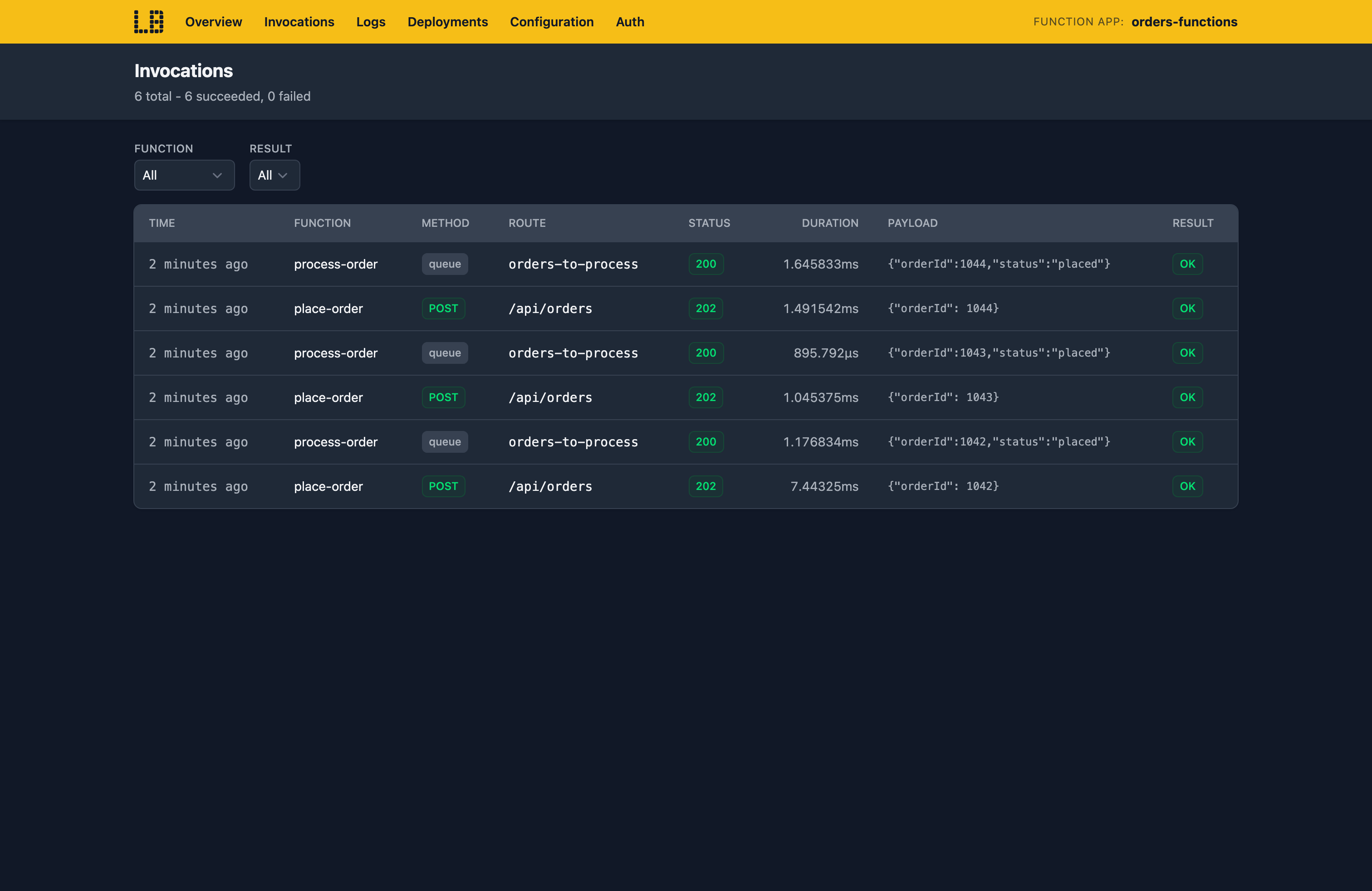
Within the Function App Emulator you can see every invocation with its trigger payload and bindings, along with the app's logs, deployments and keys:
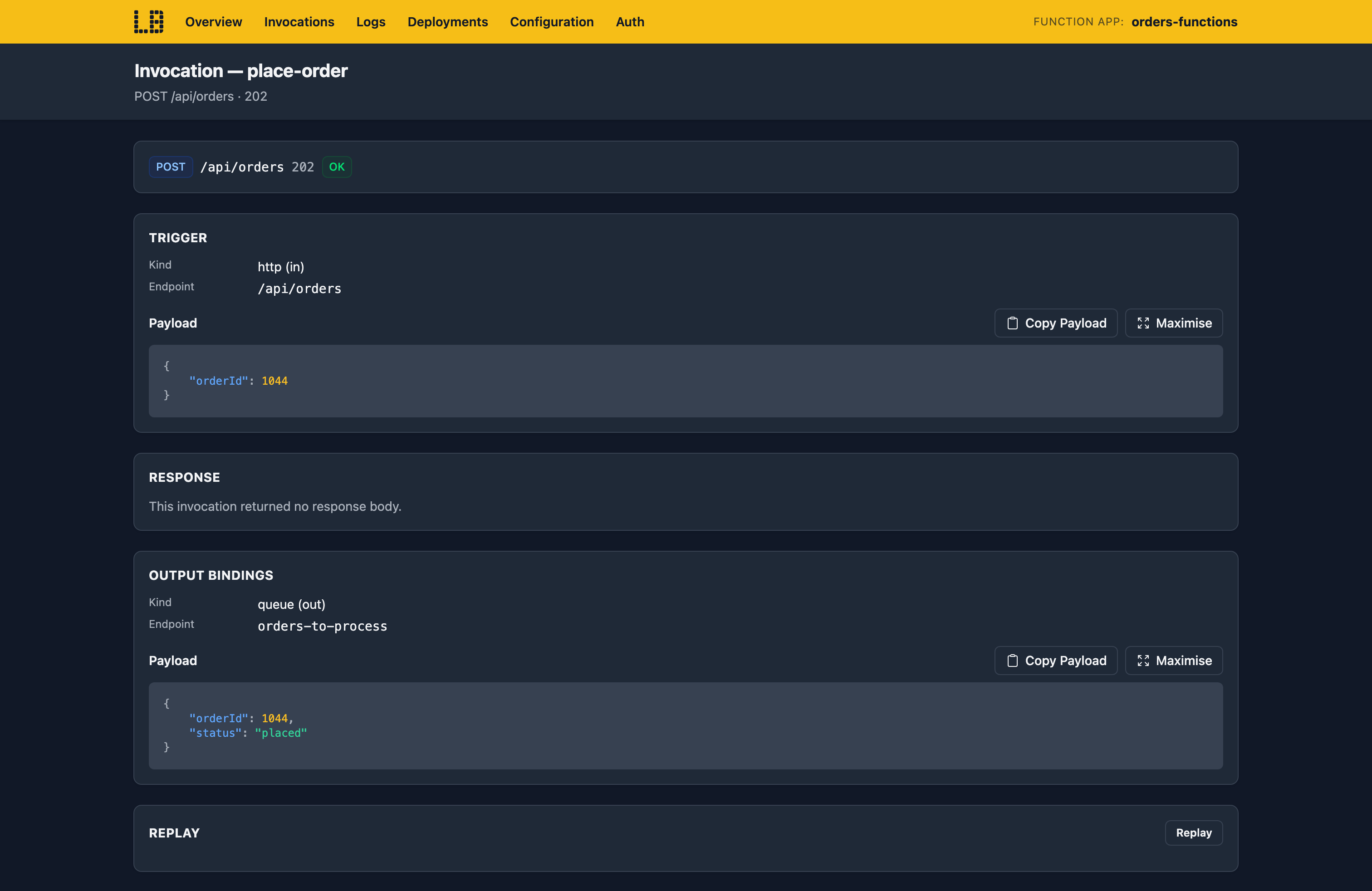
Opening an invocation shows its response and the payloads of its output bindings - and HTTP invocations can be replayed:
What's Supported
The Function App emulator supports:
Functions run in the real Azure Functions language workers - Node, Python, .NET isolated, Java and PowerShell, plus custom handlers - using the language runtimes installed on your machine.
You can deploy using az functionapp deployment source config-zip, func azure functionapp publish or locally function deploy - and with SCM_DO_BUILD_DURING_DEPLOYMENT set, Node and Python dependencies are installed when you deploy.
HTTP triggers check authLevel using the function and host keys (?code= or x-functions-key), and App Service Authentication signs users in through the Directory Emulator.
Chaos Engineering (on the Team plan) can make a Function App throttle, fail, slow down or drop requests, so you can check how its callers cope. This applies to Web Apps too, since they share the same host.
Function Apps also work with Locally's other emulators, as you'd expect - for example:
- Triggers and bindings talk to the Storage, Service Bus, Event Hubs, Cosmos DB and Event Grid Emulators - so a message sent to a queue really triggers your function.
- Key Vault references in app settings are resolved from the Key Vault Emulator, using the app's managed identity.
- Durable Functions' task hub is stored in the app's Storage Account.
- An app linked to an Application Insights component gets its connection string in
APPLICATIONINSIGHTS_CONNECTION_STRING. - With a diagnostic setting, the host's logs and App Service Authentication decisions land in the Log Analytics Emulator's
FunctionAppLogsandAppServiceAuthenticationLogstables.
Examples
This end-to-end example uses the Function App emulator, and has everything you need to run it against Locally:
The locallybuild/examples repository also has Function Apps for each runtime, with queue, timer and HTTP triggers.
Differences from Azure
As of Locally v2026.09.02, the Function App emulator has the following differences from Azure:
- Your functions run as processes on your machine rather than in a sandbox, using the language runtimes you have installed. Remote builds use them too, rather than Azure's build image.
- In-process .NET apps (
FUNCTIONS_WORKER_RUNTIME=dotnet) aren't supported - use the isolated worker model. - SignalR, SQL, Redis, Kafka and RabbitMQ bindings aren't available, so functions that use them are marked as in error.
- The host doesn't record invocations in Application Insights itself, so only telemetry your code sends arrives.
- Each app runs as a single instance, with no scale-out.
- Deployment slots can be swapped, but traffic can't be routed between them.
- Durable Functions doesn't support versioning or extended sessions.
Should you encounter any issues, please take a look at the troubleshooting section.
Sign in during Public Preview to get the Team plan free, plus an early-adopter discount when we launch. Sign in
