Chaos Engineering
Sign in during Public Preview to get the Team plan free, plus an early-adopter discount when we launch. Sign in
Chaos Engineering
We've all been there - the status page is all green ticks, but something in your application isn't right. A retry that didn't fire, a timeout that wasn't long enough, an error code nobody planned for.
You can build the greatest application in the world, but at some point you're inevitably going to encounter issues - what matters is having thought through the error cases up front, and having a tested scenario to prove they're handled.
That's what chaos engineering is for - deliberately injecting failures into a system so you can verify your application handles them the way you intended. Locally has built-in support for chaos engineering, and allows you to emulate different failure scenarios across different components. This lets you see how your application behaves when something goes wrong, and then prove that it's fixed - be that adding exponential backoff to requests, or making sure you fail over to the multi-region setup you expect.
When Chaos is enabled for a Subscription, requests to the Control Plane are manipulated at random based on the chaos events you've configured. This gives you a controlled way to observe how your application responds to intermittent failures, slow responses, and unexpected error codes - and to close any gaps before production does it for you.
Enabling Chaos
Chaos is enabled and configured per Subscription - so enabling it for one Subscription doesn't affect any others. You can do this through the Locally Dashboard:
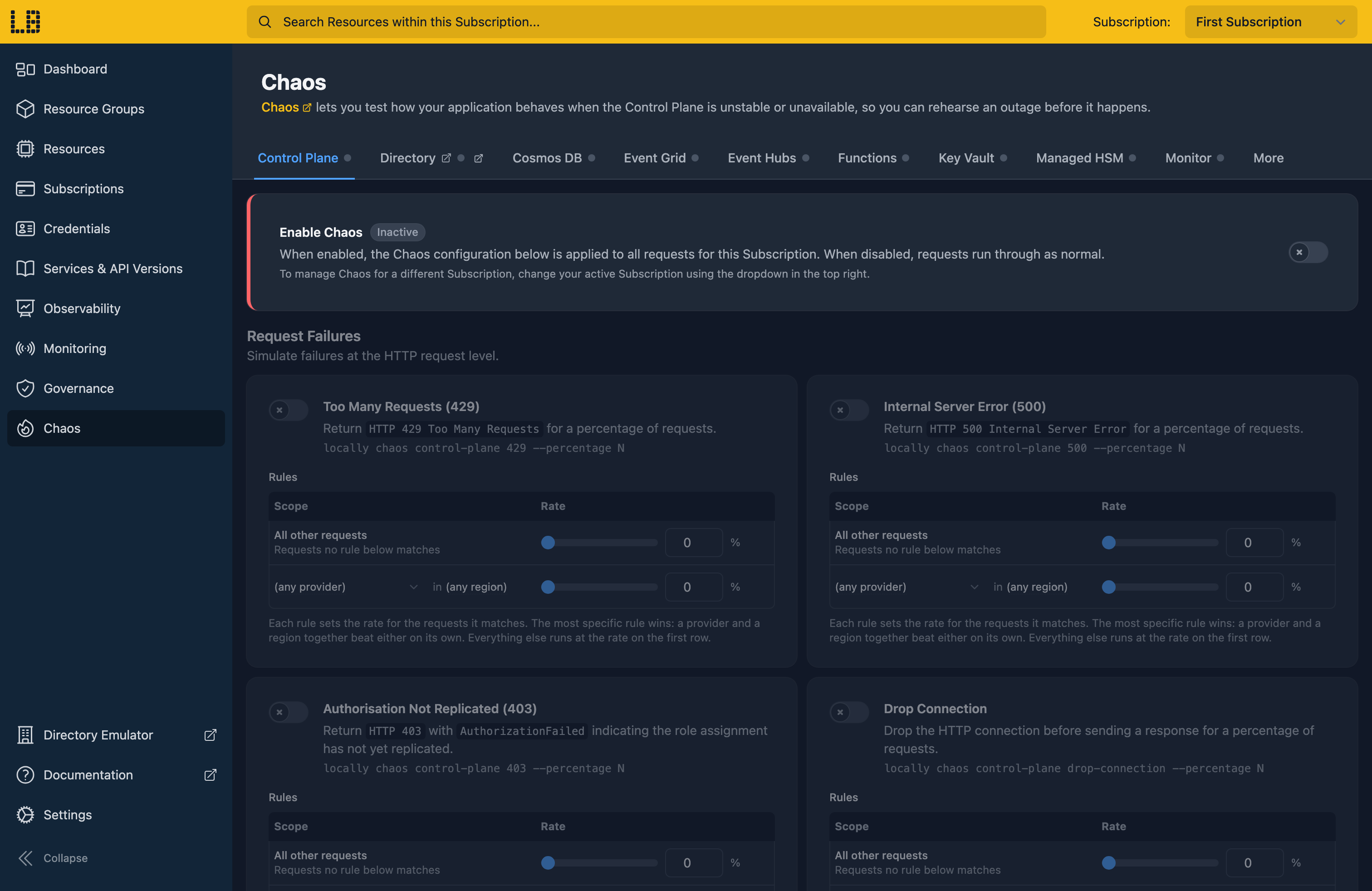
You can also enable Chaos for a Subscription using the CLI:
                $


            locally chaos enable --subscription <subscription-id>
To disable chaos when you are done testing:
                $


            locally chaos disable --subscription <subscription-id>
Configurable Failure Rates
Each chaos event is configured on its own, with a percentage of requests it applies to - so you can simulate anything from the occasional hiccup to a sustained outage. For example, to fail a quarter of requests to Storage with a 429:
                $


            locally chaos storage 429 --percentage 25
You can also add rules, to apply a different percentage to specific requests - by region (--location), and on the Control Plane by Resource Provider (--plugin) too. The most specific rule wins, so you can fail requests in a single region, or everywhere except one.
What types of Chaos can be configured?
Chaos can be applied to the Control Plane, the Directory (Entra) Emulator, and the following Data Plane Emulators: Cosmos DB, Event Grid, Event Hubs, Functions, Key Vault, Managed HSM, Monitor, Service Bus and Storage. Each of these can be configured within the Chaos section of the Locally Dashboard or using the Locally CLI.
All services
The following chaos events are available for every service:
| Event | CLI | What it does |
|---|---|---|
| Too Many Requests (429) | 429 | Returns HTTP 429 Too Many Requests, to simulate being rate limited. |
| Internal Server Error (500) | 500 | Returns HTTP 500 Internal Server Error. |
| Authorisation Not Replicated (403) | 403 | Returns HTTP 403 with AuthorizationFailed, as when a role assignment hasn't replicated yet. |
| Drop Connection | drop-connection | Drops the HTTP connection before a response is sent. |
| Random Latency | latency | Adds a random delay to responses, up to a limit you set. |
| Outage | outage | Fails every matching request outright, as an Azure region or service does during an outage. Not available for the Directory. |
Control Plane
The Control Plane also supports:
| Event | CLI | What it does |
|---|---|---|
| Recase Resource Group Name | recase-names | Changes the casing of the Resource Group name in responses (for example sEaRcH-aPi-rEsOuRcEs), to check your application treats names as case-insensitive. |
| No Quota Available (409) | quota-exceeded | Returns HTTP 409 Conflict with QuotaExceeded when creating resources. |
| Out of Capacity | out-of-capacity | Fails resource creation and capacity-affecting updates (such as SKU or zone changes) with realistic capacity errors like AllocationFailed. |
| LRO Failure | lro-failure | Makes Long-Running Operations finish in a failed provisioning state. |
| LRO Delay | lro-delay | Adds extra delay to Long-Running Operations before they complete, up to a limit you set. |
Directory
The Directory also supports the following - and has its own switch (locally chaos directory enable), separate from the Subscription's.
| Event | CLI | What it does |
|---|---|---|
| Eventual Consistency | eventual-consistency | Returns a not-yet-replicated view of a resource for a while after it changes, as Microsoft Graph does. |
Sign in during Public Preview to get the Team plan free, plus an early-adopter discount when we launch. Sign in
