API Management Emulator
Sign in during Public Preview to get the Team plan free, plus an early-adopter discount when we launch. Sign in
API Management Emulator
Azure API Management is a gateway you put in front of your APIs. It checks callers' subscription keys and runs your policies, such as rate limits and caching, and it has a developer portal for the people using your APIs.
The API Management Emulator within Locally lets you deploy your APIs, products, subscriptions and policies to test your application end-to-end - and because it supports users too, you can view the developer portal as a specific user and confirm that what you expect to work, works.
For a step-by-step walkthrough, see Provisioning an API Management Service, then Importing an API and Applying Policies.
Working with the Emulator
Each API Management service has three endpoints:
- Gateway:
https://<name>.switchboard.locally:5670- where you can call your APIs using either HTTP(S) or gRPC. - Admin:
https://<name>-admin.switchboard.locally:5670- the emulator's own UI, where you manage the service. - Developer Portal:
https://<name>-developer.switchboard.locally:5670- the site the people using your APIs see.
The Locally CLI also has a series of subcommands for interacting with API Management:
locally apim curlcalls an API through the gateway, adding an active subscription key for you.locally apim importandlocally apim exportimport an API from an OpenAPI or Swagger file, and export one as OpenAPI, Swagger or TypeSpec.locally apim resetclears a service's rate limit counters and cached responses.locally apim service,api,productandsubscriptionlist and show what's in a service.
See the CLI Reference for their options.
The service's resource page in the Locally Dashboard shows its Gateway and Developer Portal endpoints. It also lists the service's APIs (with the URL to call each one on), products, subscriptions, backends and named values.
If you open the Gateway endpoint in your browser, you'll get a list of the routes your APIs answer on, with links to the emulator's UI and the developer portal. An API on the root path takes that request instead, so you won't see the list then.
The API Management Emulator
The API Management Emulator lets you manage your APIs, products, subscriptions, named values and tags - and see every request the gateway has handled, so you can check it reached the API you expected and which policies ran:
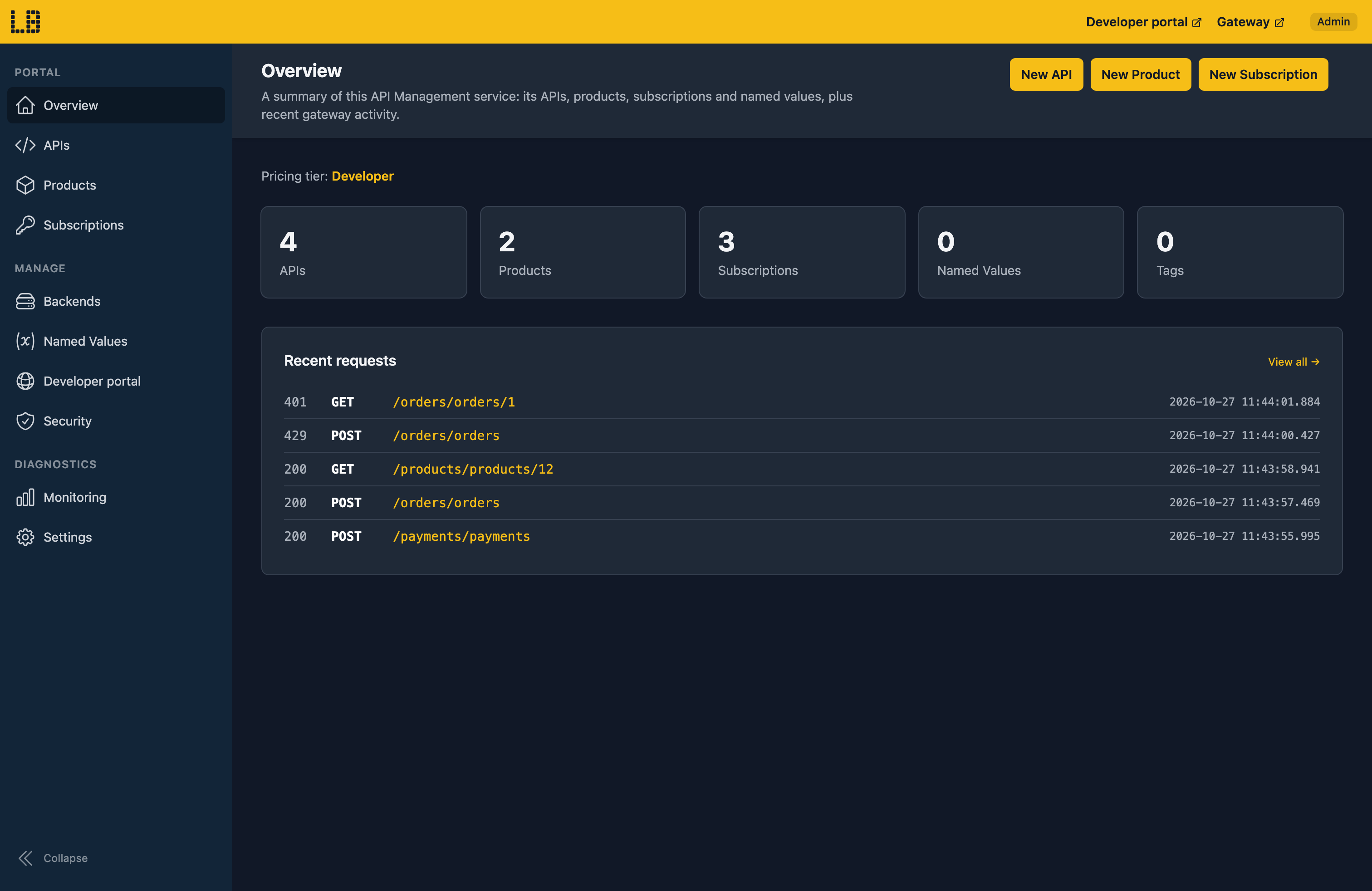
You can also:
- Import an API from an OpenAPI 3 or Swagger 2 file, or from a Function App or Web App, and export one as OpenAPI 3 or TypeSpec.
- Try an operation out against its backend. This skips your policies and the subscription key check, so call the gateway or use
locally apim curlto test those. - Open a request to see which API, operation, product and subscription it matched, and which policies ran. Requests are kept for 15 minutes by default.
- Reset the service's rate limits, cache and request log.
The Developer Portal
Each API Management service also has a Developer Portal, which is where the developers using your APIs sign up (or sign in with Microsoft Entra), find the APIs available to them, get a subscription key and try them out.
When you first open the Developer Portal in Locally, you'll be asked who you'd like to view it as - either an anonymous visitor, or any user of the service:
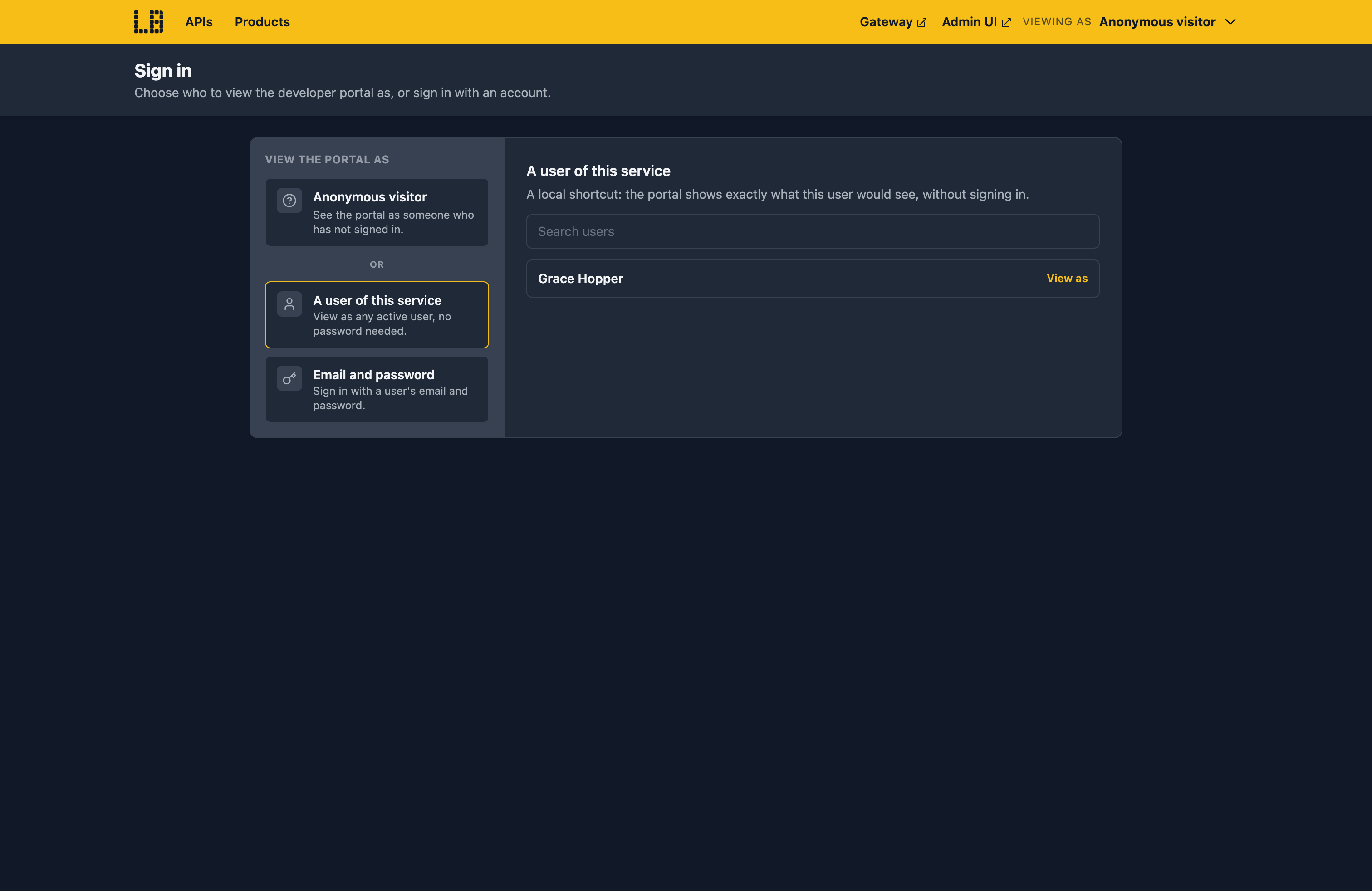
From there you can browse the portal as that user would. For example, Grace Hopper is in the Partners group, so can see the Customers and Payments APIs, which an anonymous visitor can't:
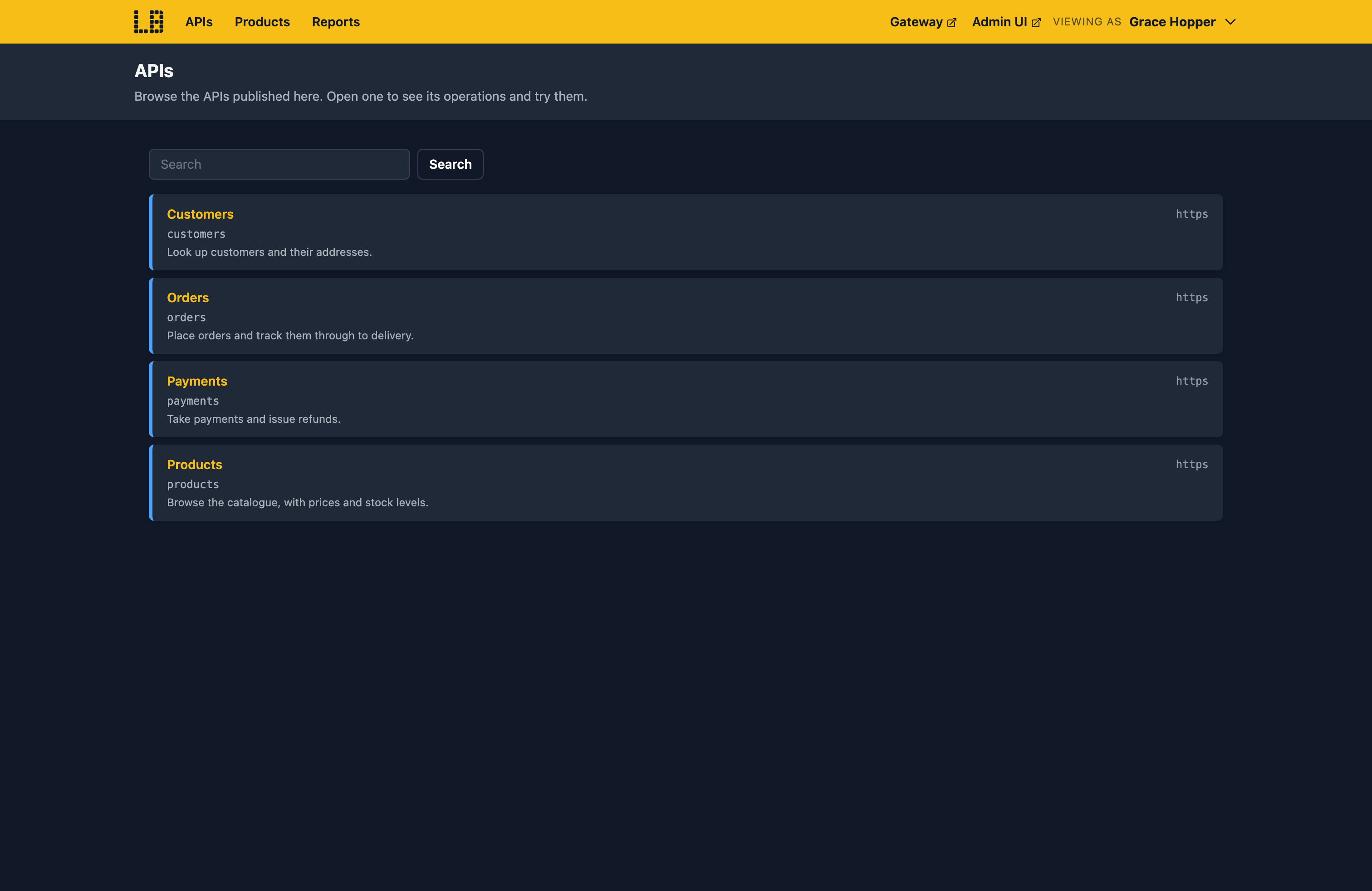
You can change who you're viewing as at any time from the menu at the top of the portal, or with the View as this user button on a user in the Admin UI. If you follow a link to something the current user can't see, the portal explains why, and offers to switch to a user who can.
Locally doesn't send emails, so when someone signs up, the confirmation link is shown on the page (and in the Admin UI's email log) instead.
The Developer Portal isn't available on the Consumption tier, or when a service's developerPortalStatus is set to Disabled.
What's Supported
The API Management emulator supports:
Callers pass a subscription key in the Ocp-Apim-Subscription-Key header or the subscription-key query parameter. APIs in an open product don't need one. Policies like validate-jwt and validate-client-certificate can check tokens and certificates as well.
Each service's pricing tier still applies. If its tier doesn't include a feature, such as the developer portal on Consumption or gRPC on the v2 tiers, Locally refuses it, as Azure does. gRPC APIs also need HTTP/2, which you turn on with the service's Microsoft.WindowsAzure.ApiManagement.Gateway.Protocols.Server.Http2 custom property.
Backends can be on localhost, so you can put the gateway in front of something running on your machine. To record which policies ran for a request, send Ocp-Apim-Trace: true with it.
API Management also works with Locally's other emulators. For example:
- Named values and certificates can come from the Key Vault Emulator. They're read as the service's managed identity, and named values are read from the vault on every request.
authentication-managed-identitygets tokens for the service's managed identities from the Directory Emulator, andvalidate-jwtandvalidate-azure-ad-tokenaccept tokens it issues.log-to-eventhubsends to the Event Hubs Emulator, andsend-service-bus-messageto the Service Bus Emulator.emit-metric,traceand the token metric policies send telemetry to the Application Insights Emulator.- The Event Grid Emulator gets an event when an API, product, subscription or user changes, and when a circuit breaker opens or closes.
Examples
The locallybuild/examples repository has examples that provision an API Management Service, with an API and an Operation, in Locally using:
Differences from Azure
As of Locally v2026.10, the API Management emulator has the following differences from Azure:
- Policy expressions support a subset of C#. An expression outside it fails the request with a message saying so. Please open an issue if there's something you need we don't support.
- Semantic caching never finds a match, and
llm-content-safetylets every request through. - Diagnostics only carry telemetry from policies. There's no automatic request telemetry, sampling or body logging, and no Azure Monitor logger.
- An external cache changes how the caching policies behave, but the gateway keeps the entries itself and doesn't use Redis at this time.
- Workspaces can be created and managed, but the gateway doesn't serve their APIs, products or policies. Self-hosted and workspace gateways can be created, but don't run.
- MCP server and A2A agent APIs can be created, but the gateway doesn't serve them. AI Gateway isn't supported.
- Service Fabric backends answer 503, and only a backend's first circuit breaker rule applies.
- Tracing doesn't need a debug token: send
Ocp-Apim-Trace: trueand the trace appears in the request log. TheApim-Trace-Idresponse header and thelistDebugCredentialsandlistTraceactions aren't supported yet.
Should you encounter any issues, please take a look at the troubleshooting section.
Sign in during Public Preview to get the Team plan free, plus an early-adopter discount when we launch. Sign in
