Cost Estimation
Sign in during Public Preview to get the Team plan free, plus an early-adopter discount when we launch. Sign in
Cost Estimation
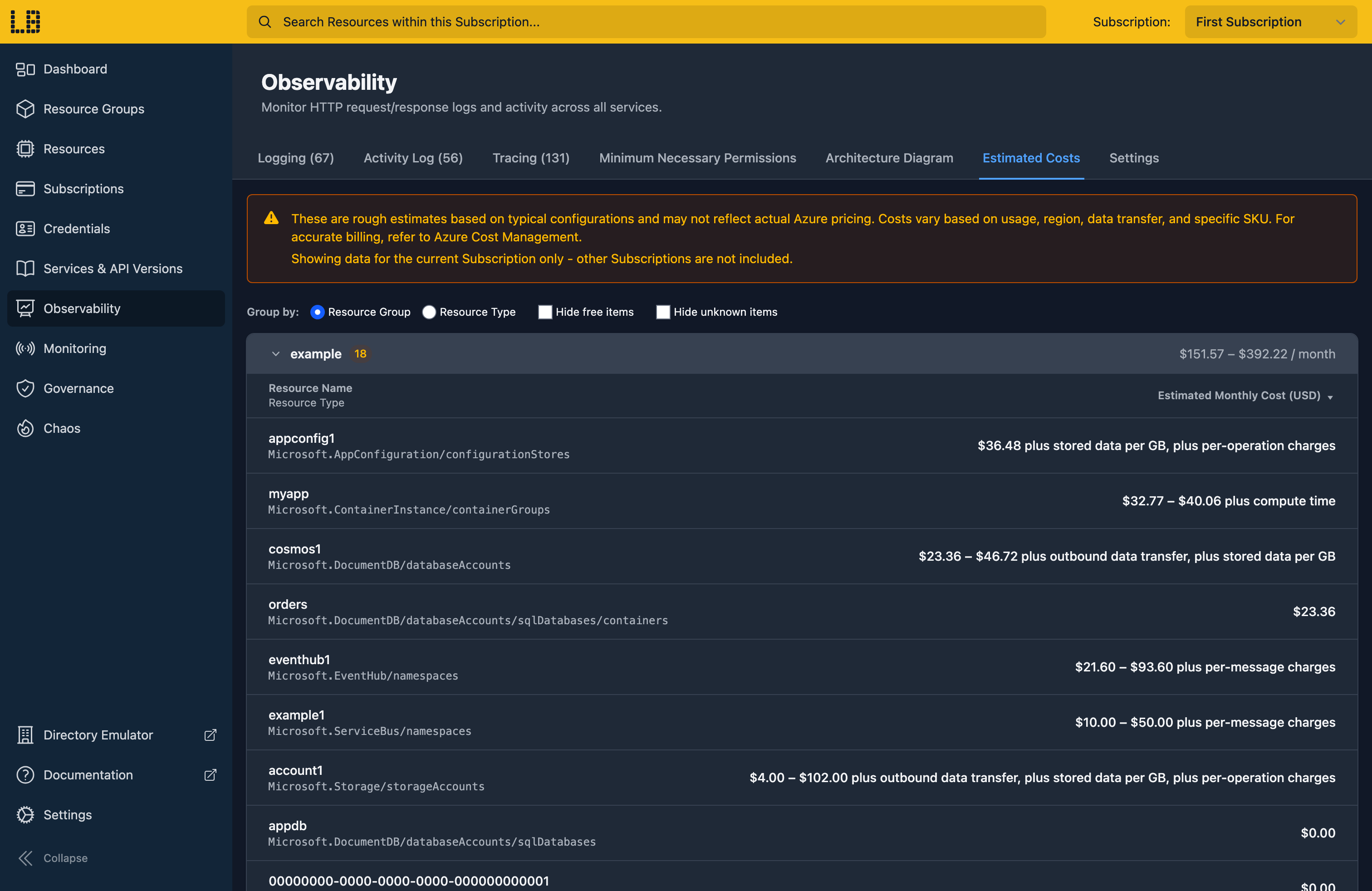
Once you've deployed your infrastructure or application to Locally, you can view a ballpark estimate of how much it would cost to run in Azure from within the Locally Dashboard - in the Observability section, under Estimated Costs.
Understanding the estimates
Each resource is given an estimated monthly cost in USD, based on the configuration you've deployed - such as its SKU, capacity and redundancy. Where the cost could vary, it's shown as a range (for example $21.60 - $93.60).
Many Azure services also charge for usage - such as per message, per operation, or per GB stored - which can't be known in advance. Where this is the case, this is mentioned next to the base cost (for example, plus per-message charges), so the totals only cover the fixed part of the bill. Resource types that Locally doesn't have pricing for are shown as Unknown.
The Cost Estimation is scoped to the current Subscription too (you can switch using the switcher in the top-right). You can then:
- Group by Resource Group or Resource Type, to see what's driving the cost - each group shows its own subtotal, alongside the total at the bottom of the page.
- Hide free items, to hide resources that don't cost anything.
- Hide unknown items, to hide resources that Locally doesn't have pricing for.
- Sort by cost - the most expensive resources are shown first by default.
Accuracy
Estimates are based on public list prices, rather than being a prediction of your bill. As the cost of resources in Azure can differ from subscription to subscription - depending on the region you're deploying to, any agreements you have in place (such as Enterprise Agreements), reservations you've already bought and so on - your actual pricing may differ. For accurate billing, use Azure Cost Management.
It's intended to be a ballpark estimate - for example, whether something is free, or costs tens of dollars rather than hundreds - and is useful for catching order-of-magnitude mistakes while you're still developing locally, such as accidentally picking a Premium SKU, over-provisioning throughput units, or leaving zone-redundant storage enabled in a sandbox.
Sign in during Public Preview to get the Team plan free, plus an early-adopter discount when we launch. Sign in
