Real Subscriptions, a Real Tenant and Real Credentials
Sign in during Public Preview to get the Team plan free, plus an early-adopter discount when we launch. Sign in
Real Subscriptions, a Real Tenant and Real Credentials
Locally gives you real Subscriptions, in a real tenant, with real users - and so real credentials, with role-based access control enforced on every request. The number of Subscriptions you get depends on your plan: one on Starter, three on Standard, and as many as you need on Team.
Using realistic values means you can catch parsing and configuration errors earlier. For example, if a bug in how your code reads the Subscription ID leaves you with an empty UUID (00000000-0000-0000-0000-000000000000, or Guid.Empty in .NET), that fails against Locally straight away - rather than going unnoticed until you deploy.
Automatic Configuration wires all of this into your tooling for you, so there's nothing to copy into a config file.
A Subscription for each agent
Having more than one Subscription means you can give each of your AI agents its own Subscription to work in - so they don't clobber each other's resources. You can choose which Subscription is used by passing --subscription to locally run:
                $


            locally run --subscription "Second Subscription" terraform apply
And since role assignments are enforced, you can also run each agent as its own service principal (using --service-principal) with access to just its own Subscription - and test the role assignments your application relies on for real.
Subscriptions
Each Subscription has its own UUID, generated when you first set up Locally - so its resource ID, and the IDs of everything within it, look exactly as they would in Azure. You can see your Subscriptions at any time with:
                $


            locally subscriptions list
When you have more than one, Locally passes their IDs to Terraform and OpenTofu as the primary_subscription_id, secondary_subscription_id and ternary_subscription_id variables - so you can test configurations which span multiple Subscriptions without hard-coding any IDs. See Automatic Configuration for how to use these in your provider blocks.
Tenant and credentials
Your Subscriptions sit within a Tenant (default.tenants.locally), which has its own Users, Groups and Service Principals via the Directory (Entra) Emulator.
By default you authenticate as the Default Identity, which has Owner rights over everything in Locally - but you can also create your own identities, or use one of the existing ones, with real permissions and role assignments. Credentials expire and can be refreshed too, so you can test token caching and renewal as needed.
Signing in as Users and Service Principals
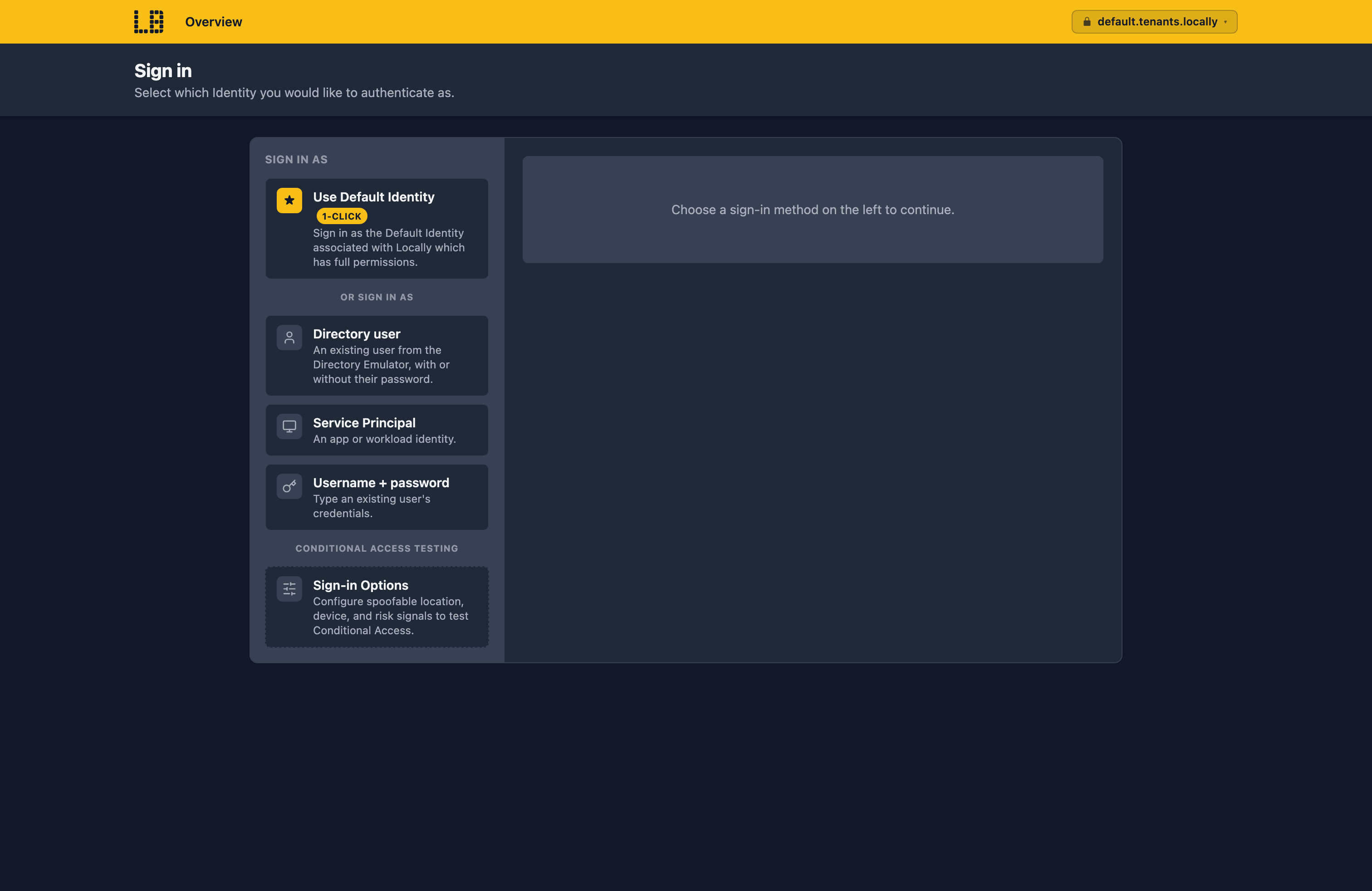
When you sign in interactively - for example using InteractiveBrowserCredential, or to an application using single sign-on - Locally shows its own sign-in page, where you can choose which identity to sign in as. Use Default Identity signs you in with a single click:
Or you can sign in as any of the users or service principals in the directory - with or without their password. That's deliberate: Locally only listens on your machine, and its directory is there for testing, so it's designed to make switching identity quick rather than to keep anyone out:
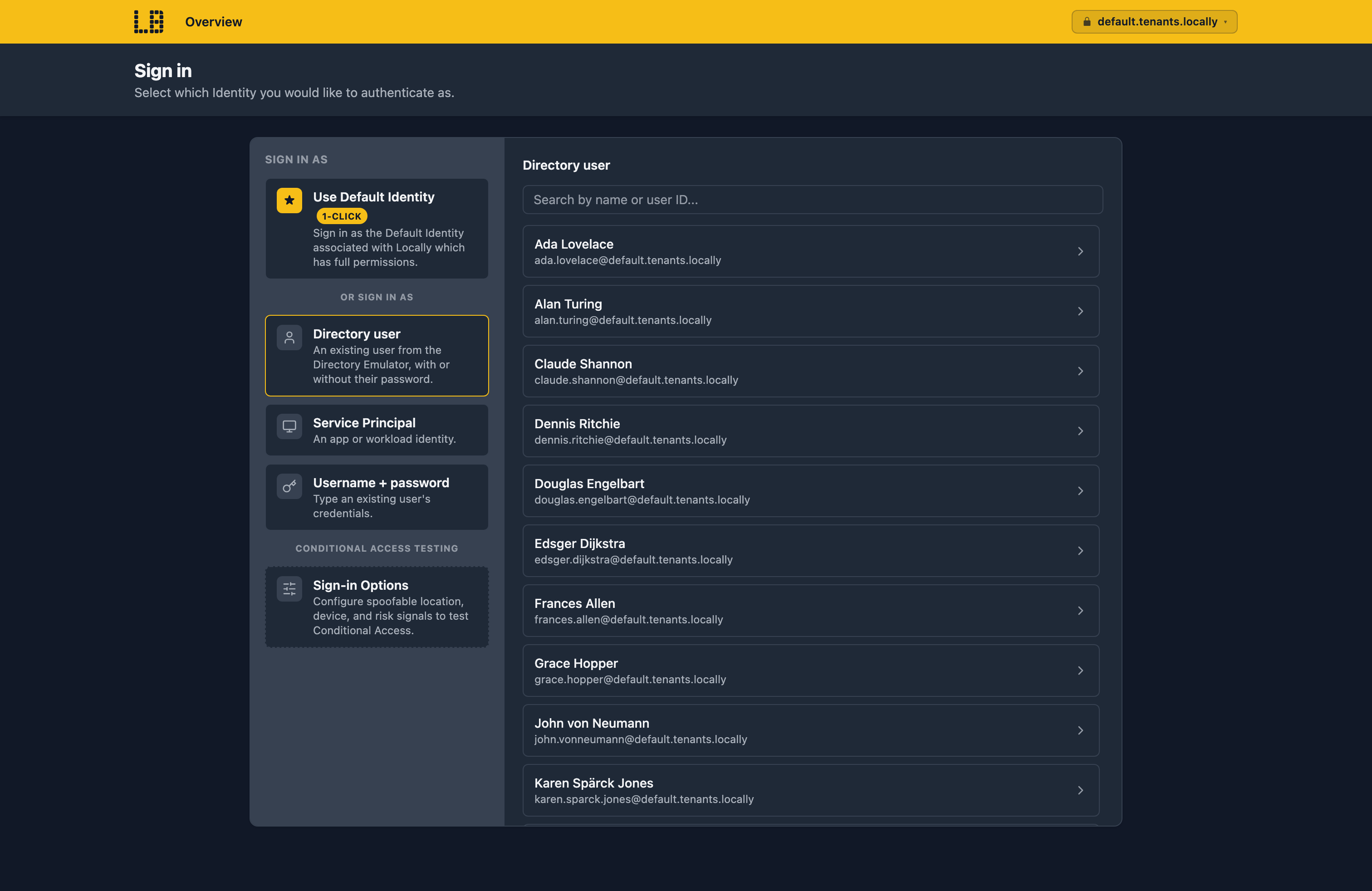
Sign-in Options also lets you set the location, device and risk signals for the sign-in - so you can test your Conditional Access policies.
From the command line, you can run a command as a specific identity by passing --user, --service-principal or --managed-identity to locally run - and Locally takes care of signing in for you:
                $


            locally run --user [email protected] terraform apply
The command only sees the Subscriptions that identity has access to, and can only do what its role assignments allow - so you can check that a user with Reader can't make changes, for example.
Role-based access control
Locally includes the built-in role definitions - so you can assign roles such as Owner, Contributor or Reader using the tools you already use (such as the Azure CLI, Terraform or an ARM Template), at the same scopes you would in Azure.
Role assignments are enforced on every request - so an identity with Reader can read but not write, and gets the same AuthorizationFailed error it would in Azure. This means you can find missing permissions while you're developing, rather than after you've deployed.
Once your application's working, Minimum Necessary Permissions can generate a role definition containing just the permissions it used - so it doesn't need to be granted Owner or Contributor.
Should you encounter any issues, please take a look at the troubleshooting section.
Sign in during Public Preview to get the Team plan free, plus an early-adopter discount when we launch. Sign in
