Importing an API and Applying Policies
Sign in during Public Preview to get the Team plan free, plus an early-adopter discount when we launch. Sign in
Importing an API and Applying Policies
This guide shows you how to import an API into API Management from an OpenAPI file against Locally, add a rate limit policy and watch the gateway enforce it, then export the API as TypeSpec. As with the other guides we're going to use the Azure CLI, but the same resources can be provisioned with HashiCorp Terraform, Pulumi or Bicep too.
If you haven't created an API by hand yet, Provisioning an API Management Service covers APIs, products and subscription keys from the start.
Before you start
- The Azure CLI (
az) installed. - Locally installed, with Locally Setup completed.
1. Start Locally
Firstly, we need to launch Locally which we can do from a terminal by running:
                $


            locally build
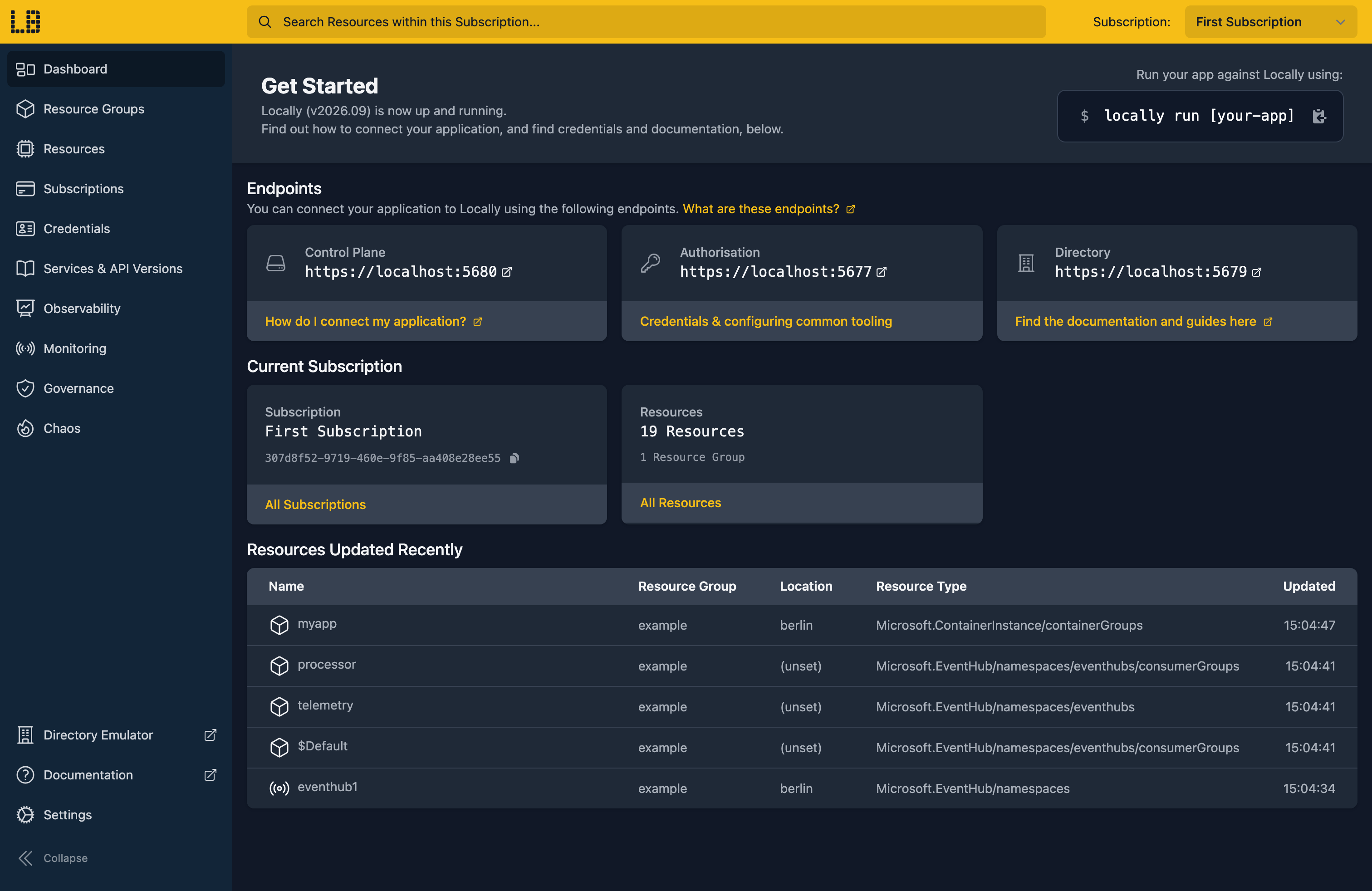
Once Locally has started, the Locally Dashboard will open automatically:
2. Create a Resource Group and the service
Next we can create the Resource Group:
                $


            locally run az group create -n sample-apim-policies -l berlin
The Azure CLI supports Automatic Configuration, so prefixing each command with locally run is all it takes to point it at Locally. Then the API Management service itself, on the Developer tier:
                $


            locally run az apim create --name sampleapimpolicies1 --resource-group sample-apim-policies --location berlin --publisher-name Contoso --publisher-email [email protected] --sku-name Developer --query "{name:name, sku:sku.name, gatewayUrl:gatewayUrl, provisioningState:provisioningState}"
{
  "gatewayUrl": "https://sampleapimpolicies1.switchboard.locally:5670",
  "name": "sampleapimpolicies1",
  "provisioningState": "Succeeded",
  "sku": "Developer"
}
Note
3. Import an API from OpenAPI
Rather than creating each operation by hand, we'll import them from an OpenAPI definition. Save this as openapi.yaml:
openapi: 3.0.1
info:
  title: Inventory
  version: "1.0"
servers:
  - url: https://inventory.example.com
paths:
  /items:
    get:
      operationId: list-items
      summary: List items
      responses:
        "200":
          description: The items in stock
  /items/{itemId}:
    get:
      operationId: get-item
      summary: Get an item
      parameters:
        - name: itemId
          in: path
          required: true
          schema:
            type: string
      responses:
        "200":
          description: The item
Then import it with locally apim import, which shows the operations it found before it creates anything. --yes skips the confirmation prompt:
                $


            locally apim import sampleapimpolicies1 openapi.yaml --yes
Importing "Inventory" into sampleapimpolicies1 as inventory (/inventory): 2 operations
  GET /items
  GET /items/{itemId}
Imported "Inventory" (2 operations) into sampleapimpolicies1.
Note
locally apim is part of Locally itself, so it doesn't take the locally run prefix. Every az command does.The API takes its name and path from the definition's title, and its backend from servers. Each path and method becomes an operation, which we can see with the Azure CLI:
                $


            locally run az apim api operation list --service-name sampleapimpolicies1 --resource-group sample-apim-policies --api-id inventory --query "[].{Name:name, Method:method, UrlTemplate:urlTemplate}" -o table
Name        Method    UrlTemplate
----------  --------  ---------------
get-item    GET       /items/{itemId}
list-items  GET       /items
4. Add a rate limit policy
Policies change what the gateway does with a request. We'll add two to the whole API: rate-limit, which allows each subscription 3 calls a minute, and mock-response, which answers with a 200 for us since inventory.example.com isn't a real backend. Save this as policy.json:
{
  "properties": {
    "format": "rawxml",
    "value": "<policies><inbound><base /><rate-limit calls=\"3\" renewal-period=\"60\" /><mock-response status-code=\"200\" /></inbound><backend><base /></backend><outbound><base /></outbound><on-error><base /></on-error></policies>"
  }
}
The Azure CLI doesn't have a command for policies, so we'll send it with az rest, which fills in {subscriptionId} for us:
                $


            locally run az rest --method put --url "/subscriptions/{subscriptionId}/resourceGroups/sample-apim-policies/providers/Microsoft.ApiManagement/service/sampleapimpolicies1/apis/inventory/policies/policy?api-version=2024-05-01" --body @policy.json -o none
This policy applies to every operation in the API. Policies can also go on the whole service, a product or a single operation, and <base /> marks where the policies from the scope above run.
5. Hit the limit
To call the API we'll use locally apim curl, which sends a request through the gateway with an active subscription key, so we don't need to look one up. Every new service has a built-in all-access subscription, which is the one it picks here. Let's call the API four times and print each status:
                $


            for i in 1 2 3 4; do locally apim curl sampleapimpolicies1 GET /inventory/items -v 2>&1 | grep '^< [0-9]'; done
< 200 OK
< 200 OK
< 200 OK
< 429 Too Many Requests
The first three get through and the fourth is refused. The response body says how long to wait:
                $


            locally apim curl sampleapimpolicies1 GET /inventory/items
{"statusCode":429,"message":"Rate limit is exceeded. Try again in 54 seconds."}The response also has a Retry-After header, which is worth checking your client honours. Once the minute is up, calls get through again.
Rather than waiting, we can clear the service's rate-limit counters:
                $


            locally apim reset rate-limits sampleapimpolicies1
Rate limits reset for service "sampleapimpolicies1".And the next call gets through straight away:
                $


            locally apim curl sampleapimpolicies1 GET /inventory/items -v 2>&1 | grep '^< [0-9]'
< 200 OKEach request the gateway handles shows up in the emulator's request log, at https://sampleapimpolicies1-admin.switchboard.locally:5670. Add --trace to locally apim curl to record which policies ran and what each one did.
6. Export the API as TypeSpec
APIs can go the other way too. locally apim export writes an API out as OpenAPI 3 (JSON or YAML), Swagger 2 or TypeSpec:
                $


            locally apim export sampleapimpolicies1 inventory --format tsp
// Generated from the Locally APIM emulator. Models are inferred from example
// payloads, so properties are best-effort (shown as required, no constraints).

import "@typespec/http";

using TypeSpec.Http;

@service(#{ title: "Inventory" })
namespace Inventory;

// List items
@route("/items")
@get
op listItems(): void;

// Get an item
@route("/items/{itemId}")
@get
op getItem(@path itemId: string): void;
Add -o inventory.tsp to write it to a file instead.
7. Tidy up
Finally, we can tidy up. To remove the Resource Group and everything within it:
                $


            locally run az group delete -n sample-apim-policies --yes
There's nothing billable to clean up, since everything ran on your machine, but it's still worth checking your teardown scripts work here before you run them against Azure.
Doing this with other tooling
Whilst this guide used the Azure CLI, importing APIs and setting policies works the same way through any of the tooling that Locally supports - a Microsoft.ApiManagement/service/apis resource with its format and value set to your OpenAPI definition, and a policies resource beneath it, in HashiCorp Terraform or OpenTofu, Pulumi, Bicep or an ARM Template, with only the location changed.
Next steps
The API Management Emulator page lists every policy the gateway runs, and covers versions, revisions, gRPC APIs and the developer portal. To publish an API through a product with your own subscription keys, see Provisioning an API Management Service.
Should you encounter any issues, please take a look at the troubleshooting section.
Sign in during Public Preview to get the Team plan free, plus an early-adopter discount when we launch. Sign in
