Locally Directory
Sign in during Public Preview to get the Team plan free, plus an early-adopter discount when we launch. Sign in
Locally Directory
Locally Directory shows which members of your team have been working with each Azure service recently, based on what they've deployed to Locally - so you can find the right person to ask about Cosmos DB (or anything else), such as when looking for a reviewer, or onboarding someone new.
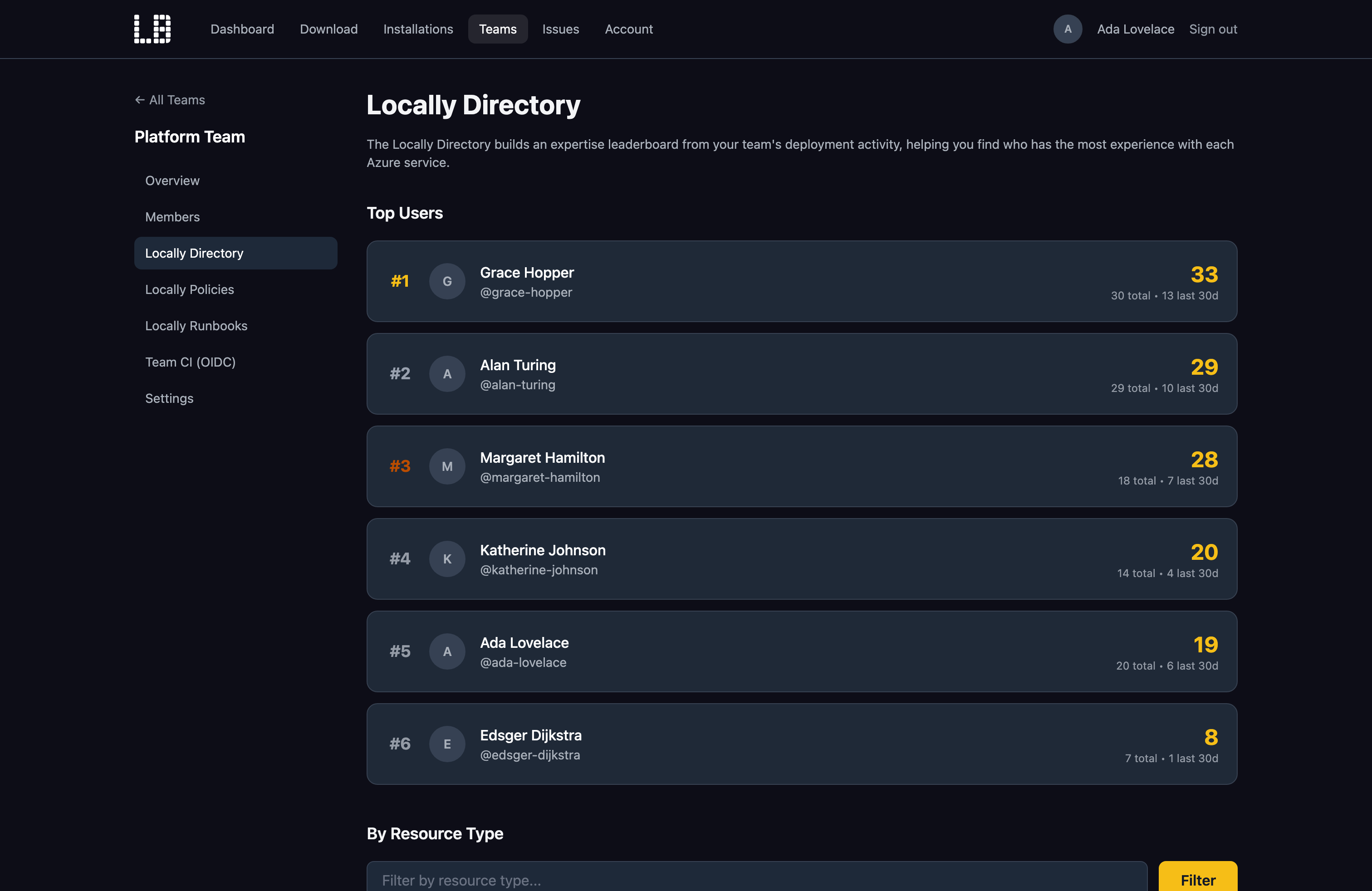
It's part of your Locally Team, and is enabled by default when you create a team. A team admin can turn it on or off at any time from the team's Settings page in your Locally Account, under Features. If your team belongs to an organisation, this is controlled by the organisation instead.
What you see
The Locally Directory page for your team has two views:
- Top Users - the team members who've been most active across all Azure services.
- By Resource Type - who's been most active with a specific resource type, such as
Microsoft.DocumentDB/databaseAccounts, along with how many they've deployed in the last 30 and 90 days.
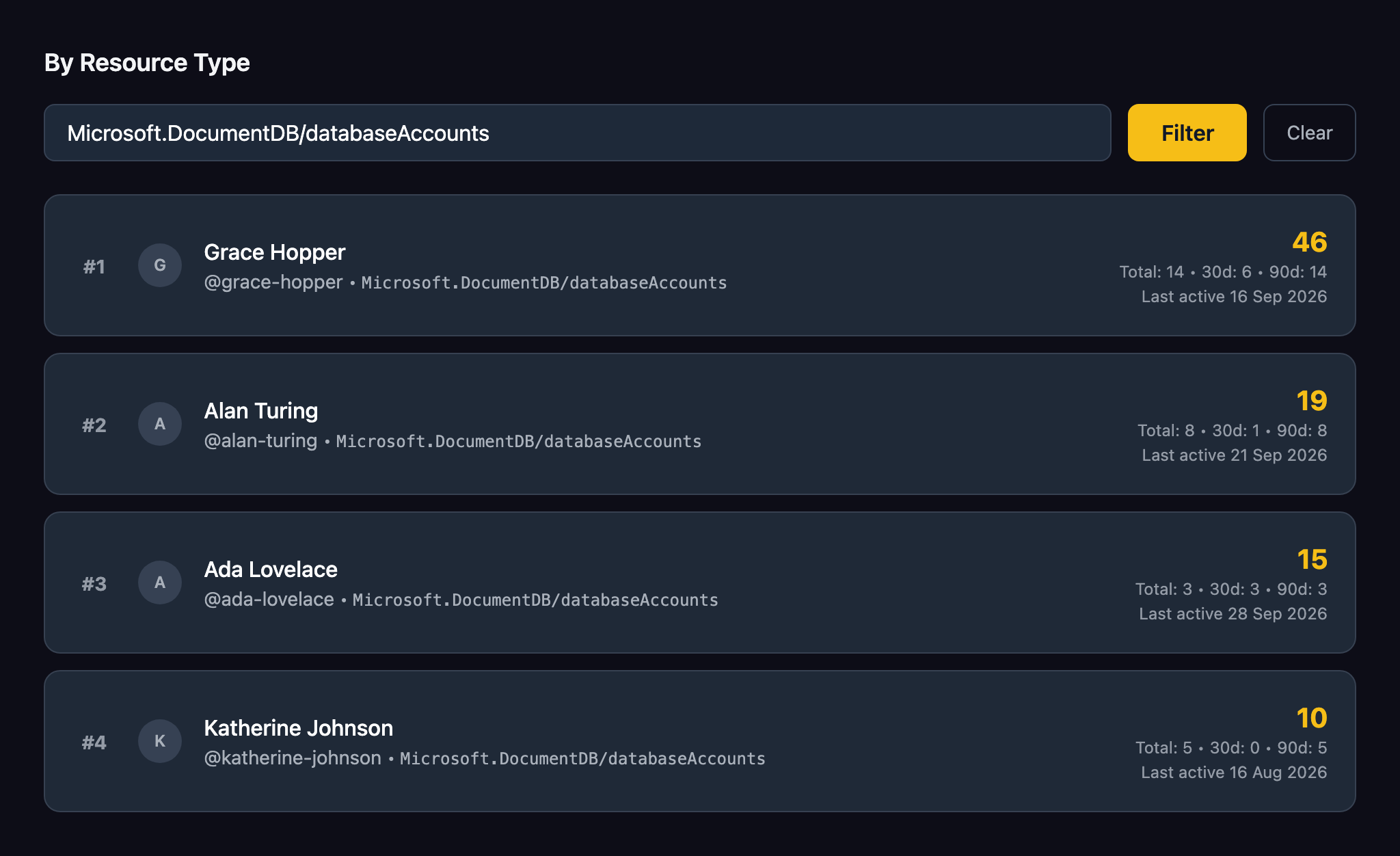
Each team member is given a score, which weights recent activity more heavily - so the Directory reflects who's been working with something lately, rather than who deployed it months ago.
In the example above, Grace Hopper is at the top for Cosmos DB, having deployed it the most over the last 90 days - but Alan Turing and Ada Lovelace have used it more recently, so they're good people to ask too - whether that's to spread the workload, or if Grace is on holiday.
Where the data comes from
The Directory is built from the same opt-in analytics that Locally uses to prioritise its roadmap. Each team member chooses whether to share these during locally setup (by picking Crash Reports & Analytics) - it's off by default, and a team admin can't turn it on for them. Team members who don't share analytics won't appear in the Directory.
Analytics are only kept for 90 days, so the Directory covers the last 90 days of activity. It's updated periodically rather than in real time, and analytics are sent the next time Locally starts - so recent deployments can take a while to show up.
Should you encounter any issues, please take a look at the troubleshooting section.
Sign in during Public Preview to get the Team plan free, plus an early-adopter discount when we launch. Sign in
