Directory (Entra) Emulator
Sign in during Public Preview to get the Team plan free, plus an early-adopter discount when we launch. Sign in
Directory (Entra) Emulator
Microsoft Entra ID is Azure's identity service - holding the users, groups, applications and service principals in your tenant, which your applications manage and query using Microsoft Graph.
Locally includes a Directory (Entra) emulator for your tenant, which is built in - so no plugin is needed - and supports creating and querying users, groups, applications, service principals and more, so you can test your identity code end-to-end.
The emulator serves Microsoft Graph at https://atlas.locally:5679, and Automatic Configuration points your tools at it - so your infrastructure-as-code and your application's SDK code are the same as they would be for Azure.
Finding the Emulator
The emulator has its own UI at https://atlas.locally:5679/_ui/, which is linked from the sidebar of the Locally Dashboard - and shows an overview of your tenant:
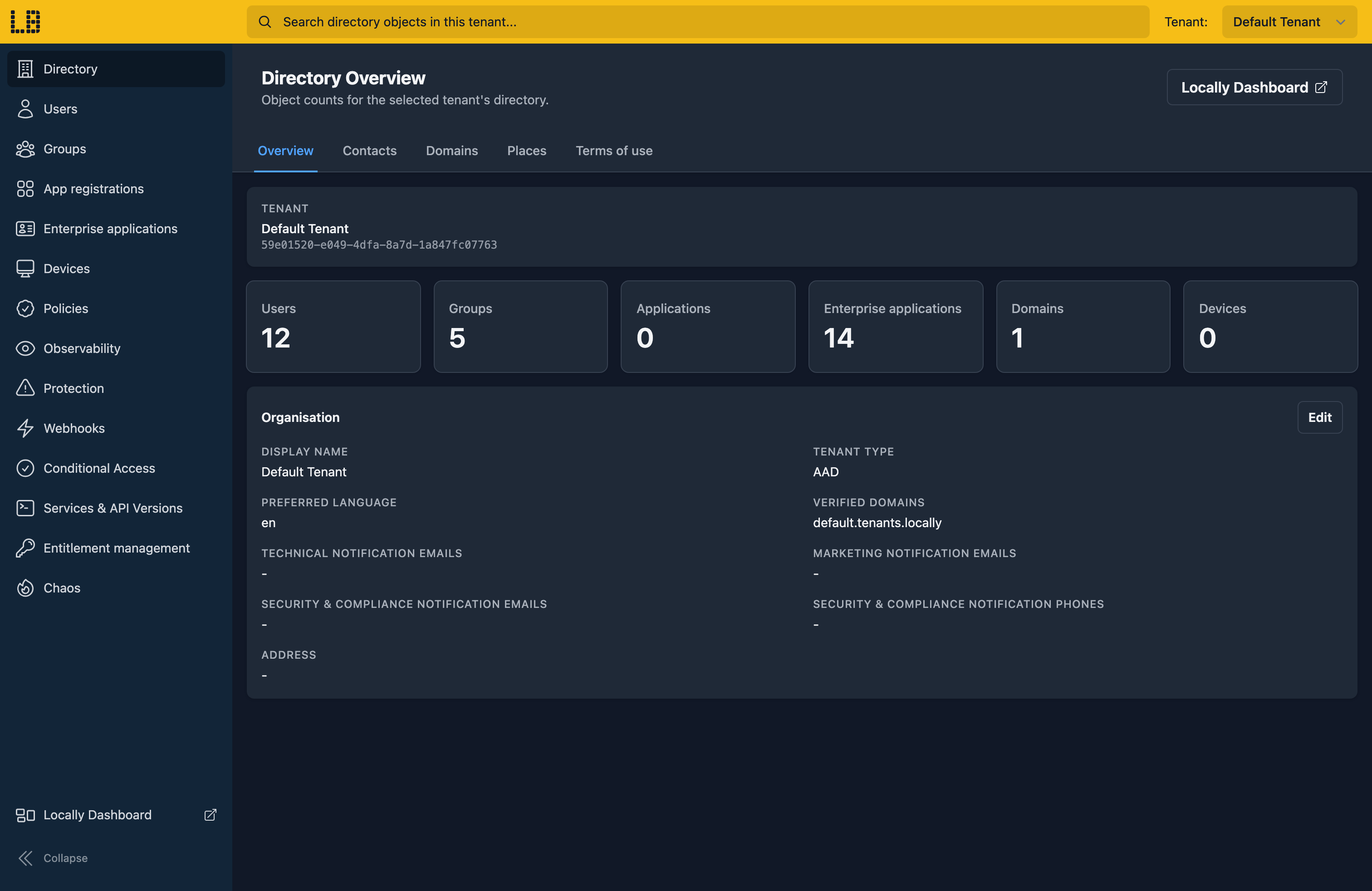
The Directory Emulator
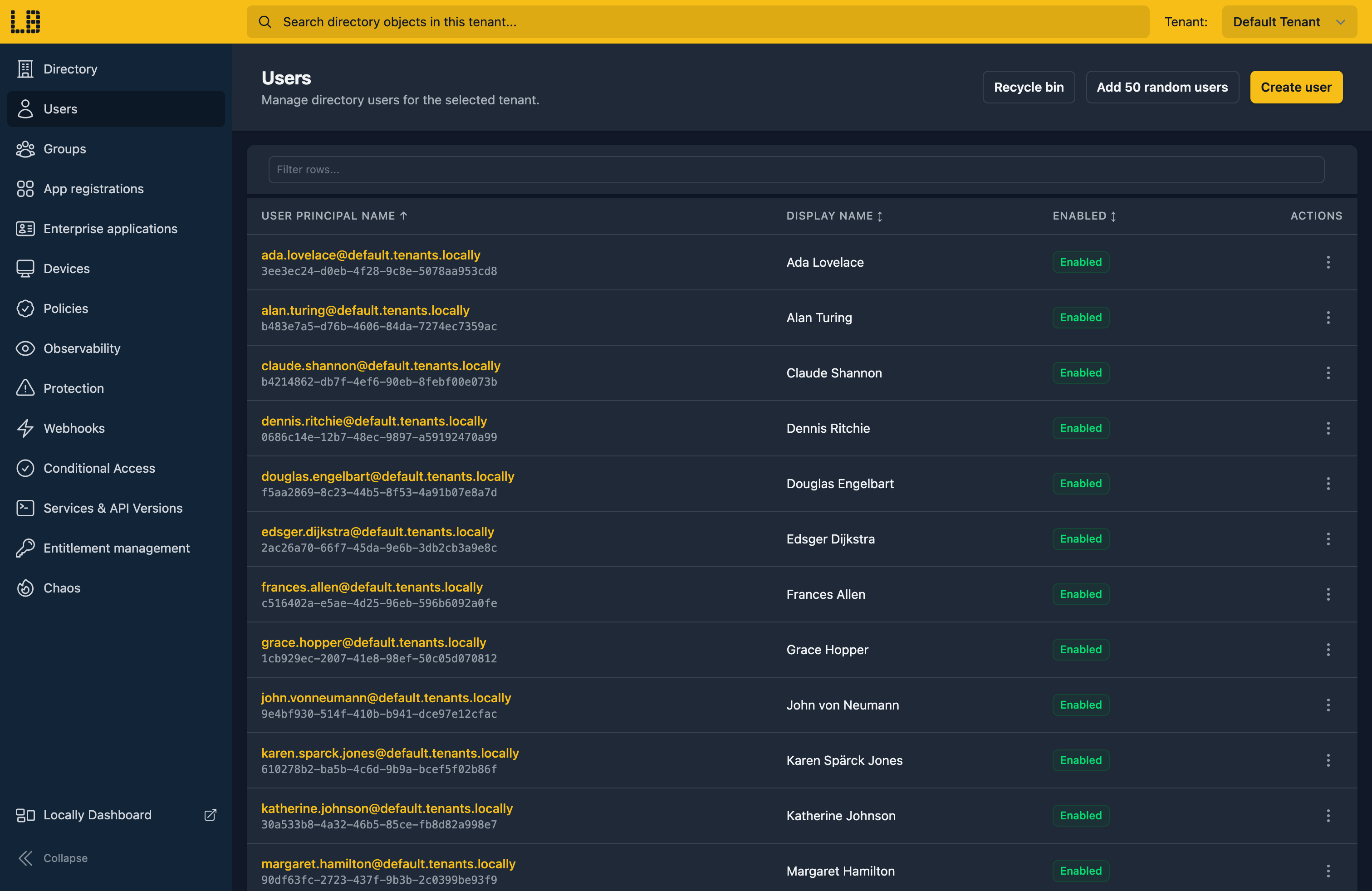
Within the Directory Emulator you can browse and manage the users, groups, applications, service principals and devices in your tenant - such as creating users, editing their details, or disabling an account to test how your application handles it:
Placeholder Data
An empty directory never pages, and a group with two members never exercises your transitive membership code - so the emulator can fill your tenant with realistic placeholder objects, a batch at a time:
- Users - 50 per click, with plausible names, and user principal names derived from them.
- Groups - 25 per click, with names like Crimson Otters, and members drawn from the users in the tenant.
- Devices - 25 per click, where the operating system, manufacturer and model agree with one another.
- Contacts - 25 per click, with departments and company details.
They're ordinary directory objects, so they come back from Graph like anything else, and you can edit or delete them individually - a quick way to test paging through @odata.nextLink, filters which actually narrow something, and a UI rendering names you didn't choose.
What's Supported
The emulator serves both the v1.0 and beta Graph APIs - apart from B2B invitations and user flows, which are v1.0 only, and Conditional Access templates, which are beta only. The plans line up with Entra's own licences: Standard adds the Entra ID P1 features, and Team adds P2.
Service Principals include the well-known Microsoft ones (Microsoft Graph, Azure Key Vault and friends), plus one for each Managed Identity on your Control Plane resources. Role Definitions can be read on every plan - creating custom roles needs Standard.
On a lower plan these return an HTTP 403 saying which plan you need, rather than a confusing 404.
Requests are authenticated using Microsoft Entra tokens, and the permissions in the token are enforced - so a request without the right permission gets a 403 Authorization_RequestDenied, as it would in Azure.
On the Team plan you can also turn beta off, to prove your application only depends on stable Graph (see Enforce Stable API Versions), and Chaos Engineering can throttle Graph, inject errors and latency, or delay replication - so a new service principal "doesn't exist" for a few seconds, just like a real tenant.
The Directory emulator also works with Locally's other emulators, as you'd expect - for example:
- Each Managed Identity on your resources gets a service principal, alongside the well-known Microsoft ones (such as Microsoft Graph and Azure Key Vault).
- App Service Authentication in the Web App and Function App Emulators signs users in against your tenant.
Examples
This end-to-end example uses the Directory (Entra) emulator, and has everything you need to run it against Locally:
Differences from Azure
As of Locally v2026.09.02, the Directory emulator has the following differences from Azure:
- Identity Protection has no risk engine, so risky users and sign-ins only appear if they're created directly.
- Delta queries work for users, groups, applications and service principals only, and return everything in a single page.
- Provisioning logs are always empty, and sign-in logs only record delegated sign-ins.
- Change notifications work for users, groups, applications and service principals only, without lifecycle notifications or encrypted rich payloads.
subscribedSkusalways reports Entra ID P2 - features are enabled by your Locally plan, rather than licences.- Role assignments scoped to an application (
appScopeId) aren't supported, and you can't$filteron directory extension properties. - Privileged Identity Management schedules are read-only.
Should you encounter any issues, please take a look at the troubleshooting section.
Sign in during Public Preview to get the Team plan free, plus an early-adopter discount when we launch. Sign in
