Event Hubs Emulator
Sign in during Public Preview to get the Team plan free, plus an early-adopter discount when we launch. Sign in
Event Hubs Emulator
Azure Event Hubs is a data streaming service for ingesting large volumes of events - such as telemetry or clickstreams - which any number of consumers can then read, each at their own pace.
Locally supports both provisioning Event Hubs namespaces (and the hubs and consumer groups within them) and sending and receiving events - so you can fully test your producers and consumers against it.
When you provision a namespace in Locally, it's available at <namespace>.eventhub.locally - over AMQP on port 5671 and HTTPS on 5662 - which you can connect to using the Azure Event Hubs SDKs and the Azure CLI.
Finding the Emulator
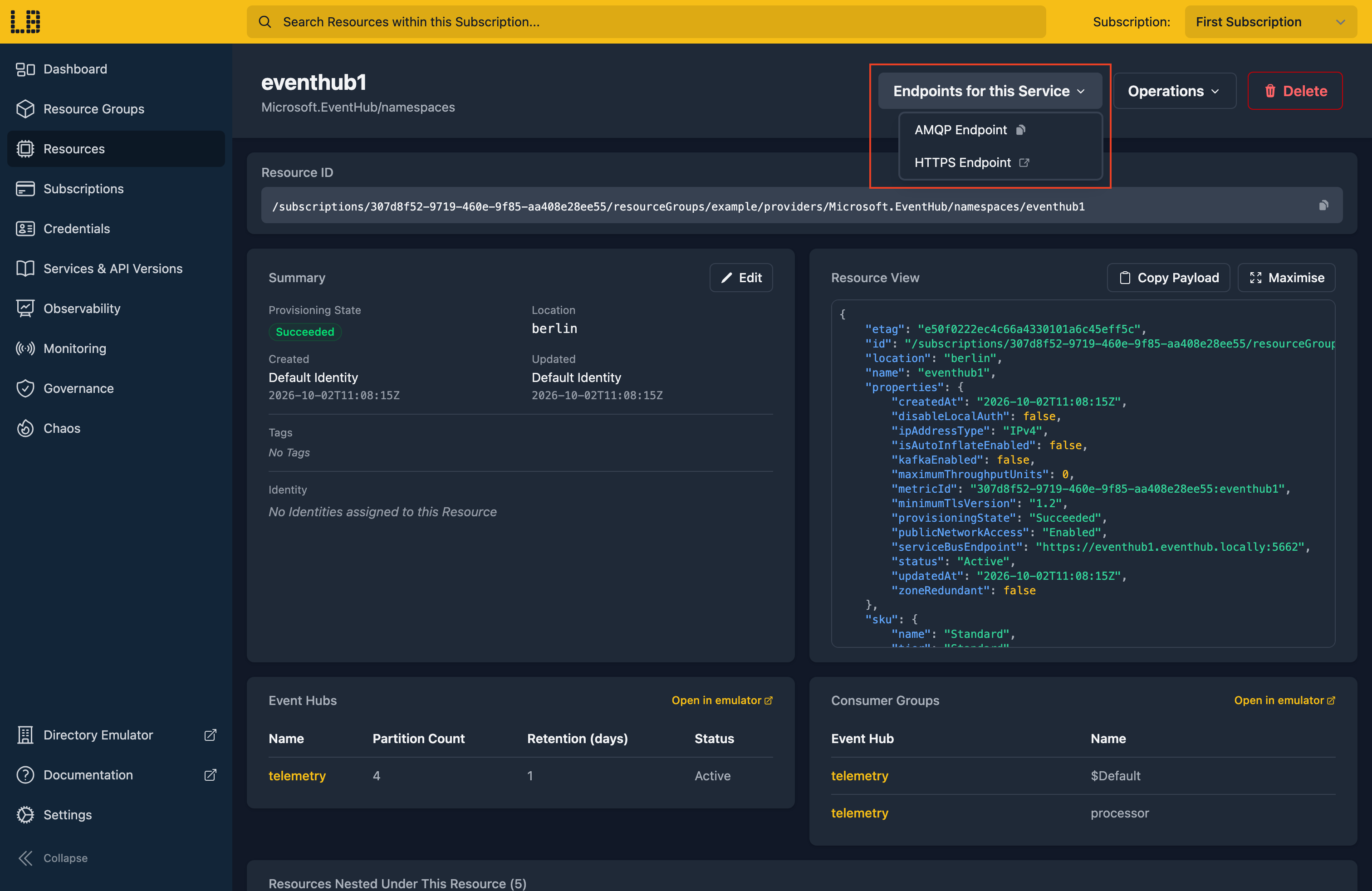
Once a namespace has been created, you can find its endpoints on its resource page within the Locally Dashboard - the AMQP Endpoint to copy, and an HTTPS Endpoint which opens the emulator:
You can also open the emulator from the command line using locally eventhub dashboard --namespace <namespace>.
The Event Hubs Emulator
Within the Event Hubs Emulator you can see each hub's partitions - with their first and last sequence numbers, and how many events they hold - browse a partition's events, and find the connection strings to interact with the namespace:
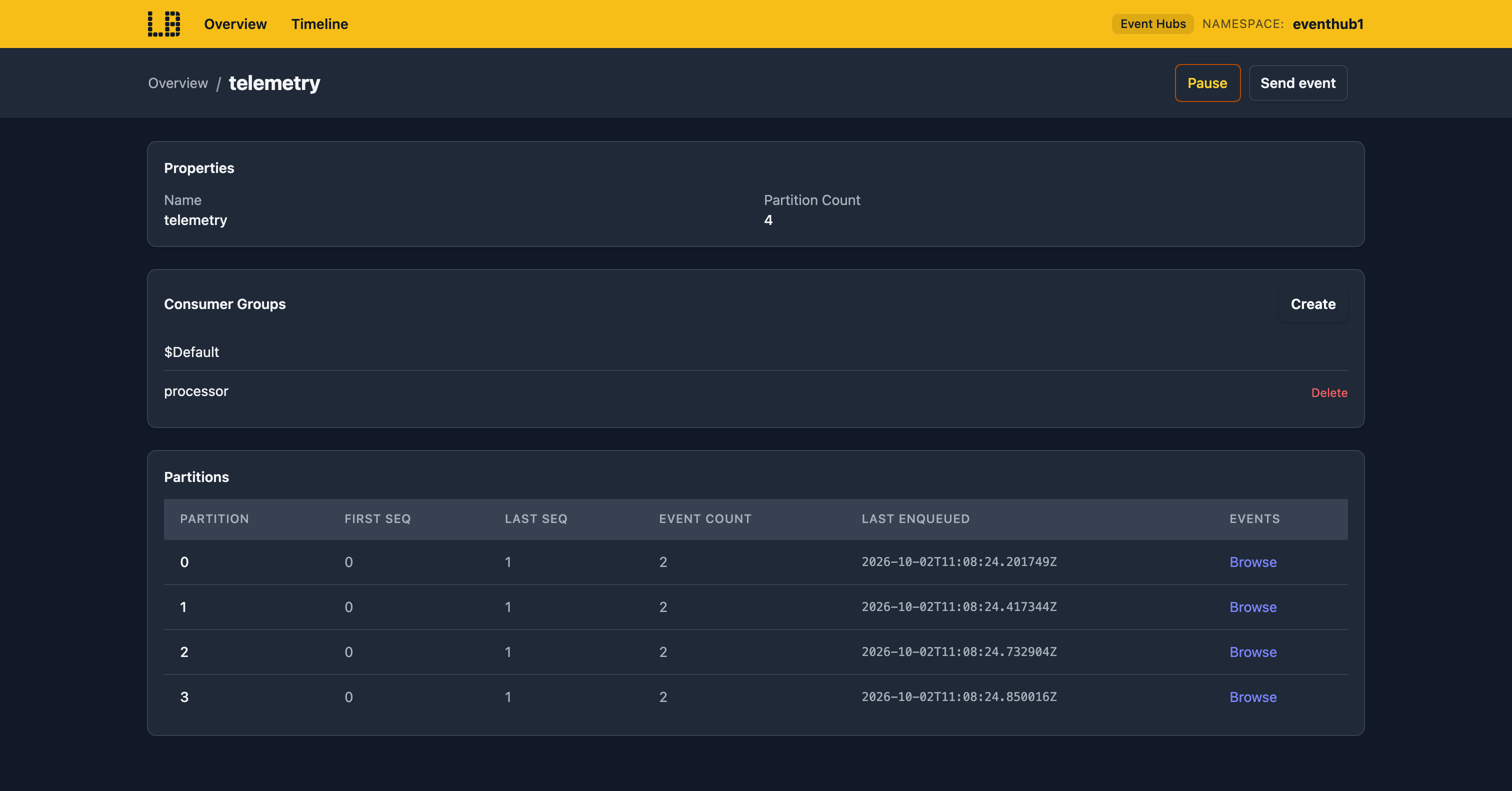
You can also send events from the browser, and Pause a hub to see how your consumers behave when nothing arrives.
What's Supported
The Event Hubs emulator supports:
Authentication is supported using either a Microsoft Entra token (with the Azure Event Hubs Data Sender or Azure Event Hubs Data Receiver role), over both AMQP and HTTPS, or the namespace's shared access policies.
Owner levels work as they do in Azure, so the EventProcessorClient can share partitions between instances - and a hub that's Disabled, SendDisabled or ReceiveDisabled refuses sends or receives accordingly.
Chaos Engineering (on the Team plan) can throttle, fail, slow down or drop requests over HTTPS - such as publishing and the Schema Registry - but doesn't affect AMQP connections.
Event Hubs also works with Locally's other emulators, as you'd expect - for example:
- The IoT Hub Emulator's built-in endpoint is an Event Hub, so device telemetry can be read using the same SDKs.
- Event Grid subscriptions can deliver events to an Event Hub.
Differences from Azure
As of Locally v2026.09.02, the Event Hubs emulator has the following differences from Azure:
- There's no Kafka endpoint, and Capture isn't supported.
- Idempotent publishing isn't supported, so a retried send isn't deduplicated.
- A partition key always lands on the same partition, but not necessarily the same one it would in Azure.
- A hub's status is read when a link is opened, so a link that's already open doesn't see a later change.
- Retention is time-based only - there's no size limit, and an expired event can still be read for up to 30 seconds.
- The Schema Registry can't list a schema's versions or fetch one by name and version, and doesn't validate schemas.
Should you encounter any issues, please take a look at the troubleshooting section.
Sign in during Public Preview to get the Team plan free, plus an early-adopter discount when we launch. Sign in
