Service Bus Emulator
Sign in during Public Preview to get the Team plan free, plus an early-adopter discount when we launch. Sign in
Service Bus Emulator
Azure Service Bus is a message broker for passing messages between applications and services - using queues for one-to-one delivery, and topics and subscriptions for publish-subscribe.
Locally supports both provisioning Service Bus namespaces (and the queues, topics and subscriptions within them) and sending and receiving messages - so you can fully test your producers and consumers against it.
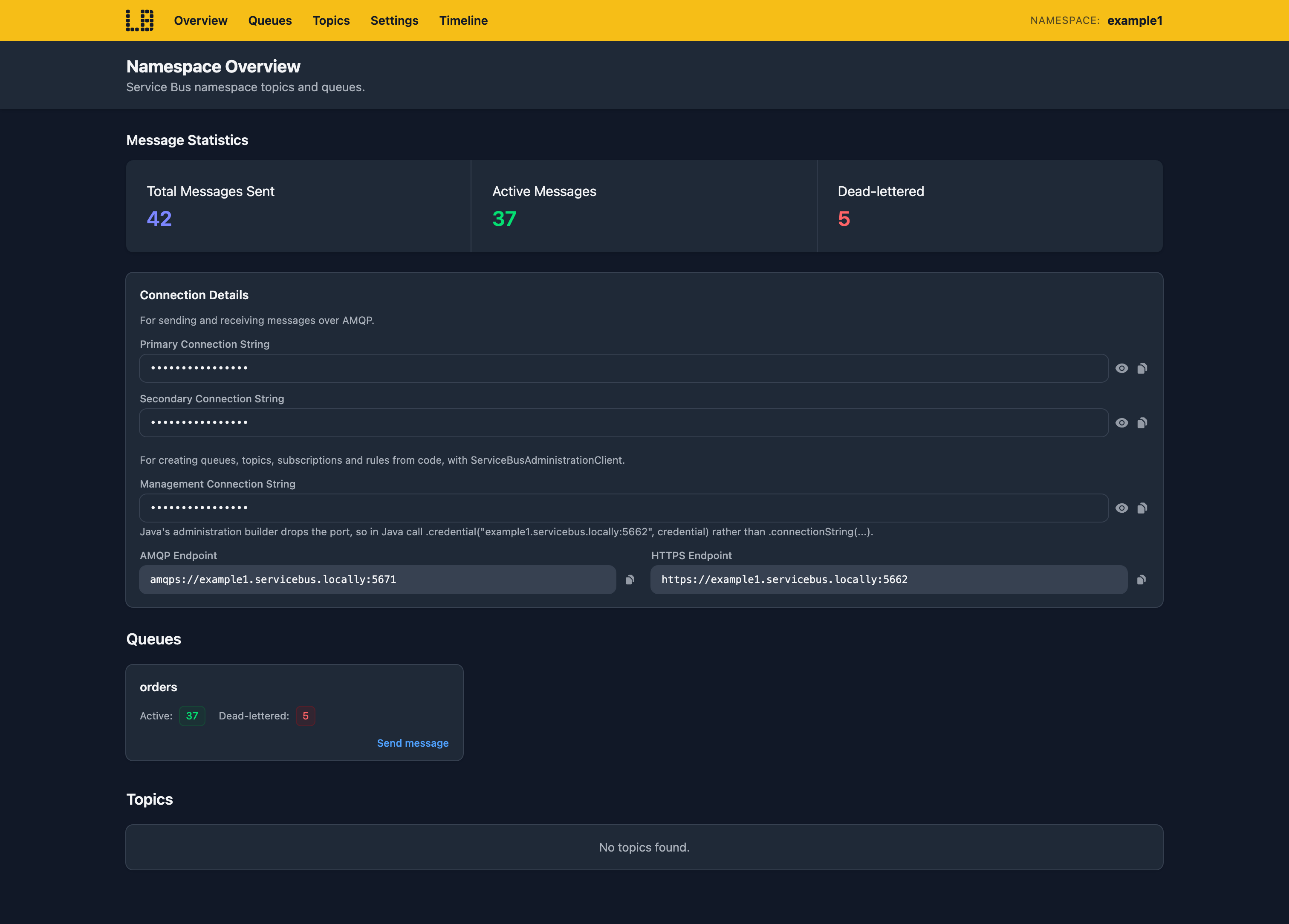
When you provision a namespace in Locally, it's available at <namespace>.servicebus.locally - over AMQP on port 5671, and HTTPS on 5662 - which you can connect to using the namespace's connection string from the Azure Service Bus SDKs.
Finding the Emulator
Once a namespace has been created, you can find its endpoints on its resource page within the Locally Dashboard, along with its queues and topics - and Open in emulator takes you to the emulator:
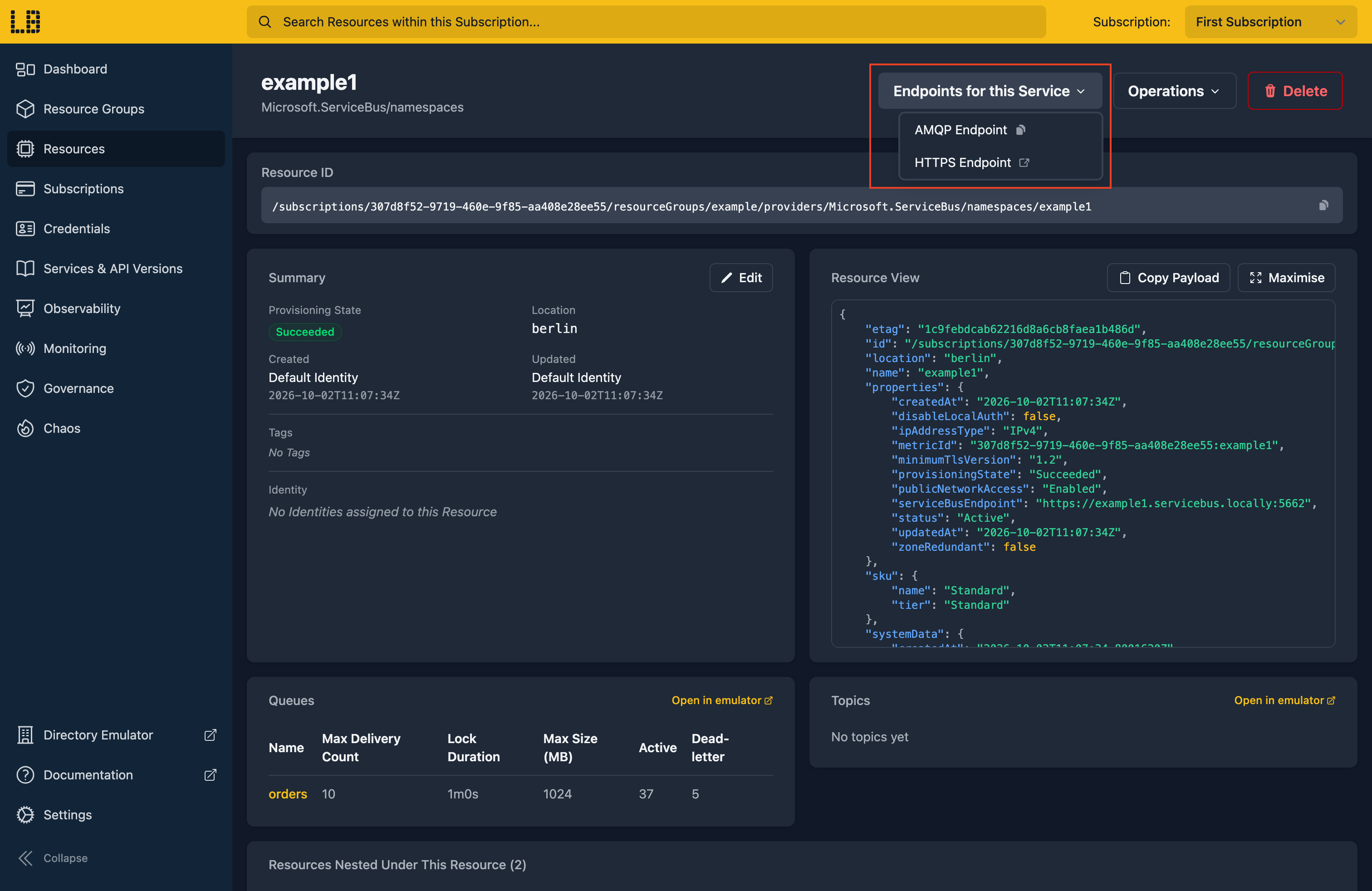
The Service Bus Emulator
Within the Service Bus Emulator you can browse each queue and subscription's active, completed and dead-lettered messages, and find the connection strings to interact with the namespace:
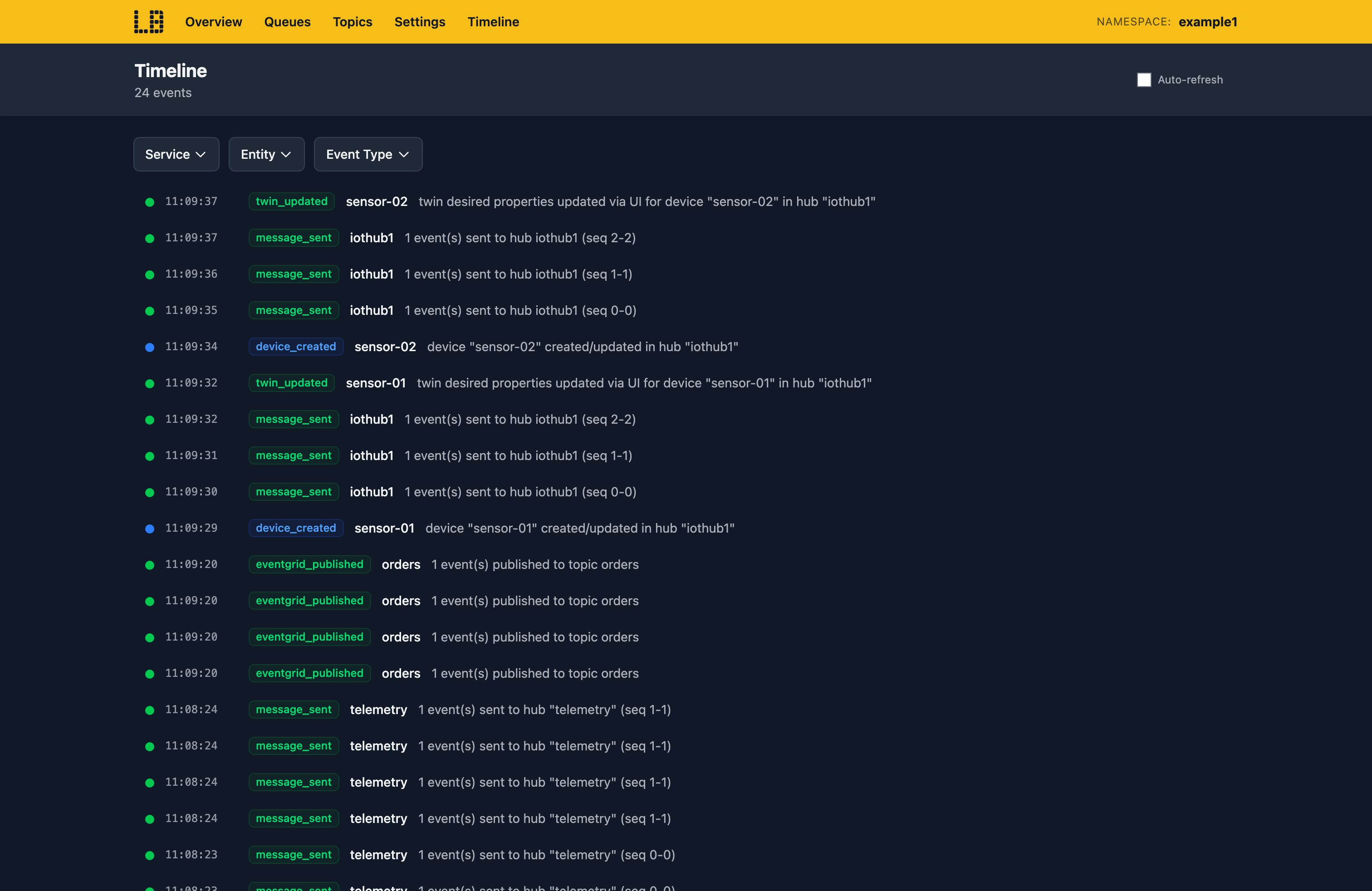
You can also send messages, dead-letter a message or move it back onto its queue, and Pause a queue. The Timeline shows what's happening in the namespace as it happens:
What's Supported
The Service Bus emulator supports:
Authentication is supported using either a Microsoft Entra token (with a role such as Azure Service Bus Data Sender or Azure Service Bus Data Receiver) or the namespace's shared access policies. Disabling local authentication on a namespace refuses its shared access policies, so only Microsoft Entra tokens work.
The administration clients (such as ServiceBusAdministrationClient) need the namespace's management connection string, which includes the HTTPS port - you can get this using locally servicebus connection-string --namespace <namespace> --management.
Chaos Engineering (on the Team plan) can throttle, fail, slow down or drop requests over HTTPS - or simulate a regional outage - but doesn't affect AMQP connections.
Service Bus also works with Locally's other emulators, as you'd expect - for example:
- Event Grid subscriptions can deliver events to a Service Bus queue or topic.
- Premium namespaces raise Event Grid events, such as when messages are waiting with no active listeners.
- Service Bus triggers run in the Function App Emulator.
Examples
The locallybuild/examples repository has runnable examples for the Service Bus emulator using:
Differences from Azure
As of Locally v2026.09.02, the Service Bus emulator has the following differences from Azure:
- AMQP over WebSockets isn't supported - use the default AMQP transport.
- Partitioned entities, Geo-Disaster Recovery and Premium's other features aren't emulated. Premium namespaces do raise their Event Grid events.
- Parameters on SQL filters aren't stored, so a filter using
@parametersees it asNULL. Arithmetic in a rule action (SET x = x + 1) has no effect.
Should you encounter any issues, please take a look at the troubleshooting section.
Sign in during Public Preview to get the Team plan free, plus an early-adopter discount when we launch. Sign in
