Application Insights Emulator
Sign in during Public Preview to get the Team plan free, plus an early-adopter discount when we launch. Sign in
Application Insights Emulator
Azure Application Insights is Azure Monitor's application performance monitoring service - collecting the requests, dependencies, exceptions and traces your application sends, so you can see how it's behaving.
Locally supports both provisioning Application Insights components and sending telemetry to them - which you can then query with KQL, so you can check exactly what your application records.
When you provision a component in Locally, it gets a connection string with endpoints on your machine - set this as APPLICATIONINSIGHTS_CONNECTION_STRING and the Application Insights SDKs (and the Azure Monitor OpenTelemetry Distro) send their telemetry to Locally. Web Apps and Function Apps linked to a component get this set for them.
Finding the Emulator
Once a component has been created, you can find it under Monitoring in the Locally Dashboard, along with its connection string, instrumentation key, linked workspace and API keys:
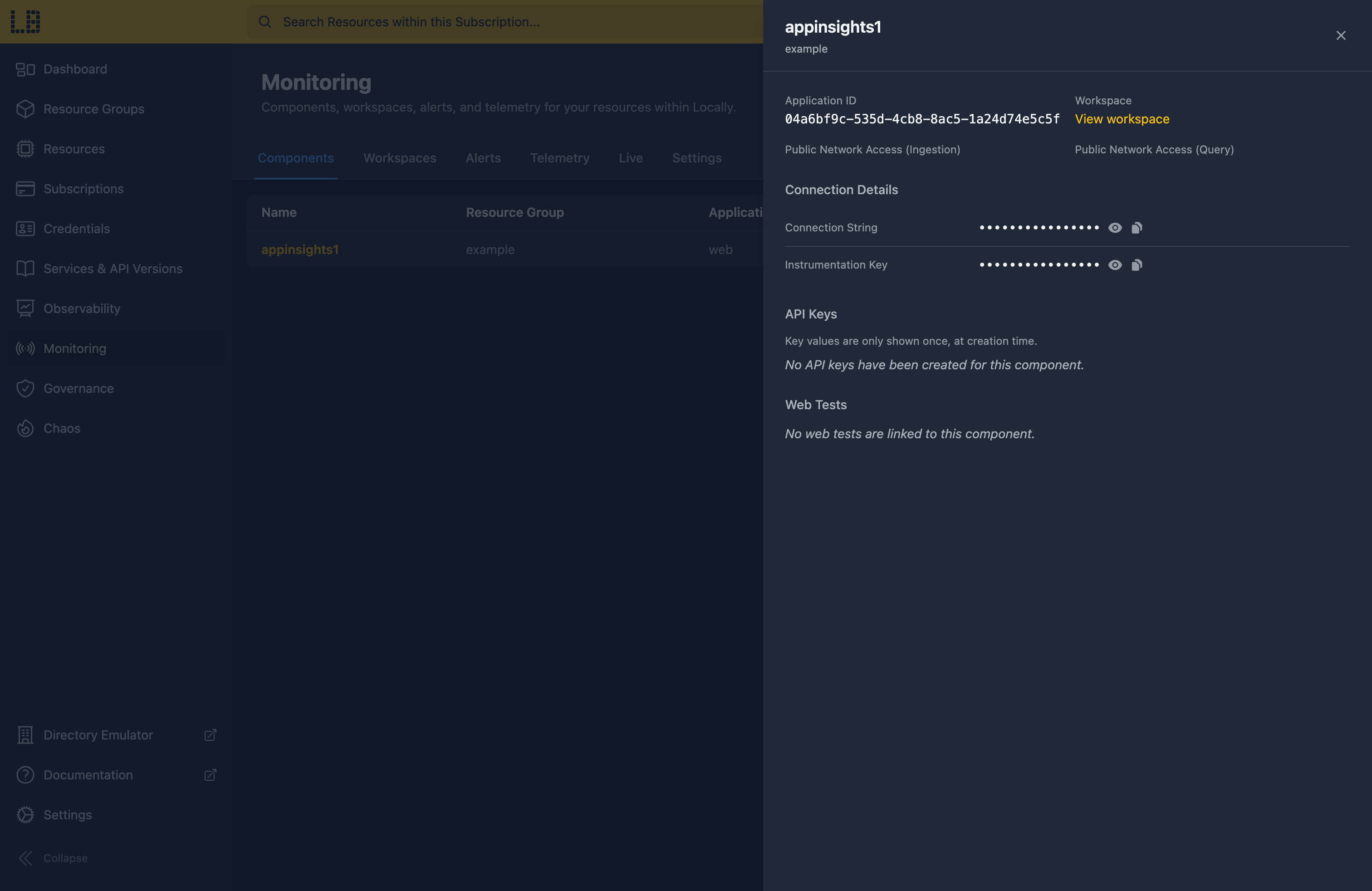
The Application Insights Emulator
The Telemetry tab is a KQL console for a component or a workspace, with charts and shortcuts for common questions - such as failed requests, the slowest requests and exception types:
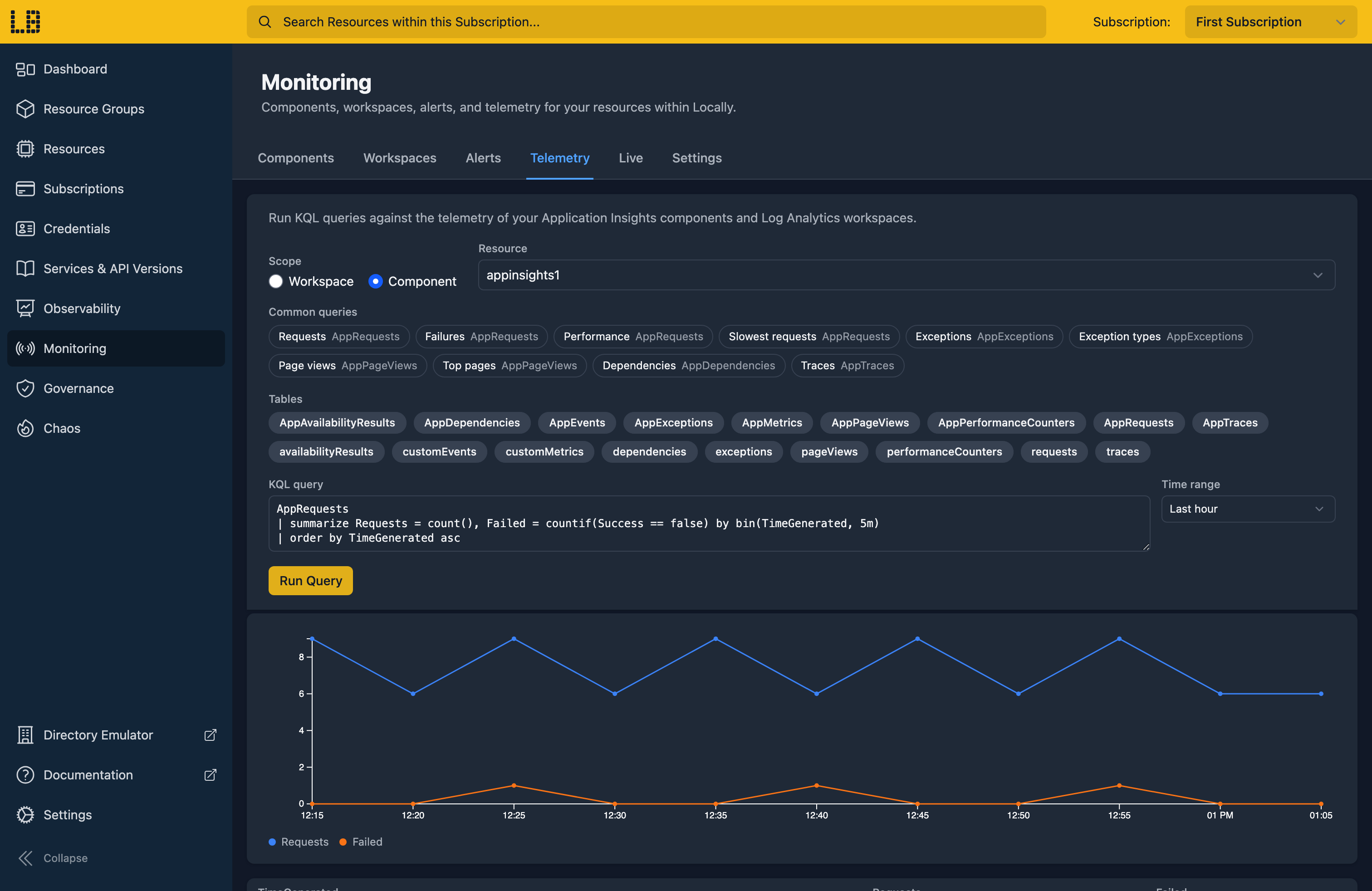
Any row with an operation ID can be opened as a transaction, showing the request alongside its dependencies, exceptions and traces. Live shows the last two minutes of telemetry, and Alerts lists the alerts which have fired.
What's Supported
The Application Insights emulator supports:
Telemetry can be sent using the instrumentation key or a Microsoft Entra token (with the Monitoring Metrics Publisher role), and queried using an API key or an Entra token.
Every component is linked to a Log Analytics workspace, so telemetry can be queried using either the Application Insights query API - where the classic table names, such as requests and traces, still work - or the Log Analytics query API.
Chaos Engineering (on the Team plan) can throttle, fail or slow down ingestion, queries and metrics - so you can check your application copes when its telemetry can't be sent.
Application Insights also works with Locally's other emulators, as you'd expect - for example:
- Telemetry is stored in the linked workspace in the Log Analytics Emulator, and queried using the same KQL engine.
- Custom metrics are served by the Metrics API, so metric alerts can use them.
Differences from Azure
As of Locally v2026.09.02, the Application Insights emulator has the following differences from Azure:
- Live Metrics isn't streamed. The SDKs are told nobody is watching, so they back off - use Live in the Locally Dashboard instead. We plan to support this in a future version of Locally.
- OTLP isn't accepted on the Application Insights endpoint. You can send OTLP logs and traces to a Data Collection Endpoint instead, which lands them in the Log Analytics Emulator's
OTel*tables. - Availability tests don't run, and smart detection alerts only fire when you trigger them from the Locally Dashboard.
- There's no Application Map, workbooks, or browser timings yet - we plan to add these in a future version of Locally.
- Sampling done by the SDK is respected, but ingestion sampling and daily caps aren't applied.
Should you encounter any issues, please take a look at the troubleshooting section.
Sign in during Public Preview to get the Team plan free, plus an early-adopter discount when we launch. Sign in
