Today I'm really excited to announce Locally, a local cloud environment for Azure and Microsoft Entra.
Locally lets you provision your infrastructure, deploy your applications and run your deployment scripts - all on your local machine, in seconds. No more conflicting with the rest of your team in a shared test subscription, or waiting for your IT team to grant you access. You get multiple Subscriptions with real credentials (Users, Service Principals and Managed Identities), real role-based access control and real policy enforcement. Nothing you deploy shows up on your Azure bill, your resources and data never leave your machine, and it works offline too.
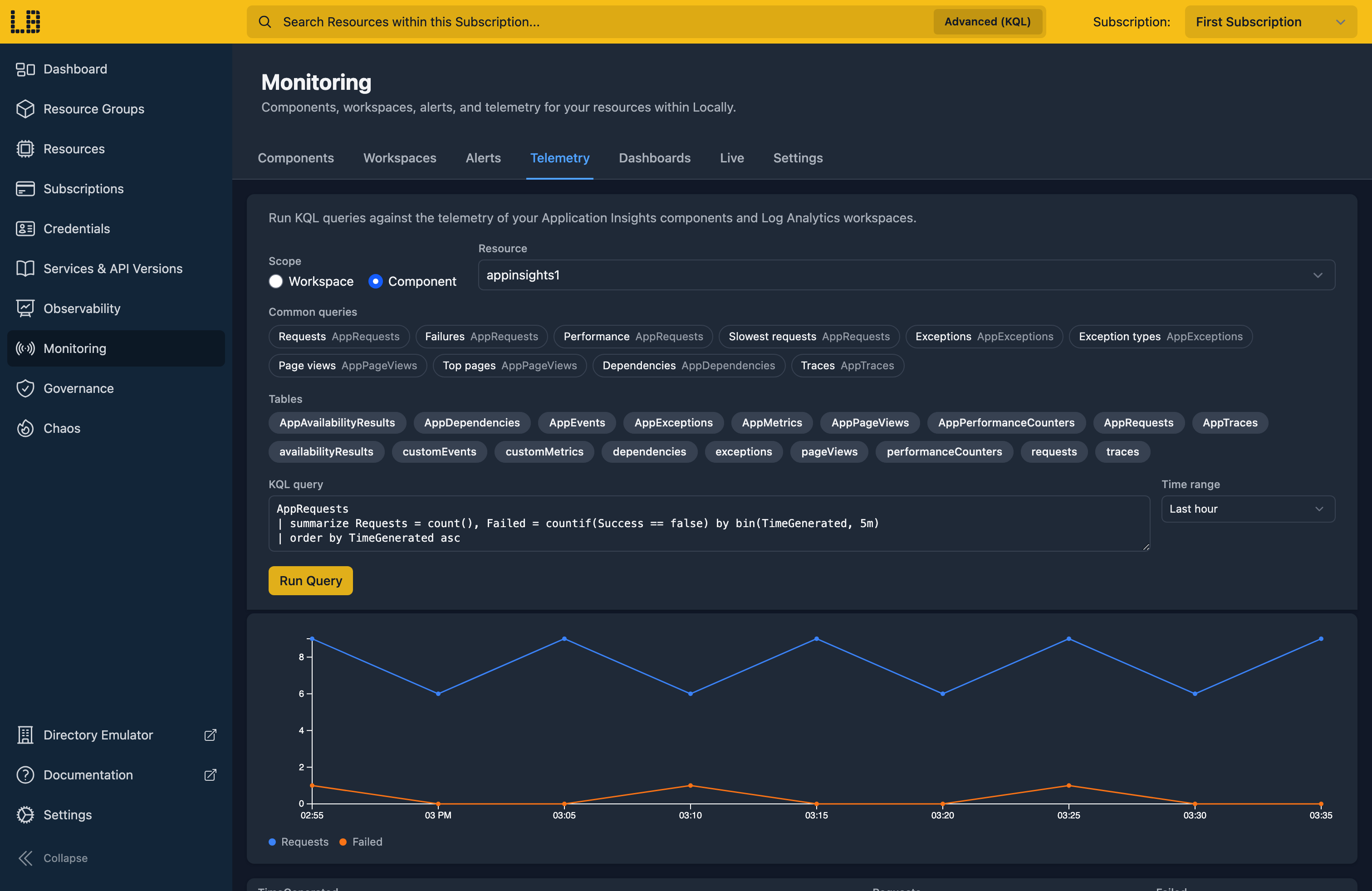
There's support for 39 Resource Providers and 18 Data Plane Emulators (like API Management, Application Insights, Key Vault, Service Bus and Storage) - so you can deploy your real applications to Locally and test them end-to-end, with a local Web App sending messages to a local Service Bus, which pushes metrics into a local Application Insights.
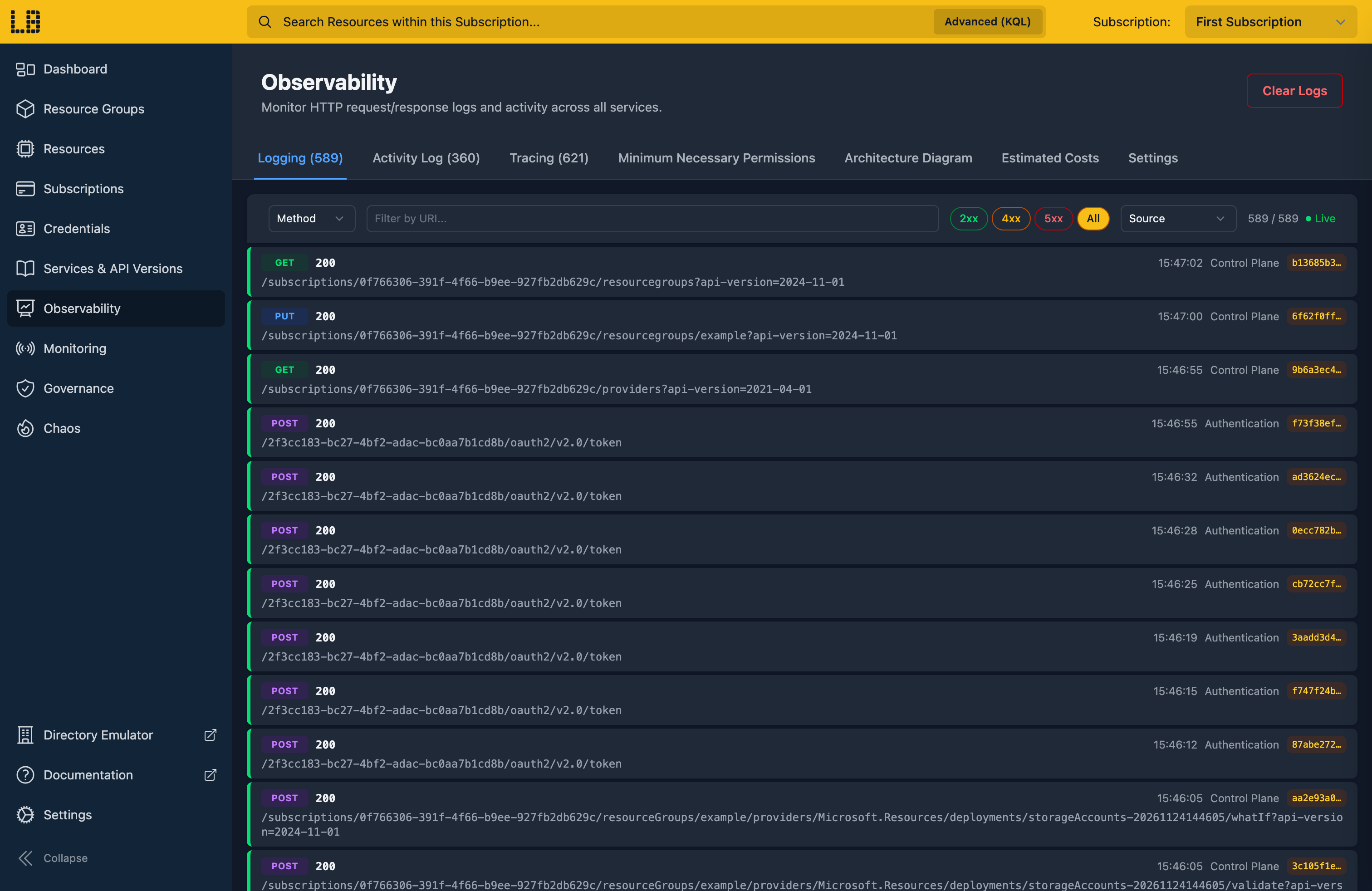
Locally also goes beyond what's available in Azure - you can use Chaos Engineering to simulate delays and outages across both the Control Plane (ARM) and the Data Plane, and save and load Snapshots of your environment at any time.
Your own Azure, in seconds
With Locally installed and configured, you can launch Locally by running:
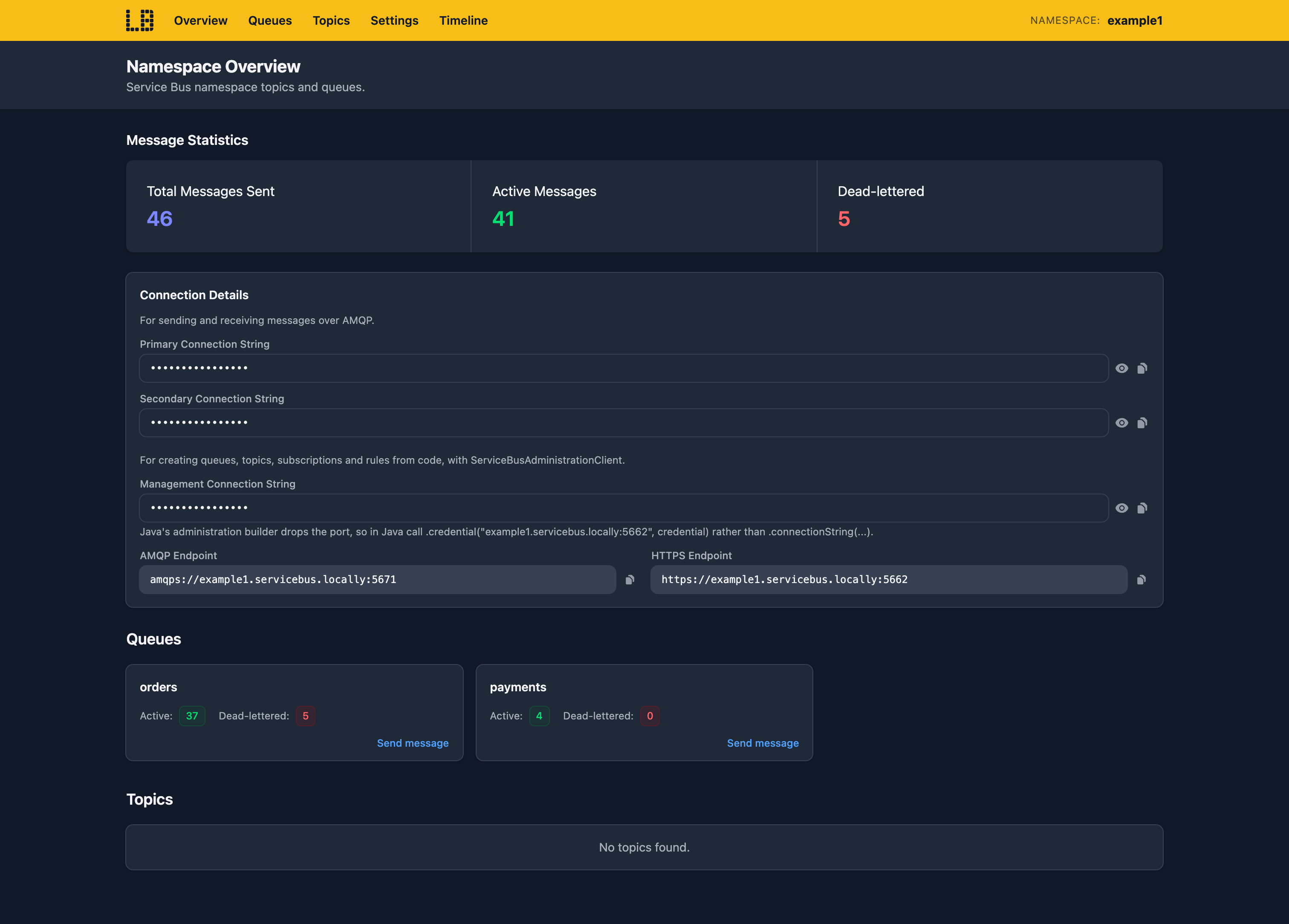
When you do, the Locally Dashboard opens automatically, and lets you get a bird's-eye view of everything happening within Locally:
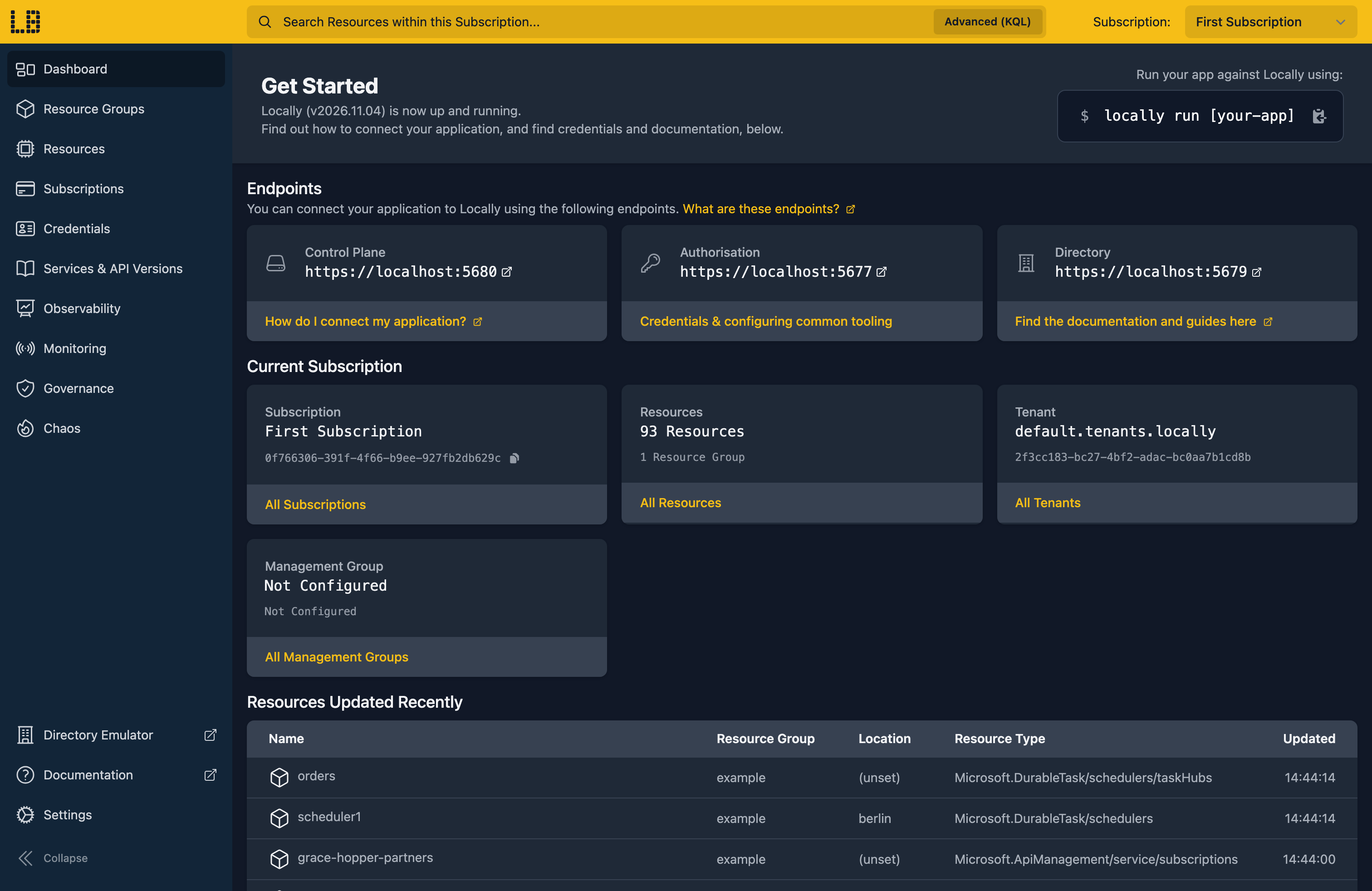
Locally can automatically configure the tools you use every day, like the Azure CLI, HashiCorp Terraform, Pulumi, Bicep and ARM Templates - meaning that running your tools against Locally is usually as simple as prefixing the command with locally run, for example:
You can deploy Bicep and ARM Templates via locally deploy, too. Apps using the Azure SDKs need a few lines of setup - see the guides for .NET and .NET Aspire, or the other Azure SDKs. And it all works in CI too - see Using Locally in CI.
Because everything runs locally, it's fast - deploying a Windows Virtual Machine and its network takes 1m 17s in Azure and 6.5s in Locally, where the Virtual Machine is backed by a container rather than a full VM. That means you can apply, destroy and re-apply in the time it takes to think - and a coding agent working on your infrastructure gets feedback in seconds, rather than waiting minutes for every attempt.
What's included
- A Control Plane: a Resource Manager API covering 39 Resource Providers, which lets you provision Resources and Resource Groups.
- 18 Data Plane Emulators to test your applications end-to-end - deploy a Function App triggered by Service Bus messages, which writes to Blob Storage, all using Managed Identities.
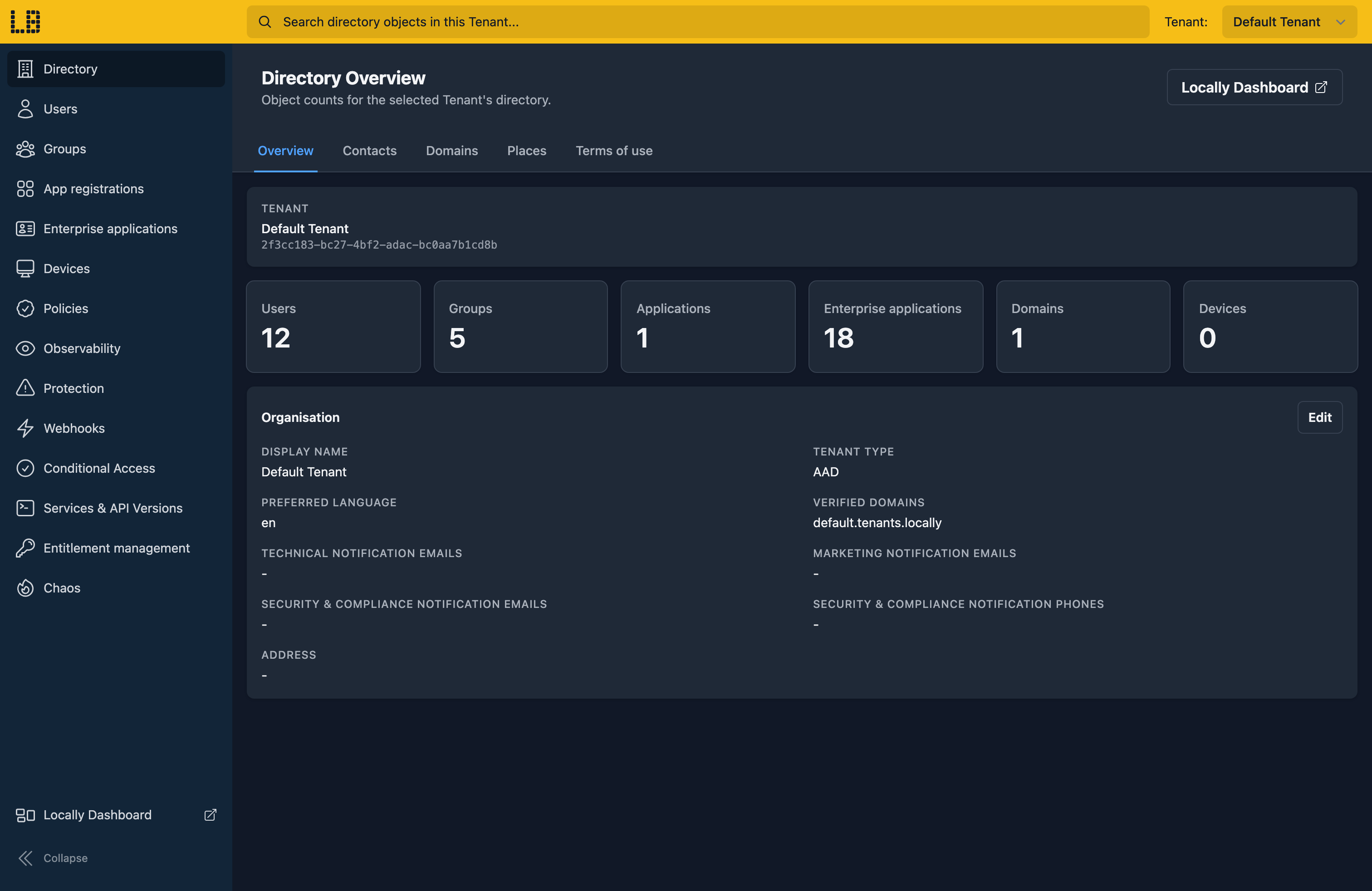
- A Directory (Entra) Emulator which lets you validate your scripts against a local directory, before you run them against your real instances.
- The Locally Dashboard which shows you everything you've deployed, and is akin to the Azure Portal.
- Chaos Engineering which lets you understand how your application behaves during an outage, before it happens.
- Policy and Compliance checks to check your Resources against built-in compliance initiatives, before deploying to Azure.
- A built-in MCP Server, so coding agents can deploy and inspect Resources too.
Give each AI agent its own Subscription
We've all read the stories about an AI agent accidentally deleting something critical in production. Coding agents are great at writing infrastructure, but letting one loose on a real Subscription is a different matter, even if it's only your staging Subscription.
With Locally, each agent can use its own Subscription, so you can leave it to deploy, break things and start over without anything landing in Azure - and without it stepping on you or your other AI agents. It never sees your Azure credentials, either.
The built-in MCP Server and Agent Skills teach your agent how to use Locally - for example, here's Claude testing how an app handles a regional outage:
# Once: give Claude the Locally skills
$ npx skills add locallybuild/skills

> Deploy this app to Locally, then show me how it behaves when the primary region is down.

⏺ Bash(locally run terraform apply -auto-approve)
  ⎿ Apply complete! Resources: 16 added, 0 changed, 0 destroyed.
⏺ Bash(locally chaos storage outage --percentage 100 --location london)
⏺ Bash(dotnet test)
  ⎿ 5 failed, 7 passed

⏺ With London down, new orders time out: the API waits 30s on London
  storage before giving up. The Paris storage account and namespace are
  deployed and their health checks report healthy, but orders only ever
  use London, so the app never fails over. Want me to add that?
Want to try this for yourself? We're using the locallybuild/example-app-service-multi-region repository.
Locally works with Claude Code, Claude Desktop, OpenCode and GitHub Copilot in VS Code. Read about using Locally with AI agents →
Pick up where you left off
Getting an environment into the right state can take a while - think about how long it takes to deploy the infrastructure, seed some data and so on. You can use Locally Snapshots to save it all, load it back later and share it with your team. A snapshot contains everything in Locally - your Subscriptions and Resources, the directory, Role Assignments and Policy, and everything inside the Data Plane Emulators, like the messages on your Service Bus queues, the blobs in your Storage Accounts and your databases.
You can take a snapshot in Locally either via the Locally Dashboard or via the CLI:
For example, you might take one before running a database migration or testing a failover script - and if it goes wrong, load it back and try again, rather than redeploying and reseeding everything:
Finally, by default Locally starts clean every time - but if you want Locally to persist your state across restarts, you can do this by launching Locally via:
Locally Snapshots and State Persistence are available on the Standard plan. Read about Locally Snapshots →
Safe by design
We want to make it really clear when you're deploying to Locally and when you're deploying to Azure - we do this in two ways:
- Tools and applications only run against Locally when you prefix them with
locally run. We intentionally don't change your default Azure CLI or PowerShell configuration, for safety. - By default, Locally uses its own set of locations - like
berlin,kyivandlondon- which don't exist in Azure. Using an Azure location in Locally, or a Locally location in Azure, fails. You can use the Azure locations instead if you'd prefer.
Whilst this may seem pedantic, we want you to feel confident that when you're working against Locally, you're actually working against Locally - and that when you're working against Azure, you're actually working against Azure.
Public Preview, and what's next
Locally is now in Public Preview, and we'd love to hear your feedback - come say hello on Discord, follow us on Bluesky, Mastodon or X (Twitter), and log and upvote bugs and feature requests in your Locally Account. During the Preview everyone who signs in can use all of the Team plan features for free. You'll also get an early-adopter discount when Locally becomes generally available.
We're working through the remaining bugs and limitations before coming out of Preview, at which point the Starter plan will stay free (and you can still use it without signing in, with shorter sessions and fewer plugins) alongside paid plans that fund Locally's development and come with SLAs - and we'll announce pricing and give at least 30 days' notice before we do.
Next week we'll start a series of posts that deep-dive into Locally's features and how you can use them with your applications.
Try Locally
Locally is available today for macOS, Linux and Windows - on both arm64 (Apple Silicon) and amd64 (Intel and AMD).
During Public Preview you can use the Team plan for free, and get an early-adopter discount at GA. Sign in